- All of Microsoft
Microsoft Intune: E3 vs E5 - July 2026
Microsoft MVP (Enterprise Mobility, Security) - MCT
Intune Suite lands in Microsoft three sixty five E three and E five freeing budget and adding EPM plus Security Copilot
Key insights
- Microsoft Intune Suite will be bundled into Microsoft 365 E3 and Microsoft 365 E5 from around 1 July 2026, lowering the need to buy the Suite separately.
Microsoft will notify eligible tenants in the Message Center about the change 30 days before it activates, and the rollout will occur gradually across tenants. - What's included in E3: Intune Remote Help, Advanced Analytics, and Intune Plan 2 features such as Microsoft Tunnel for MAM, specialty device management for AR/VR and meeting-room devices, and firmware over‑the‑air updates for Zebra devices.
These features arrive in E3 at no extra cost for eligible tenants. - What E5 adds: Endpoint Privilege Management (EPM), Cloud PKI, Enterprise App Management, and Security Copilot on top of the E3 bundle.
Evaluate these extras if you need advanced privilege control, certificate management, app governance, or AI-assisted security insights. - No plan change required: You do not need to buy or switch licenses to get the bundled features if your tenant is eligible.
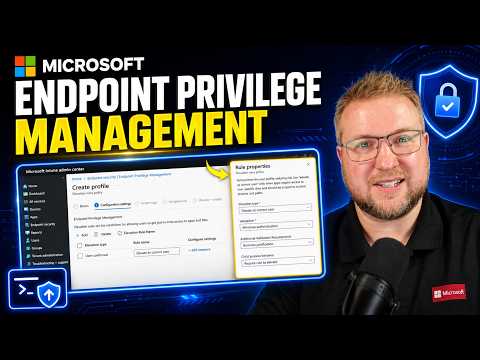
Microsoft will enable the features automatically after the notification period, but timing depends on your tenant’s rollout stage. - Endpoint Privilege Management setup: The walkthrough covers building EPM from scratch, configuring elevation settings, and setting up reporting.
Use smart elevation rules that avoid relying on file hashes to reduce ongoing maintenance. - Decision guidance: Review your current Intune Suite usage to estimate potential budget savings and decide if E5’s additional tools justify upgrading.
Focus on whether EPM, Cloud PKI, Enterprise App Management, or Security Copilot deliver measurable value for your organization.
Summary of the video
Dean Ellerby [MVP] released a detailed YouTube walkthrough explaining changes to the Intune Suite that begin rolling out around 1 July 2026. He outlines which capabilities will be included at no extra cost in M365 E3 and which additional features land in E5, while also showing a live portal demo. Consequently, this change could free up budget for organizations that previously bought the Intune Suite as a separate add-on.
Moreover, Ellerby explains how eligible tenants will receive a 30-day notice in the Microsoft 365 Message Center and that Microsoft will enable features automatically on a staged schedule. He also walks viewers through setting up Endpoint Privilege Management (EPM) from scratch, covering elevation settings, reporting, and rule construction. The video aims to help admins decide whether to stay on their current plan or consider moving to E5.
What lands in E3
According to the video, Microsoft will include several capabilities in E3 via EMS E3, notably Intune Remote Help, Advanced Analytics, and Intune Plan 2. These additions make a meaningful difference for endpoint teams because remote support and analytics often drive faster troubleshooting and clearer operational insight. As a result, organizations that need basic advanced management may find that existing E3 licenses now cover more scenarios than before.
In addition, Intune Plan 2 brings support for scenarios like Microsoft Tunnel for MAM, specialty device management for AR/VR and meeting-room tech, and firmware over-the-air updates for certain Zebra devices. Therefore, organizations that manage mixed endpoint types or specialized devices will see immediate functional gains without extra licensing. However, admins should still verify that their tenant receives the rollout and that device-specific features meet any regulatory or vendor requirements.
What E5 adds on top
For organizations that need stronger controls and security tooling, the video highlights four items that E5 adds beyond E3: Endpoint Privilege Management (EPM), Cloud PKI, Enterprise App Management, and Security Copilot. These capabilities aim to reduce attack surface and improve identity and certificate management, which can be critical for heavily regulated industries. Consequently, organizations with high security needs may still find value in upgrading to E5 despite more features moving into E3.
Notably, EPM shifts how local admin rights and elevation are handled, allowing more granular control with audit trails, and Cloud PKI simplifies certificate lifecycle tasks. Meanwhile, Security Copilot brings AI-assisted security insights that can speed incident response, though it requires operational maturity to use effectively. Therefore, the added value of E5 depends on how much an organization values centralized privilege control, certificate automation, and AI-assisted security operations.
Deployment timing and tenant impact
Ellerby stresses that tenants do not need to change subscriptions or buy anything new; eligible tenants will be updated automatically after a 30-day notice. Microsoft will roll out the changes gradually, so exact timing will vary by tenant and region, and admins should watch the Message Center for their window. Thus, planning remains important because feature availability may differ across environments during the staged rollout.
Furthermore, automatic enablement means admins must prepare to review new capabilities, baseline settings, and any potential policy impact before users notice changes. For example, teams may need to adjust support workflows to incorporate Intune Remote Help or revisit reporting dashboards to include analytics from newly available tools. Consequently, proactive testing in a pilot tenant is advisable to prevent surprises during production rollouts.
Practicals from the EPM walkthrough
In the portal demo, Ellerby builds EPM policies, sets elevation rules, and shows reporting so viewers can see common configuration patterns in action. He emphasizes building rules that avoid brittle dependencies, such as rules that rely on file hashes which change with each update. Therefore, admins should prefer methods that use publisher, path, or signature-based controls where possible to reduce ongoing maintenance.
He also demonstrates how reporting can validate that elevation requests follow policy, which helps teams tune rules and detect misuse. However, implementing EPM requires operational discipline: logging, monitoring, and periodic review become more important as privilege surfaces shrink but become more controlled. As a result, organizations should plan administrative processes and training alongside technical deployment.
Tradeoffs and recommendations
Overall, the video frames this change as a net benefit for many organizations, especially those on E3 that will gain capabilities without extra cost, but it also highlights tradeoffs. While the bundled features reduce licensing expense, they increase the need for administrators to understand and operate new tools, which can raise short-term support effort. Therefore, teams should weigh immediate budget gains against the time required to validate settings and train staff.
In practice, small and medium organizations that lack in-house security teams will likely welcome the included tooling and the reduced need to buy add-ons, while larger or regulated organizations should review the extra features in E5 carefully before deciding whether to upgrade. Finally, the staged rollout and the need to avoid brittle rule designs mean that a measured pilot and clear governance offer the best path to capture value while limiting operational risk.
Keywords
Microsoft Intune Suite E3 vs E5 July 2026, Intune Suite features July 2026, Intune E3 vs E5 comparison 2026, Microsoft 365 E3 E5 Intune differences, Intune licensing changes July 2026, Intune Suite pricing 2026, Intune security features E5, Migrate to Intune Suite E5 2026