- All of Microsoft
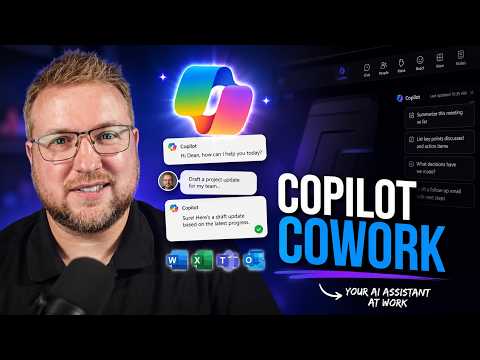
Microsoft 365 Copilot Cowork: Real Cost
Microsoft MVP (Enterprise Mobility, Security) - MCT
Microsoft three sixty five Copilot Cowork expert: admin centre pay as you go credits, meeting prep and slide deck
Key insights
- Copilot Cowork
Agentic work inside Microsoft 365 that carries out multi-step tasks across Outlook, Teams, Word, Excel and PowerPoint. It shows a plan and progress so you get finished outputs, not just chat answers. - Usage-based billing
Pay-as-you-go costs about $0.01 per Copilot Credit and admins can enable per-user or group limits and spending caps. The built-in /cost skill shows estimated credit use before you run large tasks. - General availability
Cowork reached GA in June 2026 and offers model choices like Claude Opus 4.8, Claude Sonnet 5, and Claude Fable 5 (Preview) that admins can enable or disable. - Web and media features
Cowork can automate web tasks in a local Edge browser using your sign-ins, generate images via ChatGPT Images 2.0, apply brand templates to PowerPoint, and use partner plugins and Fabric/Dynamics integrations. - Security and governance
Prompts, responses and artifacts flow through Microsoft 365 controls with inherited sensitivity labels, audit logs, eDiscovery and other compliance tools; admins keep visibility and control over data and activity. - Task scale and value
Real tests show Cowork can prep meetings, build and self-review slide decks with higher quality than before, but cost grows with task complexity (light, medium, heavy). Use budgets and caps to manage spending and choose precommit options for discounts if you expect heavy use.
Overview of Dean Ellerby’s experiment
In a recent YouTube video, Dean Ellerby [MVP] walked through a hands-on test of Microsoft 365 Copilot Cowork, focusing on cost, capability, and practical controls. He set up a pay-as-you-go account in the Microsoft 365 admin centre, put spending caps in place, and then asked Cowork to perform a real workplace workflow: find his next meeting, prepare for it, and build a presentation deck. Throughout the session he used the built-in /cost tool to track estimated consumption in credits, and he documented both the improvements in output and the final bill. His approach highlights how an administrator can limit financial exposure while still testing advanced automation features.
What he asked Cowork to do
Ellerby gave Cowork a multi-step task that moved beyond a simple chat reply to an outcome-oriented job: locate the next meeting, assemble context from mail and calendar, prepare notes, and create slides. The workflow showcased Cowork’s ability to plan steps, execute across Outlook, Teams, and PowerPoint, and present progress while it worked. Importantly, he used a staged approach so he could monitor how much processing each phase consumed in credits. This real-world test illustrated the agentic behavior Microsoft advertises for the service.
The video also displayed the new self-review capability, where Cowork reviews and improves its own slides before delivering the final deck. Ellerby found the resulting deck better than previous Copilot-generated decks, and he praised the way the feature applied organizational templates and branding during creation. However, he still scrutinized the output for accuracy and relevance, noting that human oversight remained important. These checks are critical, because automated draft quality can vary depending on the prompt, model choice, and context provided.
Costs, billing and the tradeoffs
One of the central topics in the video was cost: Cowork uses usage-based billing at roughly one cent per Copilot Credit, and customers can choose a pay-as-you-go model or commit to volumes with a P3 plan for discounts. Ellerby deliberately capped spending in the admin centre to avoid surprises, then compared estimated credit usage for light, medium, and heavy tasks. This experiment made clear that while pay-as-you-go offers flexibility, it can also lead to unpredictable bills if high-volume automation runs unchecked. Conversely, committing to a plan trades flexibility for predictability and possibly lower per-unit cost, which may suit larger, steady workloads.
The video explained that the /cost skill provides near-real-time estimates so users can judge how expensive a asked task might be before it runs fully. Nevertheless, estimates can vary by model selection and the number of steps a task requires, which complicates upfront budgeting. As a result, organizations must balance the potential productivity gains against the variable cost profile, especially for users who might run multiple heavy workflows. Effective governance and sensible defaults are therefore crucial to controlling consumption without blocking useful automation.
Administrative controls and governance challenges
Ellerby’s setup demonstrated the admin tools available: tenant controls, per-user spending limits, reporting in the Microsoft 365 admin centre, and the ability to require request access for Cowork features. Microsoft also describes end-to-end controls for compliance, including sensitivity label inheritance, audit logs, and integrations with eDiscovery and insider risk tools. Still, some capabilities such as Data Loss Prevention (DLP) were listed as coming soon, which means security teams must plan for gaps during early deployments. Balancing access for power users and preventing data exposure remains a core governance challenge.
The video additionally highlighted local browser automation in Edge, where Cowork can act using the user’s session and organizational policies, which improves fidelity for web tasks but raises questions about cookie and credential handling. Admins must weigh the convenience and accuracy benefits of local browser actions against potential security tradeoffs, particularly for roles handling sensitive information. Practical deployments will therefore require clear rules around which users can run browser-based automations and what auditing is enabled. In short, controls and monitoring should be part of any pilot or rollout plan.
Practical verdict and recommendations
Ellerby concluded that Cowork represents a meaningful step toward agent-driven work automation because it can deliver richer end-to-end outputs than simple chat answers, and the self-review step improves final quality. Yet he also emphasized that whether it is “worth it” depends on use case, scale, and governance: teams that run frequent, complex tasks may find the cost justified, while ad hoc users could burn through credits quickly. Therefore, organizations should pilot with small groups, enable strict budgets, and monitor the /cost estimates closely before broad adoption.
Ultimately, the video serves as a practical playbook: enable pay-as-you-go with capped spend for initial tests, review model choices and local browser settings, and treat automated outputs as drafts requiring human review. With these guardrails, businesses can explore the productivity upsides of Microsoft 365 Copilot Cowork while managing financial and security risks. As Microsoft evolves the feature set and governance tools, the balance between automation value and cost control will remain the key decision factor for IT leaders and team managers.

Keywords
Microsoft 365 Copilot cost, Copilot Cowork review, Microsoft Copilot pricing, Copilot for coworking cost, Microsoft 365 Copilot features, Copilot subscription price, Copilot Cowork demo, Is Microsoft Copilot worth it