- All of Microsoft
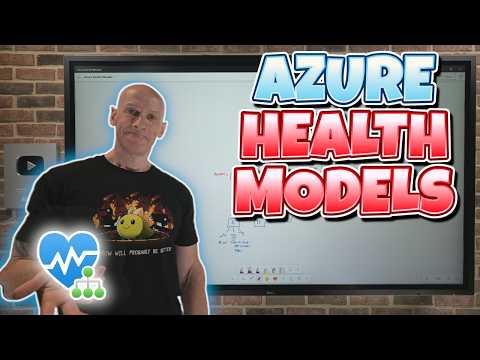
Azure Health Model Explained
Principal Cloud Solutions Architect
Microsoft Azure Health Models and Copilot Cowork billing with Azure Monitor and Cost Management for planning and control
Key insights
- Azure Monitor Health Models turn raw telemetry (metrics, logs, traces, Prometheus) into a single, business-focused health view that answers “Is my app healthy?”.
- Key building blocks are Service Groups (group related resources), Entities (components like VMs or APIs) and defined Health States that roll up component status into an overall application rating.
- Use the Graph view for real-time, color-coded dependency maps and the Timeline view to review historical trends and spot recurring issues for faster root-cause analysis.
- Primary benefits: cut alert fatigue by surfacing only business-impacting incidents, speed troubleshooting with visual dependency mapping, and enable automation driven by health signals (auto-scale, failover, runbooks).
- Operational guidance: map critical user journeys, set baselines and health thresholds, create health-driven alerts, and integrate models with incident playbooks to plan, control, and automate responses.
- For usage-based billing like Copilot Cowork, estimate costs by mapping usage to workloads, set quotas and budgets, monitor cost alongside health, and use cost observability to prioritize actions that reduce spend while protecting customer experience.
In a recent YouTube presentation, John Savill's [MVP] walked viewers through a preview feature in Azure that reframes observability around customer experience rather than isolated metrics. The video, which includes a demo and a short discussion of related billing topics, focuses primarily on Azure Monitor Health Models and how they aggregate telemetry into actionable, business-centric health signals. Consequently, organizations can move from reactive firefighting to proactive service health management. Moreover, the presenter outlines practical steps for planning, observing, and controlling health-driven automation.
What Azure Monitor Health Models Aim To Do
The video explains that Azure Monitor Health Models combine raw telemetry—such as metrics, logs, and traces—with domain context to answer the question: “Is my app healthy?” Rather than surfacing dozens of noisy alerts, the feature rolls up component states into a single, contextual health rating for a workload. Therefore, teams see the impact on critical user journeys and business capabilities, and they can prioritize work that matters most to customers. In addition, the presenter notes that this approach provides both real-time and historical perspectives for troubleshooting.
How the Models Work in Practice
Savill breaks down the model into core elements like Service Groups and Entities, which represent the resources and components of an application. He demonstrates that service groups can span resource groups and subscriptions, and that models update automatically as resources change, which reduces manual maintenance. Furthermore, the feature exposes two main views: a Graph view for live dependency maps and a Timeline view for trend analysis and root-cause hunting. Consequently, engineers can both see cascading failures visually and inspect how an incident evolved over time.
Benefits, Tradeoffs, and Practical Considerations
Among the primary benefits, the video emphasizes reduced alert fatigue and faster troubleshooting because failures map directly to customer-facing capabilities. However, Savill also highlights tradeoffs: creating useful health models requires careful design work, including deciding which dependencies to include and how to weight different signals. On the one hand, aggressive aggregation lowers noise but risks masking useful early warnings; on the other hand, highly granular models may preserve detail but bring back alert fatigue and complexity. Therefore, teams must balance simplicity against accuracy and adjust models as their systems evolve.
Demo Insights and Implementation Challenges
During the demo, Savill walks through building and observing a model, showing how alerts and automation can trigger at the workload level rather than for individual metrics. He demonstrates automated actions, such as scaling or failover, driven by aggregated health states, which aligns monitoring with business outcomes. Yet he also warns about practical challenges: telemetry gaps, inconsistent naming, and cross-subscription coordination can undermine a model’s effectiveness if not addressed. Consequently, organizations should pair Health Models with disciplined tagging, reliable telemetry instrumentation, and governance to get accurate results.
Costs, Governance, and Long-Term Maintenance
The video briefly touches on the relationship between observability choices and cost, including an introductory note about Copilot Cowork usage-based billing, while keeping attention on observability design. Importantly, Savill points out that Health Models can reduce human operational cost by lowering alert volume but may introduce subscription or ingestion costs depending on how telemetry is collected and retained. Therefore, teams should estimate telemetry volumes and retention policies carefully, and weigh the cost of richer signals against the benefit of improved uptime and faster remediation. In addition, organizations should plan for ongoing maintenance of models as architectures and SLAs change.
Final Takeaways for Teams Considering Health Models
In summary, the video positions Azure Monitor Health Models as a useful preview feature for teams that need to align technical monitoring with business outcomes and to reduce alert noise. The technology offers clear advantages for troubleshooting and automation, but it requires investment in design, telemetry quality, and governance to work well. As a result, teams should prototype with critical user journeys first, validate model behavior under real incidents, and iterate to find the right balance between specificity and manageability. Ultimately, the feature promises to help organizations focus on what matters most to their customers while acknowledging the operational and cost tradeoffs involved.

Keywords
azure health model, azure health overview, azure healthcare model, azure healthcare cloud, azure health monitoring, azure healthcare ai, azure health data services, azure health insights