Windows 365: AI, Apps & Resilient Access
Software Development Redmond, Washington
Microsoft expert: Windows Three Six Five runs AI agents on Cloud PCs, publishes Cloud Apps and Reserve for continuity
Key insights
- Windows 365 update highlights from a Microsoft Mechanics video with Scott Manchester and Jeremy Chapman.
It explains new features that speed access, improve resilience, and bring AI into cloud desktops. - Windows 365 Boot now starts Cloud PCs faster and shows a choice of Cloud PCs at sign-in.
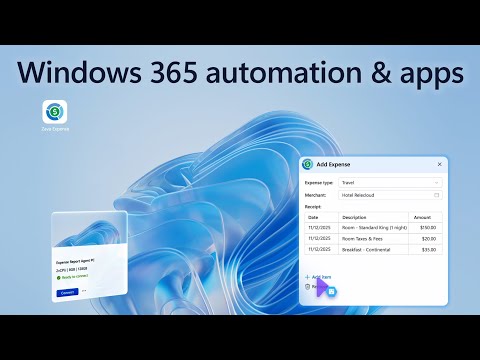
This reduces startup delays and improves error handling for users with multiple Cloud PCs. - AI agents can get their own Cloud PCs to run real tasks using natural-language commands.
This shifts automation from fragile UI scripts to scalable, resilient agent-driven workflows. - Cloud Apps (app-on-demand) lets IT publish individual applications instead of full desktops.
That simplifies management, modernizes legacy apps, and lowers the cost of delivering software to any device. - Windows 365 Reserve and cross-region disaster recovery restore productivity fast when devices fail or become unavailable.
Admins can provision temporary Cloud PCs and keep remote snapshots to support business continuity. - Zero Trust and updated conditional access controls strengthen security for hybrid and frontline workers, including government environments.
These policies help enforce compliance while keeping remote access flexible and safe.
Overview
Microsoft’s YouTube video, presented by Scott Manchester and Jeremy Chapman, outlines a fresh set of updates for Windows 365. The video frames these changes around three goals: enable AI-ready work, deliver apps on demand, and increase access resilience. In plain terms, Microsoft shows how organizations can assign agents their own cloud desktops, publish individual apps instead of full desktops, and restore access quickly when devices fail. As a result, the updates aim to reduce downtime and simplify IT operations for hybrid teams.
AI-Ready Agents and Automation
The video highlights the idea of giving AI agents dedicated Cloud PCs to run tasks using natural language, which replaces brittle UI-based automation. This approach promises more reliable automation because agents operate inside managed cloud environments rather than scraping interfaces on physical machines. However, it also raises questions about orchestration, scaling, and governance since organizations must manage agent identities, access scopes, and compute costs.
Furthermore, Microsoft points out that agent-based automation can accelerate workflows and reduce human error, particularly for repetitive or high-volume tasks. Yet teams should balance speed against complexity: building and maintaining agent flows requires skilled automation architects and robust logging to troubleshoot failures. Therefore, IT departments must weigh the productivity gains against the operational effort needed to keep automated agents secure and reliable.
App Delivery with Cloud Apps
Another major theme is the public preview of Windows 365 Cloud Apps, which lets organizations publish single applications instead of full cloud desktops. This model simplifies management and lowers resource use because IT no longer needs to provision a full desktop for every user that needs one app. In addition, users get a consistent experience across devices, which helps frontline workers or contractors who need quick access to specific tools without a full environment.
Nevertheless, moving to app-level delivery involves tradeoffs. While it reduces costs and surface area, some legacy applications expect a full desktop context and may need modification or compatibility layers. Consequently, IT teams should plan application assessments and pilot migrations to identify which apps are safe to publish and which require a different approach.
Resilience and Fast Recovery
Resilience features are central to the update set, especially the improved Windows 365 Boot experience and the new cross-region recovery options. Microsoft demonstrates faster connection times, clearer error handling at logon, and the ability to keep remote snapshots in other regions for business continuity. As a result, organizations can restore productivity quickly when devices break, are lost, or require repairs, which matters greatly for distributed workforces.
That said, cross-region recovery creates operational decisions about data residency, replication costs, and regional compliance. Teams must balance the need for rapid recovery against increased storage and networking charges, and they must confirm that cross-region snapshots meet regulatory requirements. Thus, resilience is valuable, but it requires explicit cost and compliance planning.
Management, Provisioning, and Operational Challenges
Microsoft also walks through provisioning, deprovisioning, and self-provisioning workflows that support the new features. These controls aim to reduce IT overhead by automating lifecycle tasks, but they introduce complexity around role definitions and policy enforcement. For example, delegating self-provision rights can speed onboarding, yet it requires strong conditional access and monitoring to avoid security gaps.
Moreover, managing many small app instances or agent-assigned Cloud PCs can change capacity planning. IT teams will need updated operations playbooks to monitor usage, optimize images, and handle patching at scale. In addition, organizations must invest in observability to detect performance or cost anomalies early, which helps avoid surprises as adoption grows.
Security, Tradeoffs, and Next Steps
The update set emphasizes a Zero Trust model, tighter conditional access, and broader support for government and frontline environments. These controls help protect cloud desktops and apps across devices, but they can also affect user experience if policies are too restrictive. Therefore, security teams should iterate policies to find a practical balance between protection and productivity, testing changes with pilot groups before wide rollout.
In conclusion, Microsoft’s video presents a pragmatic vision for a cloud-first, AI-enabled desktop strategy that reduces friction for users and admins alike. While the features promise faster recovery, leaner app delivery, and embedded automation, organizations must manage tradeoffs in cost, compliance, and operational complexity. Consequently, the sensible next step is a staged pilot that evaluates automation scenarios, app compatibility, and regional recovery needs before broader deployment.

Keywords
Windows 365 updates, AI-ready Windows 365, Windows 365 apps on demand, resilient access Windows 365, Windows 365 cloud PC security, Windows 365 hybrid work solutions, Windows 365 app streaming, Windows 365 AI productivity