Microsoft MCP Server for Entra & Graph
Product Manager @ Microsoft 👉 Sign up to Entra.News my weekly newsletter on all things Microsoft Entra | Creator of cmd.ms & idPowerToys.com
Microsoft MCP Server for Entra and Microsoft Graph enables secure AI agent tenant access and PowerShell automation
Key insights
- MCP Server for Enterprise is now an official, fully managed Microsoft service that bridges AI agents and directory data.
It lets agents query Microsoft Entra ID and Microsoft Graph using simple natural language prompts, removing the need to write raw Graph calls. - Model Context Protocol powers the flow from question to API call.
An AI agent sends a prompt, the server uses RAG (semantic retrieval) to map intent to the right Graph API call, executes it, and returns a human‑readable answer. - Token limits are a key technical constraint for large language models.
Microsoft addresses this with a patented three-tool solution that optimizes queries and reduces token use to keep responses accurate and efficient. - Delegated permissions and enterprise controls secure every operation.
The service enforces user-scoped access, supports auditing, admin controls, and integrates with Microsoft Sentinel for richer security context. - Custom tools and connector support make the server extensible.
It supports secured connections to OpenAI ChatGPT and plans include write operations and automated PowerShell script generation to enable safe changes from AI agents. - Productivity and compliance benefits target enterprise needs.
The server streamlines routine admin work, helps enforce policies, simplifies integrations across Microsoft 365 and Azure, and is production‑ready following general availability.
Overview: A New Bridge Between AI and IT
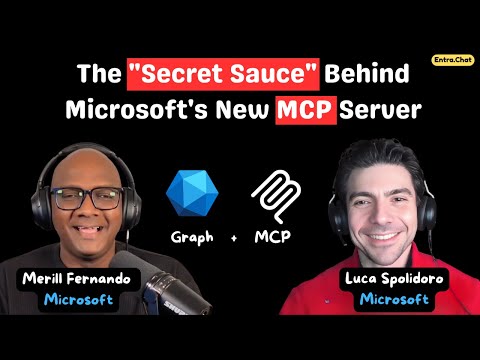
The YouTube video by Merill Fernando presents Microsoft's new MCP Server for Enterprise and explains how it connects AI agents to directory and tenant data through natural language. In the session, Luca Spolidoro from the Entra AI Innovations team outlines the goals and the technical approach behind the product. Consequently, the segment frames the server as a way to reduce the friction of calling Microsoft Graph directly, making common administrative tasks simpler for IT teams. As a result, viewers get a practical sense of how this managed service aims to speed routine workflows.
What the MCP Server Does
According to the video, the Model Context Protocol server acts as an interpreter between large language models and enterprise APIs. Essentially, it takes natural language prompts from AI agents, maps intent to Graph API calls, executes those calls under the signed-in user's permissions, and returns results in readable form. In addition, Luca emphasizes that the service uses delegated permissions only, which ties every action to a real user and their rights. Therefore, the server avoids broad application-level access and keeps operations scoped to each administrator's role.
How It Works and Technical Tradeoffs
The explanation covers retrieval-augmented generation, example mapping, and an approach to the token limit problem that many LLM integrations face. Specifically, Microsoft describes a patented three-tool method that trims and optimizes queries before sending them to the model so that the system can work within token budgets. However, this optimization involves tradeoffs: more aggressive reduction risks losing context, while conservative retention raises cost and latency. Thus, administrators must balance accuracy, cost, and responsiveness when configuring retrieval thresholds and example selection.
Furthermore, the team discusses how semantic search and example-based ranking help the server pick the right Graph call. Yet, complexity remains when operations require multi-step logic or write actions, such as modifying user attributes or generating scripts. In response, Microsoft is building a roadmap for write operations and PowerShell code generation, which raises another set of tradeoffs between automated convenience and the need for careful governance. Consequently, organizations must consider approval workflows and audit trails to prevent accidental or malicious changes.
Security, Governance, and Operational Challenges
Security is a central theme in the video, and the service integrates with enterprise controls like auditing and Azure API Management for governance. Moreover, the use of delegated permissions ensures that actions reflect the invoking user's privileges, which reduces the blast radius of mistakes or abuse. Nevertheless, challenges persist: for example, natural language interfaces could prompt ambiguous queries that translate into unintended API calls. Therefore, teams should implement guardrails, logging, and human-in-the-loop approvals where risk is high.
In addition, Luca contrasts the standalone MCP server with broader offerings like Security Copilot, highlighting differences in focus and scope. While Security Copilot centralizes security workflows, the MCP Server aims to be a general-purpose bridge for many tenant operations. Consequently, enterprises will need to weigh specialization against flexibility when choosing which agents and servers to deploy.
Benefits for IT and Enterprise Roles
The video outlines clear productivity gains: administrators can ask plain English questions about inactive users, MFA status, or group membership and get immediate answers. As a result, common tasks that once required hand-crafted Graph queries become faster and more accessible to non-developers. In addition, because the server supports extensible tools and connectors, organizations can integrate custom logic and third-party agents to automate domain-specific workflows.
However, these gains come with governance responsibilities. For example, automation that saves time may also accelerate costly mistakes if controls lag. Therefore, teams should plan for role-based access reviews, approval processes, and regular audits to keep automated actions aligned with policy. Ultimately, the tradeoff is between faster operations and the need for stronger oversight.
Roadmap, Adoption, and Practical Considerations
Finally, the interview outlines a phased roadmap that adds write operations, richer script generation, and tighter integration with tools like PowerShell. Meanwhile, the team acknowledges current limits and plans incremental improvements to token handling, response accuracy, and tooling. For organizations planning adoption, the recommended approach is to start with read-only scenarios and expand into write actions after testing policies and controls.
In summary, Merill Fernando's video with Luca Spolidoro provides a clear introduction to the new MCP Server for Enterprise. While the service promises to simplify interaction with Microsoft Graph and boost productivity, it also raises practical questions about optimization, governance, and risk management. Therefore, IT leaders should evaluate the server’s benefits against their existing security posture and change management processes before broad deployment.

Keywords
Microsoft MCP Server, MCP Server for Entra, MCP Server for Microsoft Graph, Microsoft Entra MCP integration, Entra and Graph server deployment, Microsoft Graph API MCP support, Entra ID management with MCP, MCP server setup guide