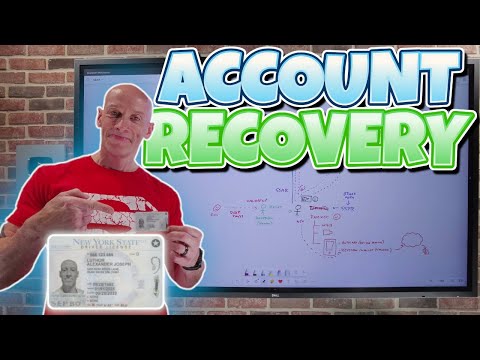
Entra Account Recovery: 7 Quick Fixes
Principal Cloud Solutions Architect
Microsoft Entra Account Recovery uses gov IDs and ID verification to enable passkeys and harden Azure against phishing
Key insights
- Entra ID Account Recovery: A new self-service feature (public preview) that helps users regain access when they lose all registered authentication methods.
It replaces costly helpdesk resets by letting users verify identity and reset sign-in methods themselves. - Total lockout vs SSPR: Use this when users have no available MFA methods or passwords; traditional SSPR requires at least one registered method.
This feature handles full re‑onboarding scenarios that SSPR cannot. - IDV and Verified ID: The process redirects users to certified identity verification providers to scan government IDs, run biometric liveness checks, and match attributes.
On success the system issues a Verified ID credential that lets the user reset authentication methods. - Workflow and admin setup: Admins enable the feature in the Entra admin center and choose scope and mode.
Users start at "Recover my account", pass eligibility checks, complete IDV steps, and regain access when verification succeeds. - Security and operational benefits: The system reduces helpdesk workload and lowers social‑engineering risk by relying on strong, automated identity proofing rather than manual human validation.
It improves phishing resistance and speeds recovery for locked users. - Considerations: Recovery routing can vary by geography and relies on third‑party IDV providers; admins should test in Evaluation/Production modes and review privacy settings.
Planned support for Conditional Access will let organizations apply extra policies to the recovery flow.
Introduction
The newsroom reviewed a recent YouTube video by John Savill's [MVP] that explains Microsoft’s new account recovery approach for Entra ID. The video focuses on scenarios where users lose all authentication methods and cannot use traditional helpdesk or self-service password reset processes. Throughout the presentation, the speaker contrasts older recovery methods with a new workflow that depends on government-issued IDs and certified identity verification providers. Consequently, the video frames the change as a move from credential recovery to formal identity proofing.
John Savill’s presentation breaks the topic into short chapters that walk viewers from the limits of passwords and passkeys to the details of the recovery setup. He highlights real-world pain points such as users locked out of accounts and the cost of manual helpdesk interventions. As a result, the video aims to show how automated identity verification can reduce both risk and support overhead. The overall tone remains practical and focused on adoption tradeoffs.
Video Overview and Structure
The video opens with familiar problems: weak passwords, outdated SMS recovery, and the gaps left by standard SSPR flows when a user has lost all registered methods. It then explains passkeys and phishing resistance before moving into why human-led desk resets can fail. The chapters guide administrators and security teams through technical and operational considerations, and they include a hands-on look at setup and evaluation modes. This structure helps viewers follow both conceptual issues and practical steps.
Later sections of the video introduce the new Entra ID Account Recovery feature and show a step-by-step enactment of the user flow from the Entra sign-in page to the identity verification provider. The presenter describes how the process uses document scanning, liveness checks, and attribute matching without exposing raw user data to Microsoft. Additionally, he explains differences between evaluation and production modes that let organizations test the system before full rollout. The video thus balances demonstration with operational guidance.
How the Account Recovery Flow Works
According to the video, users begin by choosing a recovery option at sign-in and providing a username or email. The system evaluates tenant policies and, when eligible, routes the user to a geography-aware identity verification provider, often called an IDV. The provider then performs document validation, biometric liveness checks, and matches the claimed identity against directory attributes. When verification succeeds, the user receives a Verified ID credential that allows them to re-register authentication methods and regain access.
Importantly, the video stresses that this approach shifts risk away from social engineering-prone helpdesk calls toward automated identity proofing. It also notes that the process integrates with Entra Verified ID standards so organizations can trust credentials without exposing sensitive documents. Furthermore, the presenter shows how administrators set the feature under an identity management page, choosing between Evaluation and Production to control impact. Thus, the flow aims to be secure while giving IT teams controlled ways to test it.
The video also covers the user experience detail: providers may vary by region, and the steps include guided document capture and a liveness selfie. This geographic routing helps meet data-residency and regulatory needs but introduces complexity in provider selection. The presenter emphasizes that successful matching depends on up-to-date directory attributes and careful policy configuration. Therefore, administrators must prepare directory data and communications to reduce friction during the first recoveries.
Security Tradeoffs and Challenges
The video candidly explores tradeoffs. On one hand, certified IDV plus biometrics can significantly reduce social-engineering risks and lower helpdesk costs. On the other hand, relying on document verification and facial matching raises concerns about privacy, false rejects, and accessibility for users without standard documents.
The presenter highlights an additional complexity: attackers may evolve tactics such as synthetic identities or manipulated media, which requires IDV providers to continuously update liveness and fraud detection. Moreover, the video notes that human validation, while sometimes necessary, introduces inconsistency and social engineering risk, which is why automated, auditable proofs are preferable whenever possible. Consequently, organizations must balance strong proofing against user inclusivity and potential error rates.
Admin Setup, Policy Controls, and Deployment
For administrators, the video outlines concrete steps to enable the feature and to scope who may use it. It recommends starting in Evaluation mode to observe outcomes without granting full recovery rights, then moving to Production once workflows and provider selections prove reliable. The video also mentions planned support for Conditional Access to apply policies to the recovery flow for extra control, which will help align recovery events with broader access rules.
John Savill warns that success hinges on policy design, directory hygiene, and clear user guidance. Administrators should pilot with a representative user group, monitor fraud and false-reject rates, and update communications to set expectations. Because providers differ by geography and capability, teams must also consider regional compliance, costs, and integration effort. In short, preparation reduces surprises and improves user recovery rates.
Recommendations and Next Steps
In closing, the video by John Savill's [MVP] suggests a cautious, measured rollout for most organizations. He recommends a phased approach that includes evaluation mode, pilot groups, and metrics to compare helpdesk load, time to recover, and fraud detections before wider adoption. Additionally, he urges teams to perform privacy and legal reviews because identity documents and biometric checks can trigger regulatory requirements.
Ultimately, the feature offers a compelling path for reducing costly manual resets and improving security, but it is not a one-size-fits-all solution. Organizations should weigh costs, regional provider coverage, accessibility, and fraud trends when deciding how and when to adopt the new flow. If they plan carefully, the automated identity proofing model can cut support costs while offering a stronger defense against social engineering attacks.
Related links

Keywords
Entra account recovery, Entra password reset, Microsoft Entra account recovery, Entra self-service password reset, Entra account lockout recovery, Entra MFA recovery, Entra identity recovery guide, Microsoft Entra recovery best practices