Azure AI Foundry: Simplify Model Choice
Microsoft MVP | Author | Speaker | YouTuber
Microsoft expert guides Azure AI Foundry and ai.azure.com model deployment testing and evaluation with Microsoft Copilot
Key insights
- Azure AI Foundry is a single place to browse, compare, and deploy foundation models on Azure.
It helps teams pick the right model faster by combining discovery, benchmarking, and deployment in one catalog. - The recent walkthrough shows tighter benchmark integration inside the model catalog, with built-in ranking and comparison tools.
This update reduces manual testing and moves users from discovery to evaluation more smoothly. - The interface supports side-by-side comparison of up to three models and lets you run private or public evaluations.
Use these comparisons to see differences in quality, safety, throughput, and cost before you deploy. - Comparison pages include tabs for performance benchmarks, model details, supported endpoints, and feature support such as function calling and vision.
These views make it easy to compare context window, training data signals, and deployment options at a glance. - Foundry acts as a decision layer that highlights trade-offs between model quality, inference cost, latency, and throughput.
Teams can prioritize metrics that matter for their workload, such as reasoning accuracy, tool use, or cost sensitivity. - Practical steps: open the model catalog, filter by provider or capability, check the leaderboard, then run side-by-side testing with synthetic or private data.
This workflow speeds model selection and gives clearer, measurable results for production decisions.
Video summary and context
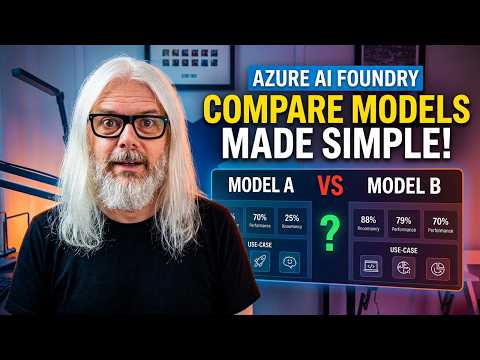
Peter Rising [MVP] presents a focused walkthrough of the ai.azure.com interface in a YouTube video titled "Azure AI Foundry Deep Dive: Comparing Models Made Simple!". In this piece, he demonstrates how developers and teams can browse, compare, and deploy foundation models using a single, unified surface. Consequently, the video aims to shorten the selection cycle and reduce guesswork when choosing a model for specific tasks.
Moreover, the presentation emphasizes practical steps rather than theory, and it walks viewers through concrete screens and options inside the platform. As a result, viewers can see how metrics and leaderboards are surfaced and how side-by-side testing works in real time. The tutorial style makes the content accessible for both engineers and decision-makers.
Exploring the interface
Rising navigates the Azure AI Foundry model catalog to show how models are listed by provider, capability, and use case, and he highlights filters that narrow choices quickly. He also demonstrates how the catalog links directly to benchmark results, which helps move from discovery to evaluation without leaving the catalog. Therefore, the platform reduces friction for teams that need to compare several candidates before committing to deployment.
He demonstrates the model leaderboard, showing how models rank on combined metrics, and then opens a comparison view that supports up to three models side by side. This approach lets viewers see differences in quality, safety, throughput, and cost in a single glance. Consequently, it speeds up early-stage vetting and helps teams focus on promising options sooner.
Evaluation tools and metrics
The video outlines several built-in evaluation tools, including public benchmark charts, synthetic test generation, and private data evaluation. Importantly, Rising walks through how to interpret metrics such as accuracy, latency, and throughput, and he shows where safety and feature support appear in the interface. Thus, users get a fuller picture than they would from simple accuracy scores alone.
He also explains that the comparison view organizes information into tabs like performance benchmarks, model details, supported endpoints, and feature support. As a result, viewers can verify whether a model supports advanced behaviors such as function calling or structured output before deploying. In practice, that reduces the chance of selecting a model that looks good on a single metric but lacks required features.
Balancing tradeoffs and practical challenges
Rising stresses that model selection often requires balancing competing priorities such as quality, cost, latency, and safety, and he demonstrates where those tradeoffs show up in the Foundry tools. For instance, a model with top quality scores may demand more compute and therefore increase inference cost and latency, while smaller models may be cheaper but less capable for complex reasoning. Consequently, teams must match model choices to workload requirements rather than chasing a single top score.
He also discusses challenges in relying on benchmark results, noting that public datasets may not reflect an organization’s real-world data. Therefore, the support for private data evaluations becomes especially valuable because it surfaces how models behave on proprietary inputs. However, this introduces operational complexity: teams need to manage secure data uploads, design realistic tests, and interpret results in context, which raises governance and engineering burdens.
Practical recommendations and next steps
Throughout the video, Rising recommends a structured workflow: filter the catalog, consult leaderboards, run side-by-side tests with synthetic or private data, then deploy to a test endpoint to validate real-world behavior. He emphasizes starting with a small, representative dataset to spot large differences before scaling tests, which helps control cost and iteration time. Thus, the process becomes iterative and data-driven.
Finally, the video advises teams to keep nonfunctional needs—like latency budgets and safety constraints—visible during selection so they do not get overshadowed by headline quality metrics. In addition, teams should treat benchmarks as one input rather than a final answer, and they should invest in short, repeatable evaluation cycles that reflect actual production workloads. By following these steps, teams can make more informed, balanced choices when adopting foundation models.
Implications for practitioners
For practitioners, the video provides a clear, hands-on look at how the Foundry experience can streamline model evaluation, but it also highlights the work required to make comparisons meaningful. While the interface centralizes important data, teams still need to design relevant tests and interpret tradeoffs carefully. Therefore, tool support reduces friction but does not eliminate the need for thoughtful, use-case-driven evaluation.
Overall, the walkthrough by Peter Rising [MVP] offers a practical blueprint for teams that want to adopt a repeatable approach to model selection, and it illustrates how integrated benchmarks and side-by-side testing can improve decision making. Consequently, organizations that pair these tools with disciplined testing and governance will be better placed to choose models that meet both technical and business requirements.

Keywords
Azure AI Foundry models comparison, Azure AI Foundry tutorial, Azure AI model benchmarking, Azure generative AI models comparison, Azure AI Foundry deep dive, Azure OpenAI vs Azure AI Foundry, Compare Azure AI models performance, Azure AI deployment best practices