- All of Microsoft
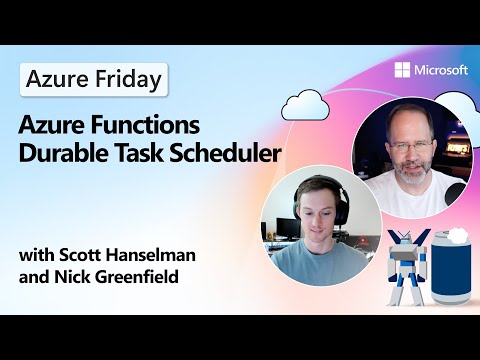
Azure Functions: Durable Task Scheduler
Azure Functions Durable Task Scheduler powers Durable Functions and Task SDKs for reliable stateful workflows on Azure
Key insights
- Azure Functions Durable Task Scheduler: a fully managed backend that runs stateful, event-driven workflows for Durable Functions.
It handles orchestration, persistent state, and retries so you can build long-running or distributed apps more reliably. - Key features: built-in persistent state, automatic retries, and a monitoring dashboard for debugging orchestrations.
It also supports identity-based access for secure operations. - Simplified architecture: removes the need for external storage accounts to hold orchestration state, reducing operational overhead.
It scales for high throughput and lowers latency for workflow execution. - Setup basics: create a scheduler and task hub, add the Durable Task extension, and update host.json to point at the scheduler.
Enable a Managed Identity and grant the required role (Durable Task Data Contributor) for secure access; use the local emulator for development. - What’s new: launched as public preview in early 2025 to replace the older Netherite backend, offering a simpler, managed orchestration experience.
Legacy support for Netherite ends after March 2025, so plan migrations accordingly. - Scope and limitations: currently supports Azure Functions on Premium and App Service plans and requires recent Durable extension versions (v1.2.2+).
Expect ongoing feature updates and improved integration with agentic or AI-driven workflows.
Introduction
In a recent YouTube episode produced by Microsoft Azure Developers, Scott Hanselman and Nick Greenfield unpack the new Azure Functions Durable Task Scheduler. The video walks viewers through the service's purpose, a live demo, and what developers need to know to adopt it. Overall, the segment frames the scheduler as a managed backend designed to simplify stateful workflow orchestration across Azure Compute environments. Consequently, the discussion centers on both practical setup and the tradeoffs teams should weigh before migrating.
What the Durable Task Scheduler Is
The presenters describe the Durable Task Scheduler as a fully managed service that runs orchestration logic for Durable Functions and related SDKs. It handles state persistence, retries, and fault tolerance for long-running or event-driven workflows, which means developers no longer need to maintain a separate storage account for orchestration state. Moreover, the scheduler includes a built-in Monitoring dashboard to inspect and debug orchestrations directly in the Azure portal or via a dedicated URL. In short, it aims to reduce operational overhead while improving reliability and observability.
Additionally, the video emphasizes identity-based security, with managed identities and role-based access controls to restrict scheduler access securely. Support currently targets Azure Functions Premium and App Service plans, and the team highlights an emulator for local development that requires no authentication. Importantly, the presenters note that the scheduler became publicly available in preview during 2025, and it replaces or complements the older Netherite backend, which the team will stop supporting. Therefore, developers should see this service as the strategic direction for Durable Functions orchestration on Azure.
Demo Highlights and Developer Experience
During the demo segment, Scott and Nick show how to create a scheduler and a task hub, configure an application, and observe running orchestrations in the dashboard. They step through adding the required extension package and updating the host.json configuration so the function app connects to the scheduler, which helps viewers follow a reproducible workflow. The demo also demonstrates the scheduler's automatic retry behavior and how persistent state survives restarts, illustrating the practical benefits for real-world workloads. As a result, the demo underlines how monitoring and debugging become more approachable with integrated tooling.
Furthermore, the local emulator gives Developers a quick feedback loop without requiring cloud resources, which can speed testing and early Development. The presenters show how orchestrations can run locally and then be pointed to the managed scheduler when ready for production. This dual approach balances ease of development with the reliability of a managed service, and it lets teams prototype faster before committing to a cloud-based scheduler. Consequently, it improves developer velocity while preserving production-grade controls.
Setup, Migration and Practical Tradeoffs
To adopt the scheduler, teams must create a scheduler and task hub resource in Azure, add the appropriate extension package, update host.json, and assign roles such as Durable Task Data Contributor to managed identities. The video stresses the importance of correct identity configuration to avoid access issues when the function app talks to the scheduler. Meanwhile, migrating from the legacy backend involves planning, since the older Netherite backend will lose official support after March 2025, making migration timelines important for production workloads. Therefore, Administrators should evaluate compatibility and testing needs before switching.
On the tradeoff front, moving to a fully managed scheduler simplifies architecture by eliminating external storage maintenance, but it also introduces some constraints. For example, the managed service can reduce operational burden and reduce latency for orchestration control, yet it introduces tighter coupling to Azure's managed offering and current plan limits that may not suit all customers. In addition, costs and access models differ from self-hosted or storage-backed approaches, so teams should compare total cost of ownership and portability impacts when deciding to migrate to the scheduler.
Challenges, Security and Long-Term Considerations
The video calls out several challenges that teams will face when adopting the new scheduler, including role and identity management complexity and limitations tied to supported hosting plans. While managed identities and RBAC improve security, they force teams to manage roles carefully and to design secure deployment pipelines. Moreover, developers will need to test for edge cases in long-running orchestrations and agentic scenarios, since deterministic control over agents is now more central to application behavior. Therefore, testing strategies and observability practices will become even more important.
Another long-term consideration is vendor lock-in versus convenience: although the scheduler simplifies operations, it increases dependency on Azure's orchestration implementation. On the other hand, the service offers clear gains in performance, built-in retries, and a robust dashboard that many teams will find attractive. Consequently, organizations should balance portability concerns with the operational and developer experience improvements the scheduler offers and plan accordingly for migration windows and backup strategies.
Implications for Developers and Conclusion
For developers, the main takeaway is that the Durable Task Scheduler provides a modern, managed path for building reliable, stateful workflows in Azure, especially for applications that require long-running or event-driven coordination. The video suggests starting with local testing in the emulator, then moving to the managed scheduler while validating observability and access controls. Meanwhile, teams that currently rely on the legacy backend should inventory dependencies and create a migration plan ahead of support changes to minimize disruption.
In conclusion, the YouTube segment by Microsoft Azure Developers offers a clear introduction to the scheduler's advantages and practical steps for adoption, while honestly addressing the tradeoffs and challenges. As a managed backend, it promises to simplify orchestration, but it also requires careful planning around roles, costs, and migration timing. Ultimately, organizations should weigh these factors against their operational goals to decide whether and when to adopt the new scheduler for their Durable Functions workflows.

Keywords
Azure Durable Functions scheduler, Durable Task Framework Azure, Azure Functions orchestration patterns, Durable Functions timer triggers, Durable Functions task scheduling, Serverless scheduled workflows Azure, Durable Entities scheduling, Azure Functions scheduling best practices