- All of Microsoft
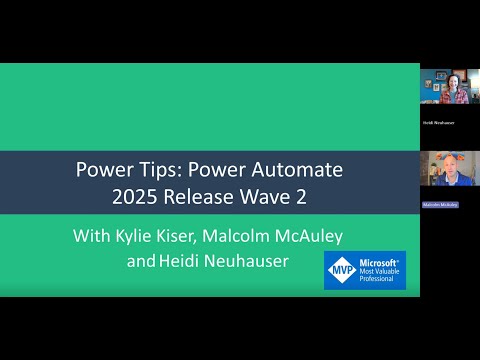
Power Automate: Wave 2 2025 Highlights
Microsoft MVP | User Adoption, Dynamics 365 + Power Platform Expert at Reenhanced
Power Automate Wave Two ramps AI automation, enterprise governance, and Power Platform Azure and Teams integration
Key insights
- Release Wave 2 (Oct 2025–Mar 2026)
Microsoft rolls out Power Automate updates across this period, prioritizing smarter automation and enterprise readiness.
The wave centers on AI features, improved governance, and tighter integration with Microsoft 365 and the Power Platform. - AI-first architecture
AI is embedded across the platform so workflows adapt in real time and combine machine intelligence with human decisions.
This change aims to make automations more proactive and reduce manual tuning. - Copilot expression builder
Users can write and edit expressions in natural language while Copilot generates complex logic automatically.
Copilot also debugs condition actions at runtime, cutting development time and reducing errors. - Intelligent Document Processing (IDP) and Generative Actions
IDP extracts, classifies, and processes document data automatically to remove manual mapping and data prep.
Generative Actions let flows create dynamic, context-aware outputs using generative AI for more flexible automation. - AI-powered approvals and human-in-the-loop
Machine learning optimizes routing and predicts approval outcomes to speed decision cycles while keeping human oversight where needed.
These workflows balance automation with required approvals and manual review steps. - Desktop automation & enterprise governance
Desktop flows add native browser control so automation can run without extensions, simplifying deployments and reliability.
At the same time, Microsoft strengthens governance, scalability, and process mining to support large, secure enterprise environments.
Video Summary and Context
The YouTube video by Heidi Neuhauser [MVP] highlights Microsoft’s 2025 Release Wave 2 for Power Automate, which will roll out between October 2025 and March 2026. In the clip, she frames the update as a major shift toward embedding artificial intelligence across the platform and strengthening enterprise readiness. Consequently, the release emphasizes smarter automation, better governance, and deeper integration across the Microsoft ecosystem. As a result, organizations can expect both immediate productivity gains and longer-term platform changes.
Neuhauser walks viewers through headline features such as natural language expression building, enhanced debugging with Copilot, advanced document processing, and improvements to desktop automation. She also sketches the implications for makers, IT teams, and automation architects who must balance speed with control. Therefore, the video serves as both a walkthrough of new capabilities and a call to consider governance and change management. The summary below synthesizes her key points and explores the tradeoffs organizations will face.
AI-First Shift and What It Means
First, the release takes an AI-first approach by embedding intelligence across core workflows. For example, Neuhauser demonstrates how Copilot now allows users to write expressions in plain language and have the system generate complex logic automatically. This makes advanced automation accessible to non-developers, enabling business users to create and adapt flows faster than before. However, increased accessibility creates new responsibilities for IT to manage quality and security.
Moreover, the video shows that Copilot adds runtime debugging to help spot issues in conditional logic, which speeds up troubleshooting. Yet, reliance on AI to generate logic raises questions about transparency, maintainability, and explainability. Thus, organizations must weigh the speed of AI-generated solutions against the need to verify and document the underlying logic. In short, the AI boost accelerates productivity but increases the need for governance and training.
Core Technology Enhancements
Neuhauser covers several technical improvements that aim to reduce manual work and increase automation reliability. Notably, Intelligent Document Processing (IDP) powered by AI Builder now extracts and classifies document data with less setup, which should cut down time spent on data mapping and imports. Additionally, Generative Actions let flows create context-aware outputs, so automations can adapt dynamically to varying inputs and business scenarios. These changes promise faster deployment of document-heavy workflows while reducing brittle, rule-based logic.
At the same time, the introduction of AI-powered approvals and refined human-in-the-loop patterns helps blend automation with human judgment. Neuhauser points out that machine learning can optimize routing and even predict approval outcomes to speed processes. Conversely, predictive routing means teams must design guardrails to avoid biased or incorrect suggestions, particularly in sensitive workflows. Therefore, the tradeoff becomes automation speed versus the need for oversight and auditability.
Desktop and Browser Automation Updates
The video highlights a practical win for RPA: browser automation without requiring extensions. Specifically, the updated Launch browser actions let automations run using native browser control, reducing dependency on third-party extensions. This simplifies deployment across devices and makes flows more resilient to browser updates. As a result, desktop flows can work more reliably without the brittle installation steps that previously slowed RPA rollouts.
Nevertheless, Neuhauser cautions that native control introduces new testing and compatibility requirements because different browsers and versions behave differently. Teams must invest in comprehensive testing and monitoring to ensure flows remain stable across environments. Furthermore, security teams will want clarity on how native control interacts with endpoint protections and sensitive data. Thus, the benefit of simpler deployment must be balanced with added responsibility for cross-browser testing and security validation.
Enterprise Impact, Tradeoffs, and Adoption Challenges
Ultimately, the video frames Wave 2 as a major step toward enterprise-ready automation, but it also stresses that organizations face tradeoffs when adopting these features. For instance, faster creation through AI and Copilot reduces time to value, yet it increases the burden on governance to prevent sprawl and to maintain standards. Similarly, advanced IDP and generative capabilities lower manual effort but require new testing, model management, and compliance practices. Therefore, leaders must design policies that allow agility while preserving control.
Neuhauser emphasizes practical adoption steps such as phased rollouts, clear governance guardrails, and targeted training for both citizen makers and developers. She also notes that migration and backward compatibility may pose challenges, so teams should plan for iterative testing and staged migrations. In conclusion, the Wave 2 updates deliver powerful tools that can reshape automation efforts, but success depends on balancing speed, security, and sustainability as organizations scale their automation programs.

Keywords
Power Automate Wave 2 2025, Power Automate updates 2025, Power Automate new features 2025, Microsoft Power Platform Wave 2 2025, Power Automate AI features 2025, Power Automate Desktop Wave 2 2025, Power Automate connectors 2025, Power Automate governance 2025