- All of Microsoft
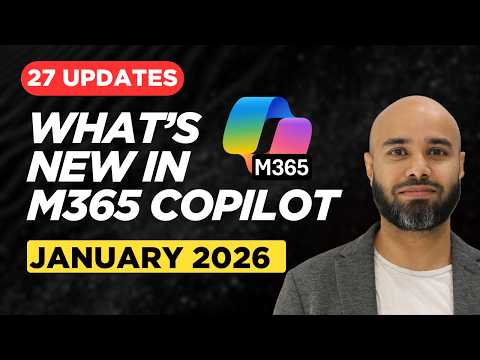
Microsoft 365 Copilot: 27 Key Updates
Modern Work Cloud Endpoint Technical Specialist
Microsoft expert previews Copilot updates across Microsoft cloud, Copilot App, Agent Mode, Outlook and Word
Key insights
- Microsoft 365 Copilot update summary: This is a concise summary of a January 2026 video that reviews 27 new Copilot features and platform changes.
It covers app updates, agent improvements, Outlook and Word features, and broader productivity upgrades. - Core platform changes: Copilot now defaults to Anthropic models for improved summarization and reasoning, and uses GPT-5.2 to route tasks faster and more accurately.
These changes aim to make responses more reliable and grounded in user data. - New agent and search capabilities: Agent Mode adds specialized agents like a Claude Agent and People Agent for colleague insights and task automation.
Copilot Search helps find chat history and generate documents from past conversations. - App-specific upgrades: The Copilot mobile app adds direct voice notes with transcription that syncs across apps, Teams gets customizable Enter-key behavior, and Word/Excel/PowerPoint receive smarter content and formula assistance.
These improvements focus on speed and ease of use for everyday tasks. - Security and deployment: Microsoft extends discounts and integration with Microsoft Purview controls to support compliance, while admins see a low-impact rollout and organizations get gradual updates starting January 18, 2026.
SMB-focused Copilot Business options make deployment simpler for smaller teams. - Practical impact: The updates prioritize reliability and context, improving accuracy, usability, and scalability for business users and IT teams.
Expect steady monthly updates that refine Copilot rather than introduce risky changes.
Overview of the January 2026 Copilot Update
Susanth Sutheesh’s YouTube video summarizes the January 2026 roll‑out of 27 new updates to Microsoft 365 Copilot. The episode walks viewers through improvements across the Copilot app, Copilot Agent Mode, Outlook, Word, and broader productivity features, and it aims to save viewers from reading long release notes. In addition, the update signals a focus on making Copilot more reliable and context aware, with model routing improvements and household names like Anthropic models enabled by default for many tenants.
Furthermore, the video places these changes in a monthly series context, noting that Microsoft continues to iterate rapidly and that this release builds on prior foundational work. Susanth frames the update as practical for everyday users, IT professionals, and business teams, so the coverage balances detail with usable takeaways. As a result, the video serves as a concise guide to what organizations should expect and explore this month.
Key Features Highlighted
The presenter emphasizes several headline items, including new voice note capabilities in the Copilot mobile app, customizable chat behavior in Teams, widened use of advanced models like GPT-5.2, and new agents such as a People Agent and a Claude Agent. These changes aim to boost productivity by making conversational AI more context sensitive and accessible across devices. Additionally, Copilot Search for chat history and document generation appears to receive notable upgrades, which improve retrieval and summarization of past interactions.
Moreover, app-specific improvements are practical: Word and Excel get enhanced content and formula assistance while Outlook gains features to streamline email workflows. The video also highlights enterprise-oriented moves, including updated licensing options aimed at SMBs and an extended discount window for Microsoft Purview features tied to Copilot customers. Thus, the update mixes user-facing convenience with admin-level controls and compliance tools.
Practical Impact for Users and Teams
For end users, these updates promise faster, more accurate answers and easier cross‑platform workflows, for example when voice notes sync to desktop apps or when agent-driven searches find relevant colleagues and documents. Consequently, teams can expect reduced friction in everyday tasks like meeting summaries, slide generation, and data analysis, which may translate to time savings. Yet, the degree of impact depends on how organizations enable features and train staff to use them effectively.
From an IT and operational perspective, the rollout appears designed for low admin disruption but medium user impact, meaning administrators can enable changes gradually while support teams prepare training materials. The video suggests that partners and Microsoft documentation will help smaller businesses adopt new packages, and it encourages active testing before broad deployment. Therefore, the practical payoff hinges on deliberate change management and user education.
Tradeoffs and Challenges
While many enhancements boost capability, they also introduce tradeoffs between speed, cost, and control. For example, routing queries to premium models like Anthropic or GPT-5.2 can improve reasoning, but it may raise compute costs and complicate compliance choices for sensitive data. Consequently, organizations must weigh the value of higher response quality against budget limits and regulatory requirements.
Another challenge is reliability versus convenience: agent automation and multi‑turn chat simplify workflows, yet they increase surface area for hallucinations or context errors if prompts and grounding are weak. Moreover, offering default model options improves out-of-the-box experience but reduces granular control for administrators who prefer strict in-house model governance. In short, teams should adopt progressive validation, monitor outputs, and set clear data policies to manage these tradeoffs.
Recommendations for IT and Business Leaders
Susanth’s video recommends a phased approach: pilot new Copilot features with a small group, collect feedback, then broaden deployment while documenting results. In addition, leaders should align Copilot settings with privacy rules, train staff on best practices, and create templates that reduce repetitive prompts. Because the updates include agent capabilities and enhanced search, focusing on taxonomy and knowledge organization will improve outcomes quickly.
Finally, the presenter advises balancing automation with oversight by setting expectations about when Copilot-generated content needs human review, especially for external communications or compliance-sensitive documents. By combining cautious rollout, user training, and monitoring, organizations can capture productivity gains while managing risk. Overall, the video offers a clear, pragmatic view of January’s 27 updates and how teams can integrate them into real work scenarios.

Keywords
Microsoft 365 Copilot January 2026 updates, Copilot new features 2026, Microsoft 365 Copilot feature list, Copilot updates January 2026, Microsoft Copilot tips and tricks 2026, Copilot security and compliance updates 2026, How to use Microsoft 365 Copilot 2026, Microsoft 365 Copilot enterprise features 2026