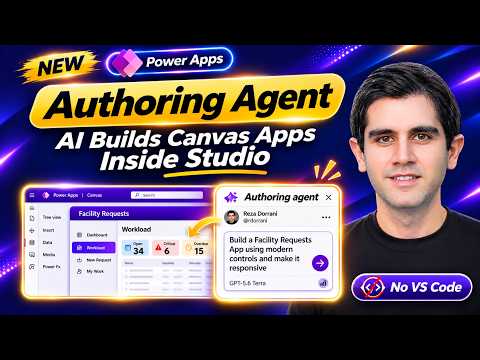
Power Apps Authoring Agent builds canvas apps in Studio
Principal Program Manager at Microsoft Power CAT Team | Power Platform Content Creator
Makers can use the Power Apps Authoring Agent to plan and build canvas app screens, controls, and formulas from natural-language requests.
Key insights
- The agent proposes a plan for makers to review before it changes the open canvas app.
- It can create or modify screens, controls, and Power Fx formulas from plain-language instructions.
- The preview requires a Power Platform admin to enable the capability and a connected GitHub account.
- Microsoft documents the preview as US-only and English-only.
- The agent cannot save, publish, share, or add or modify app data.
The Power Apps Authoring Agent helps makers create or modify canvas apps inside Power Apps Studio by turning plain-language requests into screens, controls, and Power Fx formulas. It matters to makers who want to speed up app authoring or make changes to an existing canvas app, while still reviewing the proposed work. Reza Dorrani demonstrates the workflow in a YouTube video, including an app built around a SharePoint list.
What's new
The Authoring Agent brings AI-assisted app authoring into the canvas app editor. Instead of placing every control and configuring each formula by hand, a maker describes the requested result, reviews the agent's plan, and approves it before the agent applies the changes to the open app.
The agent can help build app screens, forms, dashboards, and layouts, and it can also add functionality to an existing canvas app. It may generate Power Fx formulas and help identify or address App Checker errors. The output remains a canvas app that makers can continue editing in Studio.
This is an authoring aid, not an autonomous publishing process. The human maker reviews the plan and resulting app, and the agent does not take over the steps of saving, publishing, or sharing the app. The AI-generated changes still need testing before the app is used or distributed.
Who it is for and what you need
The feature is aimed at Power Apps makers building canvas apps. The material does not specify a particular Power Apps license or plan requirement, so organizations should check the Microsoft documentation and their environment before planning deployment.
Microsoft documents the Studio Authoring Agent as a preview feature. The provided documentation describes availability in the United States and English-language support only. A Power Platform administrator must enable the relevant preview capability, and the maker must connect a GitHub account to use the experience.
GitHub connectivity also has billing and token-usage implications. The source material says usage is processed through GitHub and billed according to the connected GitHub billing arrangement. Check the applicable GitHub terms and privacy documentation before sending prompts or application context through the service.
For makers, the useful preparation is to open the intended canvas app and add or connect the data sources it needs before asking the agent to build around them. The demonstration uses a SharePoint list, but this does not mean the agent itself can create or edit the underlying data.
How it works
The general workflow is conversational, but it still includes a planning and review stage. You can begin with a new app or request a change to an existing canvas app, then decide whether the agent's proposed approach matches the requirement.
- Ask a Power Platform administrator to enable the Agentic authoring preview capability in the Power Platform admin center.
- Open the canvas app in Power Apps Studio and connect the required GitHub account. Add the app's data sources through Power Apps before prompting the agent.
- Describe the app or change in plain English. For example, request a screen or form that uses the data source already connected to the app.
- Review the Canvas App Plan produced by the agent. Approve it or refine the request before the agent applies the work.
- Inspect the generated screens, controls, and formulas in Studio. Test the app and review any App Checker findings.
- Save, publish, and share the app yourself using the normal app workflow; the agent does not perform those actions.
The agent can also be asked to extend an app that already exists, rather than rebuilding it from scratch. In the demonstration, the maker asks for app elements such as responsive screens, a dashboard, and a request experience tied to SharePoint. Those examples illustrate the kind of interface work shown, not a guarantee that every prompt will produce a finished app without revisions.
Find more about Power Apps and its canvas app authoring workflow. Treat generated formulas and layouts as a draft: confirm that the controls behave as intended and that the app's data operations work in your environment.
Limitations and open questions
The preview does not let the agent add or modify app data, insert images, save the app, publish it, or share it. It also cannot create functionality that Power Apps itself does not support, and the Studio integration does not let makers change the model used by the agent.
That makes it important to distinguish between building the interface and implementing the full app lifecycle. A maker can ask for screens and formulas around an existing app configuration, but must manage data connections and app data separately, then review and complete the save and distribution steps.
Microsoft also notes that the canvas may not visibly update until the agent is well into its build process. Preview features can have restricted functionality, and the available material does not establish a general-availability timeline or support outside the documented US and English restrictions.
The publisher's demonstration mentions connecting GitHub and understanding billing and token usage, but it does not establish a specific cost. Check the connected GitHub billing arrangement and Microsoft's current preview documentation before enabling the feature broadly. The documented restrictions also mean this should not be treated as an unattended production deployment route.
Sources
- Microsoft Learn: Power Apps canvas authoring agent
- Reza Dorrani's Power Apps Authoring Agent demonstration
Frequently asked questions
How do I enable the Power Apps Authoring Agent?
A Power Platform administrator must enable the relevant preview capability in the Power Platform admin center. The maker also needs to connect a GitHub account.
Who can use the Power Apps Authoring Agent preview?
The material identifies it as a preview for makers, documented for the United States and English only. It does not state a specific Power Apps license or plan requirement.
Can the Authoring Agent publish or share a canvas app?
No. The agent cannot save, publish, or share the app. Makers must review the generated work and complete those steps themselves.
Can the Authoring Agent change app data?
No. The documented preview cannot add or modify app data. Connect or configure the required data sources separately in Power Apps.