Microsoft Reading Coach: Boost Fluency
Principal Group Product Manager - Microsoft Education
Guided Practice in Microsoft Reading Coach boosts student reading fluency with AI analytics and teacher insights
Key insights
- Guided Practice: Teachers create join-code assignments that run as either an Open reading (student choice) or a Single passage (teacher-selected or custom).
Students read aloud independently while the teacher watches progress and gives support when needed. - AI-powered feedback: The system analyzes pronunciation, accuracy, and pacing to give immediate, actionable results after each read.
It also highlights hard words and builds targeted practice based on real mispronunciations. - Teacher workflow: Create a practice, set title, due date and time goal, choose open or single passage, and generate a join code or link.
Teachers can paste curriculum excerpts or pick leveled texts and monitor live student activity. - Student flow: Students enter the join code, start the assigned practice, and record their reading aloud.
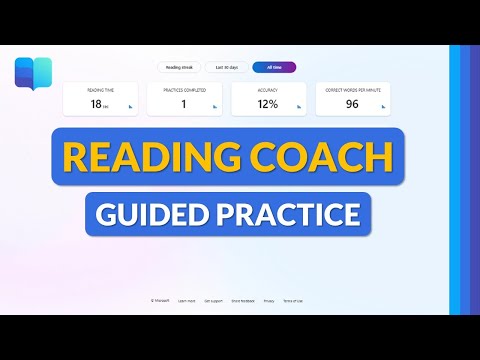
They receive a results page with metrics and a step-by-step Word Practice routine (syllable breakdown, hear pronunciation, rehearse) until mastery. - Metrics & Insights: Reading Coach reports accuracy, reading time, correct words per minute (CWPM), number of attempts, and progress over time.
Teachers use these data to group students, plan interventions, and track fluency growth. - Integration & accessibility: Reading Coach works on web and app, includes a leveled passage library, and lets teachers add custom passages to align with lessons.
Join codes scale easily for whole-class or small-group practice, and the tool is built for inclusive classroom use.
Video Overview: What Mike Tholfsen Demonstrates
In a clear, step-by-step YouTube tutorial, Mike Tholfsen walks viewers through the new Guided Practice workflow in Microsoft Reading Coach, showing how teachers set up targeted reading assignments and how students complete them aloud with AI-assisted support. He emphasizes that the feature is available to all Microsoft 365 educators and students, and he frames the tool as both inclusive and accessible. Moreover, Tholfsen highlights how the system analyzes pronunciation, accuracy, and pacing to provide teachers with meaningful classroom data beyond simple completion markers.
How Guided Practice Works in the Classroom
Tholfsen demonstrates a typical teacher flow: create a new practice, choose between Open reading or a Single passage, set time goals, and generate a shareable join code so students can start their assignment quickly. Then, students open Reading Coach, enter the code, and record their read-aloud session, receiving immediate feedback when they finish. Consequently, teachers can review class-level and individual analytics such as attempts, reading time, accuracy, and CWPM to shape next steps for instruction.
AI Feedback and Targeted Word Practice
The tutorial shows how the platform uses AI to identify mispronounced words and convert them into focused drills, including syllable breakdowns and microphone practice so students rehearse until mastery. In addition, the tool surfaces a clear list of challenging words and a practice routine that lets students hear pronunciation, record themselves, and retry until the system marks progress. Thus, the flow aims to build automaticity through repeated, measurable practice while giving teachers insight into specific decoding or fluency gaps.
New Features and Recent Improvements
Tholfsen notes recent updates that streamline assignment management, such as flexible due dates, time goals, and the ability to paste curriculum passages or student writing into a practice—making it easier to align practice with classroom texts. Furthermore, the platform’s personalization has improved by using AI to adapt follow-up practice based on what each student struggles with most. As a result, teachers can deploy both whole-class and small-group workflows without heavy prep, while still targeting individual needs.
Tradeoffs: Efficiency Versus Nuance
While the system offers efficiency and scalable monitoring, Tholfsen’s walkthrough implicitly raises tradeoffs between automated metrics and deeper comprehension work. For instance, metrics like CWPM and accuracy capture reading fluency but do not fully measure comprehension, which means teachers still must balance practice with discussion and meaning-making. Therefore, educators should treat the data as a starting point for instruction rather than a definitive judgment of reading ability.
Challenges and Practical Limitations
Tholfsen’s demo also points to practical challenges, including variable speech recognition accuracy across accents, background noise, and device quality, which can affect the reliability of AI feedback. Moreover, unequal access to devices or stable internet can limit who benefits from Guided Practice, creating equity concerns that schools must address. Consequently, implementing the tool effectively requires investments in hardware, quiet practice spaces, and teacher training to interpret and act on the data fairly.
Classroom Management and Scalability
Importantly, the tutorial shows that join codes and open assignments permit rapid deployment to whole classes, which supports classroom management and intervention models where teachers circulate while students practice independently. However, this scalability brings a tradeoff: teachers must balance time spent monitoring live practice with targeted small-group instruction. Thus, schools may need to rethink schedules and staffing to take full advantage of the tool without overloading teachers.
Data Use and Instructional Decisions
Tholfsen underscores that Reading Coach provides actionable insights—such as patterns of mispronunciation and practice frequency—that can inform reteaching and progress monitoring. Nevertheless, the tutorial suggests caution in over-relying on the platform’s analytics, because numbers do not replace teacher judgment about fluency, comprehension, or student motivation. Consequently, the best use of the tool combines real-time data with classroom observation and professional judgment.
Implications for Educators
Overall, the video makes a persuasive case that Guided Practice is a practical addition to literacy instruction, offering targeted practice, adaptive follow-up, and measurable outcomes that can save teacher time while helping students build fluency. Yet, as Tholfsen implies, schools must weigh benefits against challenges such as technology equity, recognition limits of speech AI, and the need for balanced literacy instruction. In short, Reading Coach can be a valuable part of a broader strategy when implemented thoughtfully.
Conclusion: A Useful Tool with Real-World Considerations
In summary, Mike Tholfsen’s tutorial effectively demonstrates the promise and limits of the updated Reading Coach experience, showing both the mechanics of guided assignments and the practical issues teachers will face. Consequently, educators evaluating the tool should consider training, infrastructure, and complementary instructional activities to ensure the platform enhances, rather than narrows, literacy growth. Finally, the video serves as a useful primer for schools considering AI-driven fluency tools while reminding viewers that human judgment remains central to teaching.

Keywords
Microsoft Reading Coach guided practice, Guided practice for student fluency, Teacher tutorial Microsoft Reading Coach, Reading fluency strategies for teachers, Classroom guided reading tools, Digital reading practice for students, Fluency interventions Microsoft Education, K-12 reading coach tutorial