- All of Microsoft
PowerPoint: Why Your Audience Isnt Sold
Master PowerPoint in Microsoft Office with the Belief Ladder to close high stakes pitches with executives and investors
Key insights
- Logic gap: The video shows that high-stakes presentations fail when the audience's thinking skips from doubt to decision without clear steps.
Presenters must close that logic gap so listeners' beliefs change in a clear, step-by-step way. - Slide Design Obsession vs Informational Presentation Trap: Cosmetic slides or long background dumps don’t persuade on their own.
Effective pitches focus on what the audience needs to believe next, not on how pretty the deck is or how many facts it contains. - Belief Ladder: A simple framework introduced in the video that maps the logical steps an audience must take from skepticism to conviction.
Build each slide and spoken point to move people one clear belief at a time up the Belief Ladder. - Big Idea and hooks: Start with one clear takeaway and open with a strong hook that shows why the decision matters now.
Keep each message focused so the audience can pass the “glance test” and remember the Big Idea. - Data Storytelling: Turn numbers into a short narrative that answers “so what?” for decision-makers.
Use charts and visuals to support the logical steps on the Belief Ladder, not to overwhelm with raw data. - Microsoft Copilot and Presenter Coach: Use AI tools to draft clear narratives, design supportive slides, and rehearse delivery with feedback on pace and filler words.
These tools help personalize messages, simulate audience reactions, and refine the logical flow for high-stakes rooms.
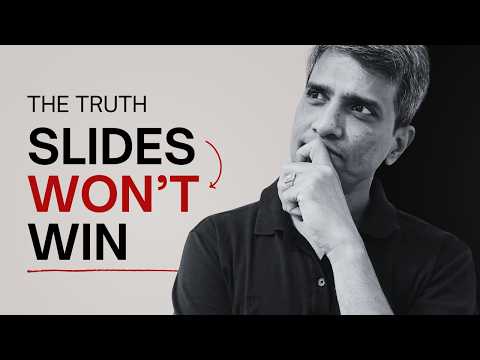
The Presentation Process YouTube channel recently published a concise video titled "High-Stakes Presentations: The Real Reason Your Audience Isn’t Convinced," and it offers a clear diagnosis for why persuasive talks often fall flat. The hosts argue that the core problem is not slide design but a gap in the audience’s reasoning. Instead of relying on eye-catching visuals or too much background, presenters must lead listeners through a logical sequence that turns doubt into conviction.
What the Video Identifies as the Core Problem
Presentation Process introduces the idea that audiences are not convinced when there is a persistent logic gap between what presenters say and what listeners need to accept. The video highlights two common missteps: obsessing over slide aesthetics and delivering overly informational presentations that do not change beliefs. Consequently, even polished slides and thorough background can fail if the audience does not follow a step-by-step intellectual journey.
The Belief Ladder Framework
To solve this, the hosts present the Belief Ladder, a simple framework designed to move an audience from skepticism to acceptance in deliberate stages. Each rung of the ladder addresses a specific doubt or assumption, so the audience’s beliefs evolve logically rather than being asked to leap to a conclusion. By structuring points this way, presenters can make decision-makers feel they arrived at the right conclusion on their own, which typically increases buy-in.
Moreover, the video explains that this approach is especially useful in high-stakes contexts like investor pitches or executive briefings, where audience resistance is common and consequences matter. When presenters follow the ladder, they reduce the cognitive friction that prevents agreement, and they create a clearer path to action. In other words, structure becomes the persuasive design element rather than slide decoration.
Practical Tips and Tradeoffs for Presenters
The hosts warn against two tempting errors: over-focusing on design and overloading slides with data. While attractive slides can support a message, they cannot replace a logical argument, and heavy information can overwhelm decision-makers. Therefore, presenters must balance clarity and completeness, choosing which facts to highlight and which to omit to preserve a clear line of reasoning.
This balance creates a tradeoff: simplifying content makes the argument easier to follow but risks leaving out useful nuance, whereas exhaustive detail can undermine the flow and dilute the main point. Presenters must weigh their audience’s need for evidence against the risk of breaking momentum, which means rehearsing and testing the argument with trusted colleagues before the event.
How Microsoft Tools Can Help — and Their Limits
The video does not focus on specific software, but its recommendations align with modern tools that assist structure and rehearsal, such as PowerPoint features and AI helpers that suggest narrative flow. These tools can help summarize reports into a crisp Big Idea, generate cleaner slide layouts, and integrate data visuals like those from Power BI to support key points. As a result, technology can speed up the process of translating analysis into a persuasive sequence.
At the same time, presenters should recognize tradeoffs when relying on AI-driven suggestions. Automated summaries and templates can become generic, and they may obscure the presenter's unique context or weaken the tailored logic the audience needs. Thus, tools are best used to accelerate work rather than to replace careful thinking about the audience’s specific doubts and incentives.
Challenges in Implementation and How to Balance Them
Adopting the Belief Ladder requires time, practice, and honest feedback, which can be difficult under tight deadlines. Teams often must choose between rapid delivery and the deeper iteration needed to craft an airtight sequence of beliefs, and that tradeoff affects the final outcome. Furthermore, aligning multiple stakeholders on what to include and what to omit can create internal friction that undermines coherence.
To manage these challenges, the video suggests focused rehearsals and targeted edits: prioritize the few claims that drive decision-making and use rehearsal to surface gaps in the argument. In addition, presenters should gather early feedback from typical audience members to confirm that each rung of the ladder addresses real doubts rather than imagined ones.
Conclusion: Structure First, Design Second
In short, Presentation Process emphasizes that persuasive power comes from logical progression rather than decorative slides. The Belief Ladder reframes preparation as a matter of sequencing beliefs so audiences can travel from doubt to conviction, and it encourages deliberate editing and rehearsal to maintain momentum. When presenters balance structure with thoughtful visuals and cautious use of tools, they improve their chances of winning support in high-stakes settings.

Keywords
high-stakes presentations, persuasive presentation techniques, how to convince an audience, presentation engagement strategies, overcome presentation anxiety, convincing stakeholders presentations, presentation storytelling tips, improve presentation credibility