- All of Microsoft
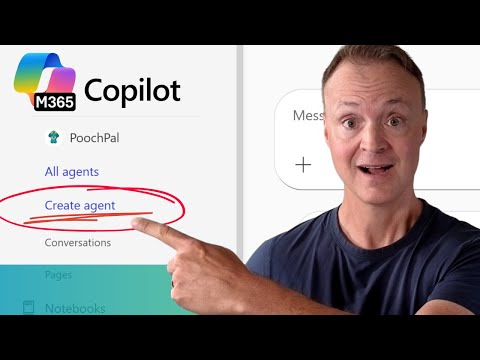
Microsoft 365 Copilot: No-Code AI Agent
Build PoochPal AI agent with Microsoft Copilot Copilot Studio no code train with site and docs customize persona
Key insights
- Microsoft 365 Copilot Agents are no-code AI assistants built in Copilot Studio.
They act autonomously using agentic AI capabilities to plan, reason, and run multi-step tasks without programming. - Follow a simple authoring flow: click Create agent, use the Describe tab to set purpose and behavior, add knowledge sources, customize capabilities, then publish for users.
Iterate on instructions until the agent reliably answers real questions. - These agents integrate natively with Office and business apps like Word, Excel, Teams, and Dynamics 365.
Features such as Agent Mode let users collaborate with the AI inside familiar Office workflows. - Knowledge grounding lets agents use organization data (documents, SharePoint, Outlook, Teams) for context-aware responses.
Proper permissions, access controls, and licensing are required to keep data secure. - Example: the tutorial builds “PoochPal,” a dog-grooming assistant trained on website pages and documents.
It shows adding an icon, setting the agent’s personality and rules, testing in the integrated test pane, and refining replies for accuracy. - Key benefits: no-code simplicity makes AI accessible to business teams, agents automate workflows and boost productivity, and they can execute complex tasks autonomously.
Key considerations: governance, privacy, and licensing must be managed during deployment.
Quick Summary of the Video
Teacher's Tech publishes a clear, step-by-step YouTube tutorial showing how to build an AI agent inside Microsoft 365 Copilot using the no-code interface. The demo walks viewers through creating a friendly assistant named PoochPal for a fictional dog grooming business called Pooch Haven Spa, and it emphasizes practical, hands-on steps. Moreover, the video breaks the process into short, focused segments so that learners can follow along at their own pace.
In addition, the tutorial outlines how to add knowledge sources, shape the agent’s personality, and test its behavior before publishing. The presenter also highlights differences between the embedded Copilot Studio in Microsoft 365 and the fuller standalone studio. Consequently, viewers get both conceptual context and practical guidance in one session.
Step-by-Step Build Process
First, the video shows how to access the Copilot app inside Microsoft 365 and launch the no-code authoring space, Copilot Studio. The presenter types a simple prompt to define the agent’s basic purpose and then configures how it should respond to customer queries. Next, he attaches knowledge sources like website pages and common document formats, explaining how those sources shape the agent’s answers.
Then, the tutorial covers small but important customizations, such as adding a custom icon and adjusting the agent’s tone and instructions. These visual and behavioral tweaks, while minor, help the agent match a brand’s voice and customer expectations. Finally, the presenter demonstrates the integrated test pane where you can simulate conversations and refine responses until the bot behaves reliably.
Customization and Capabilities
Teacher's Tech spends time on tailoring the agent’s personality and operational rules, noting that tone and constraints matter as much as factual grounding. For example, setting polite defaults and clear escalation rules reduces the risk of the bot giving inappropriate or unclear guidance. Furthermore, the video explains how to add features like suggested prompts and capability flags to guide user interactions.
Beyond tone, the tutorial explains how agents draw on organizational data such as SharePoint files, emails, and chats when properly configured. This grounding improves relevance but also raises questions about permissions and data security, which the presenter briefly flags as licensing-dependent considerations. Therefore, administrators must balance convenience with governance to protect sensitive information.
Tradeoffs and Practical Challenges
Teacher's Tech identifies sensible tradeoffs when building no-code agents, stressing that ease of use can come at the cost of fine-grained control. On one hand, the no-code interface democratizes agent creation and speeds up deployment. On the other hand, complex enterprise workflows sometimes require developer involvement or custom integrations to meet strict business rules.
Another challenge the video highlights is maintaining accuracy as the agent scales and interacts with diverse knowledge sources. While integrated testing helps, real-world usage can reveal gaps that were not obvious during simulation. Therefore, teams should plan for ongoing monitoring, iterative tuning, and user feedback loops to keep the agent reliable and aligned with evolving needs.
Publishing, Integration, and the Future
Finally, the tutorial explains how to publish an agent so it becomes available within Microsoft 365 apps and, if desired, on external sites. The presenter shows quick publishing steps and notes how deep integration with apps like Word, Excel, and Teams enables powerful workflows. Moreover, he points out recent developments such as Agent Mode in Office apps that allow iterative human-AI collaboration on documents and spreadsheets.
Looking ahead, Teacher's Tech suggests that AI agents will continue to shift from simple helpers to autonomous tools that can plan and execute multi-step tasks. However, this evolution will demand stronger governance, clearer accountability, and better discovery tools so organizations can safely scale agent deployments. In summary, the video offers a practical introduction to building a functional no-code agent while responsibly noting the tradeoffs and operational challenges teams must manage.

Keywords
Build AI agent Microsoft 365 Copilot, Microsoft 365 Copilot no-code agent, No-code AI agent Copilot tutorial, Create AI agent with Copilot step-by-step, Copilot custom agent guide, Microsoft Copilot automation no code, How to make AI agent Microsoft 365, Copilot agent development no coding