- All of Microsoft
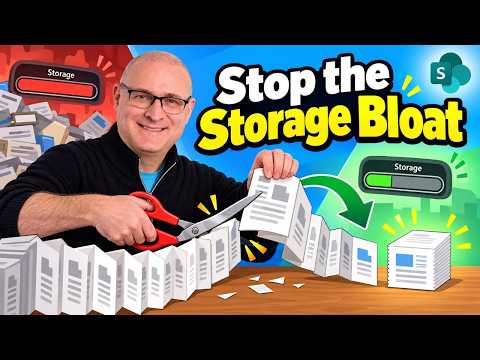
SharePoint Version History: Cut Storage
I help organizations to unlock the power of SharePoint
Microsoft expert tips to manage SharePoint version history, reduce storage waste and control versions in libraries
Key insights
- SharePoint Version History: A built-in feature that saves every saved state of a file so teams can recover edits, track changes, and support co-authoring.
It keeps a timeline of a document’s lifecycle and helps with audits and accidental restores. - Default 500 versions: By default SharePoint can retain up to 500 versions per file with no expiry, which can dramatically increase storage use.
Each version is a full copy, so a single large file can multiply into a huge storage footprint. - Major vs minor versions: Libraries can store full major versions and optional minor (draft) versions; both count toward storage.
Autosave and frequent co-authoring often create many versions quickly, especially for large files like videos or drawings. - Version settings: Admins can manage versions using three main options—an automated cleanup mode, a manual fixed-number limit, or a manual limit with a time-based expiry.
Choosing the right mode lets you balance recovery needs against storage costs. - Storage fixes: Reduce storage by setting sensible version limits, enabling major-only history where appropriate, deleting old versions, and applying retention policies.
Monitor libraries, restrict versioning for large file types, and use admin tools or PowerShell to audit and enforce settings. - Best practices: Define versioning policies by file type and team needs, train users on saving behavior, and run regular storage audits.
These steps keep document libraries efficient while preserving the ability to recover important work.
Overview of the Video
The YouTube video by SharePoint Maven Inc examines a common but overlooked issue in Microsoft 365: how SharePoint Version History can unexpectedly inflate storage use. The presenter frames the problem with clear examples, noting default settings that keep up to 500 versions per file and how that multiplies storage consumption. As a result, organizations can see modest files grow into massive storage drains without realizing why.
Moreover, the video balances practical steps with an explanation of underlying mechanics so viewers can both understand and act. It targets site owners and administrators who must control costs while preserving collaboration features. Consequently, the piece reads like both a warning and a practical guide for tenant-level housekeeping.
How Version History Works
The video explains that SharePoint Version History captures each saved state of a file, so every major or minor edit becomes a separate copy that consumes the same space as the current file. Therefore, a single 25MB document with 500 versions can use the equivalent of several gigabytes of storage. The presenter clarifies the distinction between major versions and minor drafts and notes that autosave and co-authoring events often create many major versions automatically.
In addition, the video outlines the administrative controls available to manage this behavior, such as switching libraries to keep only major versions and configuring version limits or expiration rules. These controls alter how SharePoint stores history and can dramatically reduce unnecessary growth when applied correctly. Yet the presenter also warns that changing settings requires careful planning to avoid unintentionally losing valuable records.
Why Version History Can Become a Storage Killer
First, the video highlights a simple arithmetic problem: each version is a full copy, so the total footprint equals the file size multiplied by the number of stored versions. For example, a 2GB file with 100 versions becomes a 200GB sink for tenant storage. Consequently, libraries that host large media or design files are especially vulnerable, and tenants with many collaborative edits can see storage spend spike unexpectedly.
Second, the presenter points out that default configurations—set to retain many versions indefinitely—create a hidden cost that often goes unnoticed. While version history provides recovery and compliance benefits, left unchecked it becomes a storage management issue. Therefore, teams must weigh the value of near-infinite history against direct storage costs and operational complexity.
Recommended Fixes and Administrative Options
The video recommends several practical fixes: reduce the number of retained versions, set time-based expiration for old versions, and limit libraries to major versions only when appropriate. The presenter also suggests identifying and relocating exceptionally large files to more suitable storage or archive locations, thereby preventing them from creating disproportionate version overhead. Importantly, these steps are presented as administrative tools rather than one-size-fits-all mandates.
Furthermore, the guide emphasizes testing changes in a controlled site before applying them broadly, since aggressive pruning can affect audit trails or legal holds. Administrators should also communicate changes to users to manage expectations about recovery options. Overall, the video frames configuration as a tradeoff between data recovery capability and storage efficiency.
Tradeoffs and Challenges
The video discusses tradeoffs candidly: tightening version limits reduces storage costs but can remove the safety net that teams rely on during intense collaboration. Likewise, setting time-based expiration keeps storage predictable while potentially eliminating older evidence needed for compliance or internal reviews. Thus, decision-makers must balance immediate cost savings with long-term governance and legal obligations.
Operational challenges also include user pushback and the complexity of retroactively trimming versions across many libraries. The presenter recommends using scripts and reporting tools to find version bloat before applying global policies, since blindly enforcing limits can create unintended losses. Finally, the video stresses the importance of aligning controls with company retention policies to avoid compliance gaps.
Conclusion and Takeaway
In closing, the video from SharePoint Maven Inc offers a practical, action-oriented look at a real problem that affects many Microsoft 365 tenants. It blends technical explanation with clear administrative steps, while responsibly addressing tradeoffs and implementation risks. As a result, the video serves as a useful resource for site owners and IT teams who must reconcile collaboration needs with cost control.
Therefore, organizations should treat version history as a policy decision rather than a default setting. By testing changes, communicating with users, and applying targeted controls to vulnerable libraries, administrators can reclaim storage without sacrificing essential recovery capabilities. Ultimately, the video encourages deliberate governance to prevent SharePoint Version History from becoming a hidden storage killer.

Keywords
SharePoint version history, Reduce SharePoint storage, Manage SharePoint versions, SharePoint storage optimization, Clean up SharePoint versions, Delete SharePoint file versions, Microsoft 365 SharePoint versioning, SharePoint storage best practices