- All of Microsoft
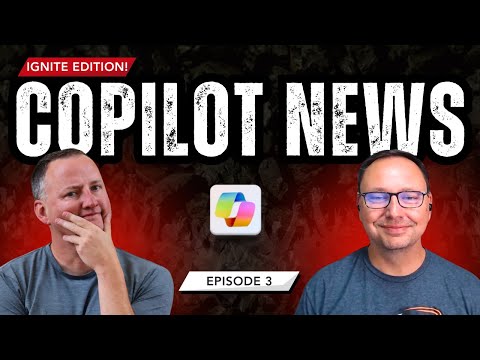
Copilot Ignite Edition: Whats New
SharePoint & PowerApps MVP - SharePoint, O365, Flow, Power Apps consulting & Training
Microsoft expert guide from Ignite on Copilot: agents in Excel, Power Apps, Microsoft Graph gains, SharePoint quiet
Key insights
- Agent 365: A centralized control plane to register, monitor, and govern AI agents across Microsoft 365.
It adds access control, observability, and threat protection so IT can scale agents securely. - Vibe Coding: A natural-language, low-code approach for building Power Apps and Microsoft 365 automations.
Users create and customize apps with conversational prompts, speeding development and enabling citizen developers. - Agents in Excel: New AI agents help with data analysis, formula generation, and automated reporting.
Agent Mode lets users pick reasoning models (Anthropic or OpenAI) and integrates outputs with other Microsoft 365 apps. - Copilot Chat: Expanded, context-aware assistance inside Outlook, Word, Excel, and PowerPoint for richer productivity workflows.
It supports iterative collaboration via Agent Mode, custom agents, and a free basic tier for broader access. - Work IQ agents (Workforce Insights, People, Learning): New agents that deliver real-time organizational insights, strengthen team connections, and speed up upskilling.
They help leaders make data-informed workforce decisions and help employees find learning and collaboration opportunities. - Copilot in the Graph API and governance focus: Copilot integration into the Graph API lets developers embed Copilot features into apps and workflows.
Microsoft emphasized security and governance for enterprise deployments and noted no major SharePoint changes in this Ignite update.
At Microsoft Ignite 2025, a YouTube video by Shane Young [MVP] offers a concise walkthrough of recent updates to Copilot and the growing AI agent ecosystem. The video, framed as "Ignite Edition – What is New with Copilot? Episode #3," highlights practical changes that will affect IT teams, citizen developers, and everyday users of Microsoft 365. Consequently, this report synthesizes the video’s main points and adds context to help readers understand the implications for adoption and governance.
Agent 365 as a Central Control Plane
First, Shane Young emphasizes Agent 365 as a new control plane designed to register, monitor, and govern AI agents across Microsoft 365, and this centralization aims to simplify management for IT. Moreover, Agent 365 bundles productivity integrations with built-in threat protection, data security features, and access controls, so organizations can scale AI capabilities while maintaining compliance. However, the tradeoff is clear: centralized control improves oversight but increases administrative responsibility, meaning teams must invest time to define policies and monitoring practices.
Vibe Coding in Power Apps and Microsoft 365
Next, the video covers Vibe Coding, a low-code innovation that uses natural language to generate app components and logic inside Power Apps and Microsoft 365 tools, thereby accelerating development cycles. As Shane explains, this feature empowers citizen developers by lowering the barrier to entry and shortening the path from idea to prototype, while also reducing the need for manual code. Nevertheless, organizations should weigh the benefits against potential downsides: rapid generation can create maintenance challenges and require governance to ensure code quality and data handling meet corporate standards.
Agents in Excel and Expanded Copilot Chat
The video also highlights enhanced AI agents in Excel, and Shane points out an interesting addition: Agent Mode, which lets users choose reasoning models such as Anthropic or OpenAI for different tasks. Consequently, Copilot can help generate formulas, analyze datasets, and automate reporting across Microsoft 365 applications, while Copilot Chat gains broader context-awareness by reading inboxes, calendars, and meetings when permitted. Still, teams must balance model choice and data exposure, because open model selection increases flexibility but also complicates risk assessment and auditing.
Workforce, People, and Learning Agents Powered by Work IQ
Shane Young notes Microsoft’s rollout of three agents driven by Work IQ: Workforce Insights, People, and Learning agents, each intended to surface organizational insights, strengthen collaboration, and speed up skill development. In practice, these agents promise more personalized support for leaders and employees, and they can make training and planning more efficient by leveraging real usage data. However, adopting these agents raises questions about privacy, the accuracy of inferences, and the potential for bias, so organizations will need transparent rules and frequent validation to maintain trust.
Copilot in the Graph API and Developer Extensibility
Furthermore, the video covers how Copilot extends into the Graph API, enabling developers to integrate Copilot features directly into apps and workflows, which opens new opportunities for tailored automation. This extensibility encourages innovation because teams can embed Copilot capabilities where they matter most, yet it also shifts responsibility onto developers to handle authentication, throttling, and secure data access. Therefore, successful projects will require cross-functional collaboration between security, development, and business teams to avoid surprises after deployment.
Balancing Benefits, Risks, and Practical Challenges
Finally, Shane Young offers perspective on the tradeoffs involved in rapid AI adoption, and this recap underscores that organizations must balance user productivity gains with governance, cost, and risk management. For example, enabling broad access to Copilot Chat can boost knowledge work, but it may raise license and compliance costs and demand stronger monitoring to prevent data leakage. In short, while the updates at Ignite make Copilot more powerful and accessible, organizations must pair technical rollout with policy, training, and ongoing review to realize the benefits safely.
Overall, the video delivers a clear snapshot of where Microsoft is taking Copilot and its agent ecosystem, and it stresses pragmatic steps for adoption. As these features roll out, teams should pilot early, measure impact, and refine governance to balance innovation with safety and cost control.

Keywords
Microsoft Copilot Ignite 2025, Copilot new features Ignite, Copilot Episode 3 highlights, Copilot for Microsoft 365 updates, Copilot AI assistant features, Copilot productivity improvements, Copilot demo and walkthrough, Ignite Edition Copilot roadmap