- All of Microsoft
SharePoint: Build an AI & Research Hub
Software Development Redmond, Washington
Build an AI research hub with SharePoint, Power Platform and Copilot for knowledge, governance and collaboration
Key insights
-
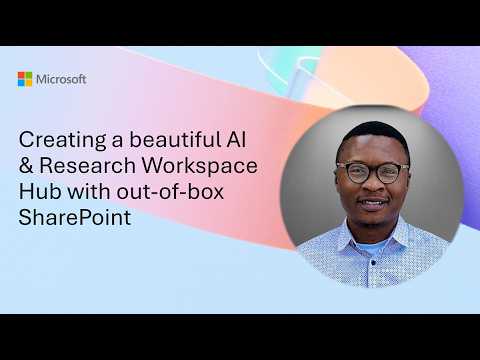
AI & Research Workspace Hub demo — Ezekiel Ibegbunam shows how to build a beautiful, out-of-box SharePoint hub for research and collaboration.
The hub includes research libraries, AI tools and assets, governance content, knowledge agents, news, learning resources, and community areas. -
Microsoft direction: AI in SharePoint integrates AI natively into SharePoint authoring and management.
The previous Knowledge Agent experience is now part of this built-in approach and works with Copilot features. -
What’s new: AI features now run as a native, context-aware layer in SharePoint and support multi-step reasoning for planning and execution.
Administrators must explicitly enable Anthropic as a subprocessor in the tenant for the updated preview. -
Key advantages: AI helps with better content organization, creates Copilot-ready content, and provides ongoing site hygiene by flagging outdated pages and broken links.
Users can trigger actions with natural-language prompts and get support tailored to roles like site owner or content creator. -
Requirements and admin steps: you need a Microsoft 365 Copilot license and tenant or site-level opt-in to use the preview; admins must also enable Anthropic when required.
Admins can scope AI in SharePoint across sites or disable it tenant-wide and should follow Microsoft’s configuration guidance. -
Practical fit for an AI & Research Workspace Hub: SharePoint can act as a central knowledge layer that keeps research content current, discoverable, and reusable.
Plan governance, enable site hygiene features, and design libraries and agent experiences to maximize collaboration and trust.
Video overview
The Microsoft-authored YouTube demo presents how to build an out-of-the-box AI & Research Workspace Hub using SharePoint. The presenter, Ezekiel Ibegbunam, walks viewers through a hackathon entry that celebrates SharePoint’s 25th anniversary and highlights a central hub for research, collaboration, and knowledge sharing. Consequently, the video frames SharePoint as more than an intranet, showing how pages, libraries, and tools can form an integrated research workspace with minimal custom code. Overall, the demo emphasizes practical design decisions and real-world scenarios for teams that want to centralize AI assets and governance.
Key features shown in the demo
The hub demonstrated includes research libraries, AI tools and assets, governance content, knowledge agents, news, learning resources, and community areas. Ezekiel illustrates how templates and built-in web parts can assemble these components quickly, which makes the hub accessible to organizations without deep development resources. In addition, the demo highlights live examples of content organization, discovery, and role-specific views that help managers, researchers, and creators find what they need. Thus, the video makes a clear case for using SharePoint’s native building blocks to accelerate workspace setup.
Integration with Microsoft AI capabilities
Importantly, the demo aligns with Microsoft’s broader push to embed AI into SharePoint, now framed as AI in SharePoint and surfaced through Microsoft 365 Copilot. The video explains how content can be made Copilot-ready, enabling natural-language workflows and context-aware assistance directly on pages and sites. Moreover, the presenter notes administrative controls and previews that require tenant opt-in and specific configuration to enable model subprocessors, which highlights the platform-level dependencies. As a result, organizations must balance enabling modern AI features with careful configuration and governance steps.
Tradeoffs and operational challenges
While the out-of-box approach speeds deployment and reduces development costs, it introduces tradeoffs between convenience and control. For example, relying on built-in AI features can simplify content enrichment and search, but it also raises questions about data residency, subprocessors, and compliance that administrators must manage. Furthermore, the accuracy of AI-driven summaries and agents depends on content quality and metadata, so teams will need to invest time in tagging, templates, and quality checks to get consistent results. Therefore, organizations face a balancing act between rapid enablement and long-term maintainability.
Technical and governance considerations
The demo makes clear that using AI in SharePoint requires specific licensing and tenant configuration, including Copilot access and preview opt-ins, and sometimes enabling external subprocessors for model access. Consequently, administrators should plan who can enable features, how scopes are defined, and how to monitor usage to avoid unexpected exposure of sensitive information. In addition, the video underscores the need for ongoing site hygiene—flagging outdated pages, fixing broken links, and surfacing improvement opportunities—to keep the hub reliable and trustworthy. Thus, technical enablement must be paired with governance processes and regular content reviews.
Choices between out-of-box and custom solutions
Teams must weigh the benefits of the out-of-box model against the flexibility of custom development. On the one hand, native SharePoint components reduce time to value and lower maintenance overhead, while on the other hand, custom solutions can offer tailored integrations, stricter controls, and specialized UI for research workflows. Moreover, customization often increases complexity, cost, and the need for developer skills, which can slow adoption and complicate updates when platform AI features evolve. As a result, many organizations will adopt a hybrid strategy: use out-of-box components for common needs and selectively extend functionality where unique processes demand it.
Practical guidance for teams
For organizations starting with an AI & Research Workspace Hub, the video suggests beginning with a clear content model and roles, then assembling the hub from existing SharePoint templates and web parts. Next, enable preview AI features in a controlled environment and pilot with a small group to validate relevance, compliance, and user experience before broad rollout. Finally, pair technical rollout with training and governance documents so users understand how to create Copilot-ready content and when to escalate data or privacy concerns. In short, a staged approach reduces risk while demonstrating value quickly.
Conclusion
Microsoft’s video offers a practical, accessible blueprint for transforming SharePoint into an AI & Research Workspace Hub without heavy customization, and it shows how built-in AI features can improve discovery, drafting, and site hygiene. Yet, the demo also makes the tradeoffs clear: teams must manage governance, licensing, and content quality to realize dependable results. Therefore, organizations should combine out-of-box capabilities with well-defined governance and selective customization to balance speed, control, and long-term sustainability. Ultimately, the video serves as a useful starting point for teams aiming to centralize research assets and accelerate AI-ready knowledge work in SharePoint.

Keywords
SharePoint AI workspace, SharePoint research hub, out-of-the-box SharePoint templates, modern SharePoint hub design, AI-powered SharePoint intranet, SharePoint workspace best practices, beautiful SharePoint site design, SharePoint hub site for research