- All of Microsoft
Planner Agent: 7 Ways to Transform Tasks
Helping you and your company achieve more in Microsoft 365
Planner Agent links Microsoft Copilot to Planner and Outlook, turning emails into tasks to streamline task management
Key insights
- Planner Agent and Copilot: A conversational agent inside Microsoft 365 that connects Copilot directly to your tasks across Planner, Outlook, chats, and meetings.
It lets you manage work by talking to Copilot instead of switching apps. - Create tasks, turn emails into tasks, and shared plans: Use simple prompts to add tasks, convert Outlook messages into Planner items, and place work in either personal or team plans.
This keeps requests and assignments consistent across your team. - Natural languageupdate deadlines and review upcoming tasks: Change due dates, reprioritize, and get a weekly task summary with plain-language commands.
It speeds up planning and helps you focus on what matters next. - Integration with core apps: The Agent works with Outlook, Planner, Teams, and Whiteboard so ideas and emails flow into tracked tasks.
This reduces app switching and makes brainstorming turn into actionable work faster. - Preview status and limitations: The experience is in preview, so some features are limited and permissions or sync issues may appear.
Expect incremental improvements and test it on real workflows before full adoption. - Actionable plans and improved productivity: By moving scattered notes and emails into a conversational task workflow, the Agent saves time and creates clearer, more actionable plans for your day and team.
Try it for weekly planning and routine task updates to see immediate benefits.
Video overview and context
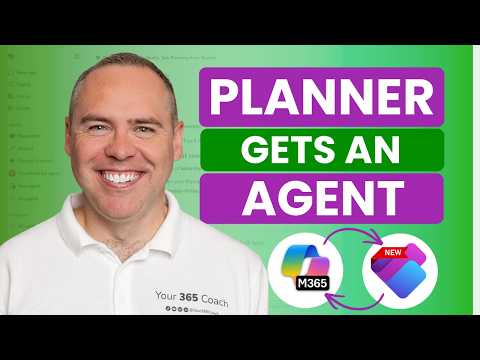
In a recent YouTube walkthrough, Scott Brant demonstrated how the new Planner Agent connects conversational AI to everyday task management inside Microsoft 365. He frames the feature as a response to long-standing friction between emails, meetings, and task lists, and he shows the agent acting directly on tasks through simple prompts. Consequently, the video presents this update as a practical step toward turning scattered information into clear, actionable plans. Overall, Brant positions the feature as immediately useful but still evolving as a preview experience.
How the Planner Agent works in practice
Scott Brant walks viewers through opening and using the Planner Agent inside the Copilot experience, demonstrating how to create dynamic task lists, change due dates, and convert email items into tasks. He shows that the agent can operate across both personal and shared Planner plans, which helps teams and individuals manage work without switching tools. In addition, he demonstrates a quick workflow for reviewing weekly tasks and updating deadlines with natural language prompts, which speeds routine planning steps.
Key features demonstrated
Among the practical steps Brant highlights, converting Outlook messages to tasks stands out because it reduces manual copying and context loss. He also demonstrates bulk updates and dynamic list creation based on your activity across Microsoft 365, which can significantly lower the time spent on administrative task work. Moreover, the video shows how the agent can create and manage tasks in shared plans, enabling delegation and visibility for teams while preserving individual ownership where needed.
Benefits and tradeoffs
The benefits are tangible: greater speed, fewer context switches, and more consistent task capture, which together improve productivity for routine work. However, Brant also points out tradeoffs, such as the risk that automated prioritization could hide nuance that a human would catch, and the need to balance automation with manual oversight. Therefore, teams should consider governance around who can let the agent act autonomously and who reviews suggested changes, since over-automation can lead to missed subtleties or misplaced priorities.
Limitations and challenges in the preview
Brant is candid about the feature’s current limits in preview, noting that some integrations are not yet complete and that the agent may not always interpret complex task dependencies correctly. He warns that the preview experience can produce inconsistent results with shared plans or when tasks depend on nuanced context from meetings and documents. Consequently, organizations should treat the agent as an assistive tool rather than a full replacement for human planning until the product matures and testing confirms reliability.
Adoption recommendations and next steps
To adopt the Planner Agent wisely, Brant recommends starting small: pilot the agent with a few teams, collect feedback, and refine prompts and permissions based on real use. Meanwhile, training and clear policies will help balance autonomy and control, so that the agent speeds work without surprising teammates. Finally, he suggests combining agent-driven automation with regular human reviews, which preserves accountability while benefiting from faster task handling.
Conclusion: measured optimism
In his walkthrough, Scott Brant offers a measured but optimistic view: the new Planner Agent can substantially reduce friction in everyday task work, yet its full value depends on careful rollout and human oversight. While the capability to convert emails to tasks, update dates by prompt, and manage shared plans simplifies routine operations, teams must weigh the gains against the risk of overdependence on automation. Ultimately, the video presents a clear case for experimenting with the feature now, while preparing governance and training so that the tool scales safely and effectively.
Keywords
Planner Agent task automation, New Planner Agent features, Microsoft Planner Agent tutorial, Planner Agent productivity tips, Planner Agent for task management, AI Planner Agent workflow, Planner Agent use cases, Planner Agent integration tips