Pro User
- All of Microsoft
Zeitspanne
explore our new search
PowerPoint
24. Juli 2026 20:04
PowerPoint: 6-Stage Medical Slide Fix
von HubSite 365 über Presentation Process YouTube
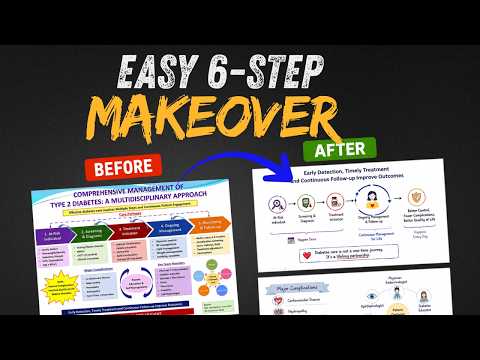
PowerPoint in Microsoft Office slide autopsy transforms medical slides into clear, single idea visuals with AI review
Key insights
- Slide Autopsy: A step-by-step method to remake a dense medical slide into a clear, audience-friendly visual.
It examines the original slide and applies six practical design rules to improve understanding. - Remove Visual Clutter: Reduce text, add white space, and replace long paragraphs with short labels or icons.
Cleaner slides help viewers focus on the key message instead of chasing details. - Conclusion Title: Write the slide title as the main takeaway so the audience knows the point immediately.
A clear conclusion in the title guides attention and frames the rest of the content. - One Idea Per Slide: Present a single concept or step on each slide to avoid overload.
When you sequence slides, the audience follows the story more easily and remembers it better. - Visual Relationships: Use diagrams, numbered nodes, icons, and simple shapes to show how parts connect; animate elements to reveal steps in order.
Always check AI-created visuals for accuracy and correct any misleading details before presenting. - Template-driven Workflow: Start with a clean template or process diagram, use a neutral background, and apply basic PowerPoint animations like wipe or fade to reveal stages.
These practical steps speed up production and keep slides consistent and readable.

Keywords
presentation slide makeover, medical slide design, PowerPoint slide makeover, slide design tips, medical presentation makeover, slide redesign tutorial, before and after slide makeover, effective medical slides