- All of Microsoft
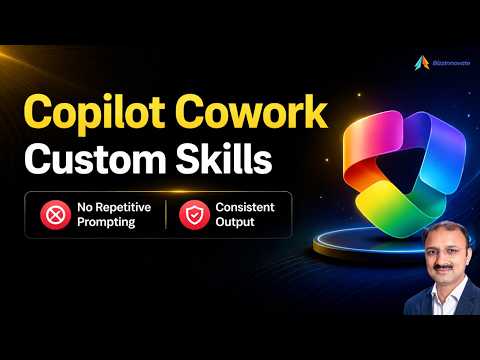
Copilot: Boost Team Collaboration Skills
Microsoft expert guide to Copilot Custom Skills in Copilot Studio automating tasks and boosting workflow productivity
Key insights
- Copilot Cowork skills turn Copilot from a chat helper into a task execution layer that performs actions across Microsoft 365.
In this video, the presenter shows how Cowork runs steps to reach an outcome instead of only giving suggestions. - Built-in skills cover common apps and tasks like Word, Excel, PowerPoint, email, scheduling, meetings, enterprise search, and deep research.
Cowork loads the right skill automatically or on demand to handle each part of a request. - Custom skills let teams encode repeatable workflows by adding a SKILL.md file to a Skills folder in OneDrive.
Each skill lives in its own subfolder and uses YAML frontmatter plus Markdown instructions to define the process. - Skill invocation works both automatically and manually, and Cowork shows step-by-step orchestration as it executes tasks.
For sensitive actions like sending email or posting to Teams, Cowork pauses and asks users to confirm. - Productivity benefits include more consistent output, less repetitive prompting, and easier automation of multi-app workflows.
Teams save time by reusing skills instead of recreating prompts for the same processes. - Real-world scenarios include meeting follow-ups, recurring reports, branded documents, approval flows, and research-to-report pipelines.
The video demonstrates editing prompts, rerunning steps, and applying skills to practical team workflows.
Introduction
The YouTube video by BizzInnovate walks viewers through the new Copilot Cowork feature and its Custom Skills model, showing how these tools change Copilot from a chat assistant into an agent that can carry out tasks across Microsoft 365. In straightforward demos, the presenter highlights how skills automate repeated steps, let users edit prompts, rerun actions, and reduce the need to craft the same instructions repeatedly. As a result, organizations can standardize common workflows and expect more consistent, productivity-focused outputs. This report summarizes the video’s core points and assesses tradeoffs and challenges for newsroom readers and IT leaders alike.
How Custom Skills Work in Practice
According to the video, a Custom Skills package begins as a simple files-based workflow that Copilot can load when needed. Creators place a SKILL.md file in a designated OneDrive folder and define the steps with a small YAML header and Markdown instructions, which makes it easy to author and update without heavy development work. Then, when a user asks Copilot to perform a task, Cowork can invoke a built-in or custom skill to complete multi-step work such as drafting an email, building a report, or updating a calendar entry. The video demonstrates both automatic invocation, where Copilot picks the right skill, and manual invocation, where the user explicitly selects a skill to guide execution.
Demonstrations and Real-World Scenarios
BizzInnovate runs several clear demos that show prompt editing, reruns, and the way Copilot pauses for human approval before making irreversible changes like sending email or posting to a channel. For example, a skill that prepares a meeting follow-up will gather notes, generate a branded summary, and then ask the user to confirm sending the final message; this step-by-step flow reduces errors while speeding repeatable tasks. Additionally, the presenter covers scenarios such as recurring reporting, branded document creation, and research pipelines where skills link multiple apps together in a single workflow. These examples underline how skills can save time and reduce the mental load of repeating the same instructions every day.
Benefits and Tradeoffs
The video argues that the biggest benefits are consistency, reduced repetitive prompting, and better automation across apps. By encoding how a team wants a task done, custom skills lower variation in outputs and help enforce brand or process standards, which is valuable for large teams and regulated environments. However, this approach also brings tradeoffs: building and maintaining skills requires upfront effort and disciplined version control, and organizations must balance automation with human oversight to avoid unwanted or incorrect actions. Therefore, teams must weigh the productivity gains against the ongoing cost of authoring, testing, and updating skills.
Challenges, Governance, and Practical Considerations
The video touches on governance concerns and implementation hurdles that enterprises should expect. While Copilot asks for confirmation before sensitive actions, organizations still need clear rules about who can create and run skills, how skill definitions are stored, and how to audit actions for compliance and security. In practice, debugging a multi-step skill can be tricky because errors may surface across different applications, and maintaining state or context during long workflows requires careful design. Consequently, IT teams will need to plan for change control, logging, and role-based access to prevent misuse while preserving the productivity benefits.
Looking Ahead: Adoption and Best Practices
Finally, the video suggests practical steps for adoption that keep risks manageable while unlocking value quickly. Start with a few high-impact, low-risk workflows such as meeting follow-ups or standardized reporting to validate the approach, and then expand as teams learn how to author and govern skills. Furthermore, pairing a lightweight governance model with clear documentation ensures that skills remain useful and secure as requirements change, while training users reduces the chance of incorrect invocation or reliance on outdated prompts. In sum, Cowork and its Custom Skills offer a promising route to automate routine knowledge work, but success depends on thoughtful tradeoffs between automation, control, and ongoing maintenance.

Keywords
Copilot cowork skills, Microsoft Copilot coworking tips, Copilot collaboration skills, Copilot team productivity, Copilot workplace skills training, AI Copilot cowork best practices, Copilot skills for teams, Copilot cowork tools and tips