- All of Microsoft
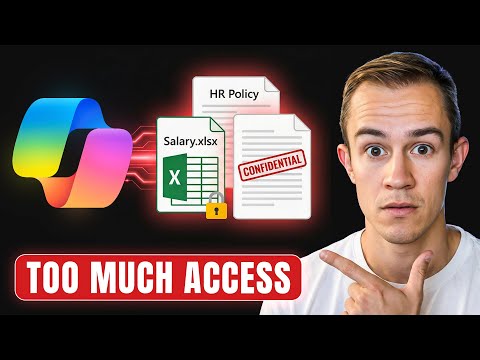
Microsoft Copilot: Safe SharePoint Setup
Deploy Microsoft Copilot safely with SharePoint Advanced Management stop oversharing apply data governance and OneDrive controls
Key insights
- Data Access Governance: Run reports to find overshared sites and risky permissions across SharePoint and OneDrive.
Use these findings to flag HR, Finance, Legal, and legacy sites that could expose sensitive data to Copilot. - Restricted Site Access: Block Copilot from indexing or querying high‑risk sites without changing broad tenant settings.
Apply site‑level restrictions to prevent Copilot from surfacing confidential content during rollout. - Unmanaged device policies: Stop downloads and file access from unmanaged devices to reduce data exfiltration.
Enforce device controls for SharePoint and OneDrive before expanding Copilot access. - Lifecycle policies: Archive or lock stale and unused sites to shrink the attack surface.
Use retention and deletion rules to remove years of unmanaged sharing before org‑wide Copilot deployment. - SharePoint change history: Audit permission and sharing changes to track remediation and owner accountability.
Regularly review change logs to confirm fixes and to prove compliance during and after rollout. - SharePoint Advanced Management & rollout best practices: Follow a step‑by‑step plan for IT teams and MSPs—identify risks, restrict access, clean up content, test with a pilot group, then scale.
Complement these steps with sensitivity labels, DLP controls, and admin center readiness checks to balance productivity and security.
Introduction: Video Overview and Purpose
In a practical tutorial, Nick Ross [MVP] (T-Minus365) explains how to deploy Microsoft Copilot safely by focusing on SharePoint governance. He argues that the biggest overlooked risk is oversharing in SharePoint and weak data controls that let AI surface sensitive information. The video uses real examples, reports, and live admin-center walkthroughs to show step-by-step actions IT teams can take. Consequently, the guidance aims to help organizations get Copilot’s productivity gains without accidental data exposure.
What the Video Demonstrates
Ross begins by identifying risky sites and permissions using Data Access Governance reports, and then moves to actionable controls administrators can apply. He shows how to stop Copilot from indexing sensitive areas such as HR, finance, and legal sites by applying targeted restrictions. In addition, he demonstrates how to restrict access with Restricted Site Access and block downloads from SharePoint and OneDrive on unmanaged devices. These steps are illustrated with concrete examples so viewers can follow along in their own environments.
Key Controls and How They Work
The video highlights several core controls that together reduce Copilot risk. First, discovery through Data Access Governance reports uncovers overshared and stale sites so teams know where to focus cleanup efforts. Then, administrators can apply Restricted Site Access or prevent indexing on high-risk sites to keep sensitive content out of Copilot’s knowledge surface. Moreover, lifecycle policies allow archiving or locking stale sites, while SharePoint change history helps audit permission changes and maintain accountability.
Tradeoffs: Balancing Security and Productivity
Ross emphasizes that locking down SharePoint introduces tradeoffs between security and user productivity, and teams must weigh both sides. For example, blocking Copilot access to broad site collections reduces exposure, but it can also limit helpful contextual responses for users who need cross-site information. Similarly, blocking downloads on unmanaged devices increases data protection but may frustrate mobile or remote users who rely on quick access. Therefore, administrators should plan staged rollouts and gather user feedback to balance protection with practical needs.
Implementation Challenges and Practical Considerations
Implementing the guidance is not always straightforward because many organizations face messy, long-lived SharePoint estates. Identifying site owners can be difficult when ownership is outdated or missing, which slows remediation and lifecycle actions. Permissions can also be complex, with nested groups and external sharing that require careful analysis to avoid breaking workflows. Consequently, Ross suggests combining automated reports with manual validation so teams can prioritize high-risk sites while avoiding unintended disruptions.
Recommendations and Next Steps
Ross recommends a measured approach: start with discovery, then apply targeted restrictions, and finally automate cleanup where possible. He also underscores the value of assigning active site owners and enforcing lifecycle policies to prevent future drift. For many organizations, a phased rollout of Copilot — beginning with a pilot group and extending as governance proves effective — reduces operational risk. In short, the path to safer Copilot use pairs technical controls with process changes and clear owner accountability.
Conclusion: Practical Value for IT Teams
Overall, the video by Nick Ross [MVP] (T-Minus365) delivers a hands-on roadmap for mitigating the top SharePoint-related risks when enabling Microsoft Copilot. It balances technical detail with practical advice and outlines tradeoffs clearly so teams can make informed decisions. Finally, organizations that invest time in discovery, restriction, and lifecycle management can unlock Copilot benefits more safely while keeping sensitive data under control. As a result, the approach supports both productivity and compliance when rolled out thoughtfully.
Related links

Keywords
deploy Microsoft Copilot, Microsoft Copilot security best practices, SharePoint Advanced Management Copilot, Copilot deployment SharePoint, Copilot governance and compliance, protect Copilot data in SharePoint, enterprise Copilot deployment guide, secure Copilot configuration SharePoint