- All of Microsoft
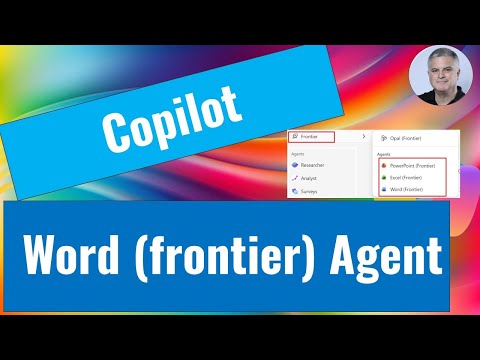
Copilot Chat: Word (Frontier) Agent Tips
M365 Adoption Lead | 2X Microsoft MVP |Copilot | SharePoint Online | Microsoft Teams |Microsoft 365| at CloudEdge
Use Copilot Chat with Word Frontier agent to craft audience-aware docs, edit in Word and collaborate via Teams
Key insights
- Word Frontier agent in Copilot Chat: The agent creates structured Word documents from chat prompts and understands the document's purpose and audience.
Work in the chat to draft and iterate, then open the file in Word for final formatting and layout. - Prerequisites: You must be enrolled in the Frontier Program and have Copilot Chat enabled by your organization.
Administrators must enable external model integration such as Anthropic AI, and they should assess any security risks before activation. - Access and invocation: Launch the Word agent from the Copilot app navigation or the Tools menu, or call it directly with an @Word prompt in chat.
The agent then asks for document type, audience, tone, and key points to generate a tailored draft. - Chat-first workflow: Generate a full draft conversationally, request tone or structure changes, and refine content iteratively within chat.
For detailed edits and final styling, open the generated document in Word and apply the standard Word tools. - Microsoft 365 integration: The agent connects with enterprise services like the Microsoft Graph and the Work IQ layer to use organizational context and internal knowledge.
This helps keep tone, references, and standards consistent with your company’s policies. - Security and governance: Administrators control availability and model access, and teams should review outputs for sensitive or regulated content.
Apply standard review workflows and data-handling rules when using external models to reduce compliance risks.
Introduction
A new YouTube video from Ami Diamond [MVP] explains how the Word (Frontier) agent works inside Copilot Chat. In the video, Ami — a seasoned Microsoft MVP and a man — walks viewers through the chat-first document creation workflow, and he highlights both practical steps and prerequisites. Consequently, this article summarizes the video for our newsroom, clarifies key points, and outlines tradeoffs and challenges for organizations considering early adoption. Finally, it aims to help readers decide whether to explore the feature further.
What the Video Covers
First, Ami demonstrates how the Word (Frontier) agent can generate advanced documents by understanding the target audience and primary purpose. He shows that you start in Copilot Chat, describe the document you need, and then preview or iterate on the draft before opening it in Word for final edits. Additionally, Ami details navigation paths such as using the Tools menu or invoking the agent directly with a prompt like @Word. As a result, viewers get a clear sense of the end-to-end flow from chat prompt to Word file.
Second, the video outlines prerequisites for using the feature. Specifically, Ami explains that organizations must enroll users in the Frontier Program and enable access to Microsoft 365 Copilot. Moreover, administrators must approve integration with external models such as Anthropic, which Ami highlights as a security consideration. Therefore, the feature is not yet broadly available and requires deliberate administrative setup.
How It Works in Practice
Ami demonstrates a typical session where a user requests a particular document type, identifies the audience, and describes the desired tone and structure. The agent then drafts a document that reflects those constraints, allowing the user to ask follow-up prompts to expand, shorten, or change sections. After iterative refinement in chat, the user can open the document in Word for layout changes, references, or other detailed edits. Thus, the workflow blends conversational ideation with traditional application-level control.
Furthermore, Ami shows that the agent leverages organizational context to produce more relevant content. He notes that when enabled, integration with enterprise services helps the agent respect company terminology and standards. That said, Ami cautions viewers that reliance on internal data requires careful governance to protect sensitive information. Consequently, IT teams must balance usefulness with risk management when enabling these connections.
Benefits and Practical Advantages
According to the video, the most immediate benefit is speed: professionals can generate structured drafts far faster than by starting from a blank page. In addition, the agent’s audience-aware outputs reduce the need for heavy rewrites because the tone and complexity already match the intended readers. Moreover, the chat-first approach supports quick experimentation, so teams can try multiple directions before committing to a final version. As a result, the feature can boost productivity for people who regularly produce reports, proposals, or client-facing documents.
Another advantage Ami emphasizes is the capacity to iterate naturally. Users can ask for section rewrites, alternate tones, or different formats without leaving the chat, which streamlines collaboration. He also demonstrates how opening the draft in Word preserves the agent’s structure while allowing designers and editors to apply brand templates or final formatting. Therefore, the feature fits into existing editorial processes rather than replacing them outright.
Tradeoffs and Challenges
Despite the benefits, Ami highlights several tradeoffs that organizations must weigh. First, enabling external models such as Anthropic introduces potential privacy and compliance risks, so administrators should conduct reviews and apply safeguards. Second, early access through the Frontier Program means the agent may change rapidly, which can cause unexpected behavior during rollout. Thus, organizations must prepare for evolving functionality and occasional instability.
Moreover, the video notes a human-in-the-loop requirement: while the agent produces useful drafts, it does not replace subject-matter experts or editors. Users still need to verify facts, confirm legal phrasing, and ensure sensitive content stays protected. Consequently, teams should build review stages into their workflows and set clear ownership for final approval. In short, the agent accelerates drafting but does not remove the need for quality control.
Adoption Considerations and Next Steps
Ami advises that organizations pilot the feature with a small group before broader deployment, which helps identify governance gaps and training needs. He also recommends that IT teams document configuration choices, such as whether to enable external AI providers, and to monitor usage patterns to assess impact. Additionally, content teams should define templates and style guides that the agent can follow to maintain consistency across documents. Ultimately, careful pilots and governance will determine whether the agent delivers sustained value.
In conclusion, Ami Diamond’s video offers a practical introduction to the Word (Frontier) agent in Copilot Chat, while responsibly pointing out prerequisites and risks. For many organizations, the agent represents a promising way to speed document creation and improve audience alignment, yet it also requires governance, human review, and technical setup. Therefore, teams should weigh productivity gains against security and compliance needs before adopting the feature widely.

Keywords
copilot chat word frontier tutorial, how to use copilot chat in word frontier, word frontier copilot agent guide, microsoft copilot chat for word tips, copilot agent word productivity features, copilot chat word walkthrough, set up copilot in word frontier, copilot chat word templates and shortcuts