- All of Microsoft
- Microsoft 365
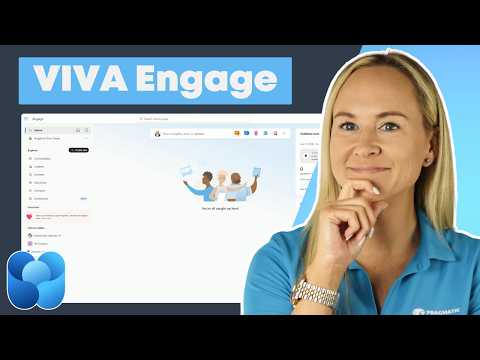
Viva Engage: Build Workplace Community
Viva Engage in Teams builds Copilot hubs, centralizes docs, sparks Q&A and analytics for Microsoft adoption
Key insights
- Viva Engage demo by Angelica Choo Quan shows how to use the platform as a Copilot adoption hub to centralize learning and drive user adoption.
She demonstrates building a dedicated Copilot community inside Microsoft Teams to collect resources, share examples, and encourage peer help. - Communities are the core organizing unit: each community holds conversations, events, and files so teams can find everything in one place.
Use conversations for Q&A, pinned posts for key guidance, and community descriptions to set purpose and rules. - Licensing matters: many core features come with Microsoft 365, while some advanced tools require premium plans.
Check which capabilities you need before rollout and decide whether to run Engage in Teams or the web for your audience. - Events and campaigns power engagement—run structured activities like “ask me anything” sessions, themed campaigns, and live Q&A to boost participation.
Use storylines to highlight wins and turn examples into reusable learning moments. - Resource library and Answers keep knowledge searchable: organize files and folders, import FAQs, and mark best replies to reduce repeated questions.
Build a clear learning hub structure so users can self-serve before asking for help. - Communication Dashboard and analytics help you measure impact and avoid spamming users by targeting outreach and timing posts.
Track engagement metrics, refine posting cadence, and use insights to keep the community active and valuable.
Introduction: What the Video Covers
Pragmatic Works published a practical walkthrough showing how to use Viva Engage as an adoption hub for Copilot learning inside the workplace. The session, led by Angelica Choo Quan, walks viewers through building a dedicated community that lives inside Microsoft Teams and collects resources in one place. Moreover, the video highlights practical techniques such as peer-to-peer Q&A, storylines for sharing wins, and structured activities like events and "ask me anything" sessions to drive participation. Overall, the presentation focuses on making Copilot adoption repeatable and measurable across an organization.
Setting Up a Copilot Community
First, the presenter explains the basic structure for launching a community, including the importance of clear naming, descriptions, and privacy settings. Then she demonstrates how an Engage community can include sections for conversations, an About area, a learning hub, events, and analytics so members can find what they need without digging through multiple apps. Furthermore, she shows how to use files and folders to build a centralized Copilot resource library that keeps templates, how-tos, and examples in one place. As a result, teams can reduce friction when people look for guidance or sample prompts.
Angelica also emphasizes the value of integrating the community inside Microsoft Teams because many users already live there during the workday. By contrast, launching only on the web may lower visibility for people who spend most of their time in Teams. Therefore, placing the community where employees already interact increases the chance that questions and examples are seen and answered quickly. This approach helps convert occasional viewers into active contributors.
Core Features and Licensing Explained
The video includes a clear licensing overview, delineating what is available within standard Microsoft 365 plans versus what requires premium licensing. For instance, basic community creation, conversations, and file storage are typically available in many M365 subscriptions, while advanced analytics, richer moderation tools, or some admin dashboards may sit behind premium tiers. Consequently, teams should audit their existing licenses before planning features that rely on enhanced reporting or governance. In practice, starting with the free community plan can validate demand before committing to paid upgrades.
Angelica walks through specific Engage components such as Answers, Storylines, analytics, and the communication dashboard, explaining how each supports adoption. Answers helps capture frequently asked questions and surface verified responses, while Storylines lets leaders highlight successes and use cases in a narrative format. Meanwhile, analytics and the dashboard provide signals about engagement and campaign reach so community managers can adapt their approach. Taken together, these features form a toolkit for scaling learning without overwhelming users.
Engagement Tactics: Events, Campaigns, and Moderation
To keep momentum, the video recommends running structured activities like campaigns, live events, and AMAs that invite participation at predictable times. Such events create rhythm and give people reasons to visit the community, while campaigns can focus attention on specific skills or use cases for Copilot. Additionally, Angelica outlines posting best practices to avoid spamming users, such as batching announcements and using the communication dashboard to limit unnecessary notifications. This balance between visibility and respect for user attention is critical to long-term adoption.
Peer-to-peer learning receives notable attention because it scales expertise faster than a few centralized trainers. By encouraging subject matter experts to answer questions and marking verified responses in Answers, the community builds trust and reduces repeat queries. However, this model requires clear roles and light moderation to keep content accurate and prevent outdated advice from persisting. Therefore, leaders should appoint moderators and set simple rules to sustain quality while preserving openness.
Tradeoffs and Practical Challenges
Adoption efforts face several tradeoffs that Angelica addresses candidly. For example, putting everything inside Teams increases discoverability but risks creating noise that users may mute, whereas keeping content on the web can fragment attention and reduce spontaneous participation. Similarly, relying solely on free features minimizes cost but may limit reporting needed to prove impact, while buying premium features accelerates insight at a financial cost. Leaders must weigh these choices based on scale, governance needs, and available budget.
Other challenges include maintaining content relevancy and measuring behavioral change rather than vanity metrics. Although analytics help, they do not always capture whether individuals apply Copilot effectively in their day-to-day tasks. Moreover, governance policies such as naming conventions, membership rules, and content retention are necessary but add administrative overhead. Consequently, a phased approach that begins with a pilot community and iterates based on measured outcomes offers a practical path forward.
Conclusion: A Practical Roadmap for Teams
In summary, the Pragmatic Works video serves as a concise how-to for setting up a living learning hub inside Viva Engage and Microsoft Teams to support Copilot adoption. The guidance mixes tactical steps—like building a resource library and running AMAs—with strategic advice on licensing, moderation, and measurement. Ultimately, teams that balance accessibility with governance and start small while tracking meaningful outcomes will have the best chance to scale adoption sustainably. As a result, organizations gain not only faster skills uptake but also a stronger community that can sustain continuous learning.
https://hubsite365cdn001img.azureedge.net/SiteAssets/TopicImages/marvin-meyer-SYTO3xs06fU-unsplash.jpgKeywords
Microsoft Viva Engage, Viva Engage tutorial, employee engagement platform, building workplace community, internal communications tools, Viva Engage best practices, employee community building, Viva Engage for Teams