- All of Microsoft
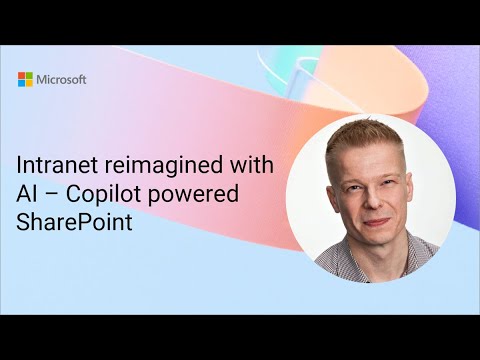
SharePoint: Copilot-Powered Intranet
Software Development Redmond, Washington
SharePoint Copilot reimagines intranet with AI, speeding pages, auto FAQs and news from meetings for Microsoft Teams
Key insights
- Copilot-powered SharePoint: Microsoft combines Copilot and AI agents to make the intranet proactive and easier to use.
Vesa Juvonen demonstrated how this approach turns SharePoint from a content repository into an intelligent content assistant. - Content creation: Copilot speeds up page creation, drafts articles from meeting summaries, and generates FAQs to reduce manual work.
Authors stay in control—AI suggests drafts and metadata but users review and publish final content. - AI agents: No-code, customizable agents search sites, answer queries, and automate routine workflows across SharePoint.
Teams can share and reuse agents to standardize processes and surface institutional knowledge. - Knowledge Source: Agents can search and reason over entire SharePoint sites to deliver concise answers and relevant documents.
Natural-language prompts let users find insights faster with predictive recommendations and summaries. - Governance and branding: Copilot supports automated metadata tagging and consistent page structure to maintain brand and data quality.
IT and content owners can enforce policies while enabling faster, compliant content production. - Microsoft 365 integration: Copilot and agents work inside Copilot chat, Teams, and SharePoint pages for seamless collaboration.
This integration helps teams collaborate in context, share agent outputs, and act on insights without switching apps.
Overview of the Demonstration
On a Microsoft community call in September 2025, the company published a demo titled Intranet reimagined with AI – Copilot powered SharePoint that showcases how artificial intelligence changes intranet workflows. Presented by Vesa Juvonen, the session walks through practical scenarios where AI speeds page creation, generates FAQs, and converts meeting summaries into news articles. Importantly, the demo frames these capabilities as tools to make content authors more productive while keeping editorial control in human hands.
As a result, the presentation positions SharePoint not merely as a content store but as an active assistant that helps people create and find information. The video emphasizes integration across Microsoft 365 apps and highlights no-code options for teams to configure AI behavior. Consequently, organizations can imagine faster content cycles while still enforcing design and governance rules.
Key Demo Features
The demo highlights several concrete features, beginning with Copilot-assisted page creation that turns plain language prompts into draft pages and structured sections. It also shows a new FAQ web part that can auto-generate question-and-answer pairs from site content and meeting transcripts, helping sites surface common knowledge faster. Furthermore, the demo demonstrates how a meeting summary can be turned into a polished news article, saving authors time on routine drafting work.
Another central point is the role of customizable AI agents that can search entire SharePoint sites and automate simple workflows without code. These agents can act as knowledge workers, drawing on the platform to answer queries and surface relevant resources. The presenter underscores that agents and Copilot live inside familiar interfaces like Teams and the Copilot chat, which helps reduce context switching for users.
Productivity and Collaboration Benefits
First, the most visible benefit is time saved. By automating summarization, metadata tagging, and first drafts, the tools free content creators to focus on higher-value edits and decisions. This approach increases throughput for internal communications and reduces the mechanical workload that often delays publishing.
Second, AI improves information discovery by offering natural-language search and contextual recommendations that cross-link SharePoint, Teams, and Outlook content. As a result, teams can find and reuse existing material faster, which reduces duplication and strengthens knowledge continuity. At the same time, the demo shows Copilot adjusting output to match organizational style, which helps preserve brand and governance standards.
Trade-offs and Challenges to Consider
Despite clear advantages, trade-offs remain. AI-driven drafting speeds content creation, but it can also introduce factual errors or subtly change tone; therefore, a human review step remains essential. Organizations must balance automation with editorial control so that speed does not come at the cost of accuracy or legal compliance.
Moreover, the system raises governance and privacy questions. Allowing agents to search broad site collections can surface sensitive information if access policies are not tightly managed. Consequently, teams need to plan for data access controls, auditing, and role-based permissions before rolling out broad agent use.
Adoption Practicalities and Next Steps
For practical adoption, the demo suggests a staged rollout: pilot small teams, refine prompts and agent settings, then expand to more sites. Training authors and site owners on how to supervise Copilot output and approve generated content will be crucial to maintain quality. In addition, measuring outcomes such as time-to-publish, user satisfaction, and content reuse will help justify broader investment.
Finally, IT and governance leaders should develop clear policies for agent creation, content ownership, and monitoring to reduce risk while promoting adoption. By combining careful governance with user-focused training, organizations can capture productivity gains without sacrificing compliance or control. Overall, the video shows promise but makes clear that responsible implementation requires planning, oversight, and ongoing adjustment.

Keywords
AI intranet, Copilot for SharePoint, SharePoint Copilot, AI-powered intranet, Intelligent intranet, Microsoft Copilot SharePoint, Digital workplace AI, Modern SharePoint intranet