- All of Microsoft
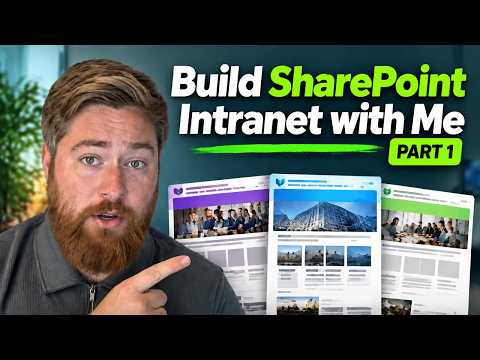
SharePoint Intranet: Engaging Tutorial 1
Microsoft expert SharePoint intranet guide on hub sites department templates news rollup web parts Outlook and Power BI
Key insights
- Planning
Define the intranet’s business purpose, key sponsors, and primary audiences before you build. Choose a single pilot scenario and focus on measurable goals. - Homepage design
Design a clear homepage with web parts like News, Hero, Quick Links, and Events so employees find important information fast. Use consistent imagery and simple layouts to guide attention. - Hub architecture
Use hub sites to connect department sites and inherit navigation, theme, and branding. A hub-based structure keeps the intranet organized and easier to update. - Site templates
Create department templates and wireframes before building to keep layouts and content consistent. Automate provisioning to avoid repeating the same setup work. - Governance
Establish ownership, publishing rules, lifecycle policies, and access controls up front. Include Microsoft 365 governance tools and regular security patching when on-premises components exist. - Intelligent intranet
Adopt AI-ready features, audience targeting, and Teams/Viva Connections integration to surface relevant content on web and mobile. Focus on dynamic web parts and personalized feeds for better engagement.
Overview: A practical SharePoint walkthrough
In a recent YouTube tutorial, Dougie Wood [MVP] presents the first part of a three-part series that walks viewers through building an engaging intranet with SharePoint. The video focuses on designing a clear homepage and establishing consistent department site templates, and it aims to take teams from a blank tenant to a usable, branded intranet. Importantly, the host combines practical steps with examples, which helps viewers apply the guidance to both new deployments and cleanup projects.
Consequently, the tutorial emphasizes usability and discoverability, showing how thoughtfully arranged content helps employees find information faster. The presentation is structured into chapters that cover site design, homepage creation, news aggregation, and common intranet features, making it easy for viewers to follow along and reproduce the steps shown.
Designing the homepage for impact
Dougie opens with the fundamentals of homepage design, stressing the need to align layout and content with business priorities. He demonstrates how to use dynamic web parts like News, Events, and Quick Links to surface important information while keeping the page visually appealing through images and consistent styling. By using both free stock photos and branded assets, the tutorial shows how imagery can support navigation without overwhelming users.
Moreover, the video shows practical configuration tips for each web part and explains how to structure sections so they adapt well on mobile and in Teams. As a result, the homepage becomes a functional hub rather than a static billboard, which improves engagement and reduces time spent searching for updates.
Building departmental sites and templates
The series moves beyond the homepage to cover departmental sites and reusable templates, recommending wireframing before building to save time and avoid rework. Dougie advocates creating a single source of truth for common content such as FAQs and policies, and then using templates to ensure consistent layout and branding across departments. This approach reduces repetitive work and helps maintain a uniform user experience as new sites are added.
In addition, the tutorial explains hub site association so department sites inherit navigation and theme settings, which simplifies maintenance for administrators. Therefore, organizations can scale their intranet while preserving a coherent look and feel, though they must plan carefully to keep templates flexible enough for different team needs.
News, events and integration features
A key segment explains how to roll up news from multiple sites into a central feed, helping communications teams deliver critical updates in one place. The video also shows event promotion techniques and how to surface calendar items so users can add them to Outlook, which strengthens attendance and coordination across hybrid environments. Additionally, Dougie touches on embedding media, charts and Power BI visuals to make pages richer and more informative.
He highlights the importance of personalization features and filters to show relevant content to different audiences, and he outlines simple steps to embed video or live feeds for more engaging content. These integrations increase intranet value, but they also require attention to permissions and content governance to avoid privacy or access issues.
Governance, security and operational concerns
The tutorial frames governance as a foundational element, urging teams to define ownership, lifecycle rules and publishing standards early in the project. Dougie points out that governance reduces content sprawl and ensures pages stay relevant, while offering guidance on permissions and access models for both open and restricted sites. Additionally, he references current operational concerns for organizations that still run on-premises systems, where patching and security advisories remain critical.
Consequently, teams must balance the ease of publishing with controls that protect sensitive data and meet compliance requirements, which often means investing time in policy definition and training. While governance adds overhead, it pays off by preventing misuse and making the intranet sustainable as it grows.
Tradeoffs and practical challenges
Throughout the video, Dougie highlights tradeoffs between customization and maintainability, and between fast rollout and long-term governance. Custom designs and bespoke features can deliver a tailored experience, but they increase maintenance and upgrade complexity, whereas sticking to native SharePoint capabilities speeds deployment and simplifies updates. Teams must therefore choose the balance that meets their technical capacity and business goals.
Furthermore, the growing role of AI and intelligent services introduces new choices: these features can boost personalization and search, yet they raise questions about data handling and transparency. In practice, organizations should pilot intelligent features with clear governance and privacy checks to manage risk while reaping productivity gains.
Conclusion: A usable blueprint for intranet teams
Overall, the tutorial by Dougie Wood [MVP] offers a concise, actionable blueprint for teams building a modern intranet with SharePoint. It combines design-sense with step-by-step guidance and stresses governance, templates and hub architecture as levers for scale. For practitioners, the series serves as a practical companion to platform guidance, and it highlights the operational choices teams must make as they roll out an intranet.
If you are starting a project, the video recommends piloting a single scenario and iterating based on user feedback, which aligns with current best practices for modern intranet programs. In short, this tutorial supplies both the how-to steps and the context needed to make informed tradeoffs during implementation.

Keywords
SharePoint intranet tutorial 2026, Engaging SharePoint intranet design, SharePoint Online intranet best practices, Modern SharePoint intranet tutorial, Build SharePoint intranet step-by-step, SharePoint intranet employee engagement, SharePoint communication site tutorial, SharePoint intranet customization tips