- All of Microsoft
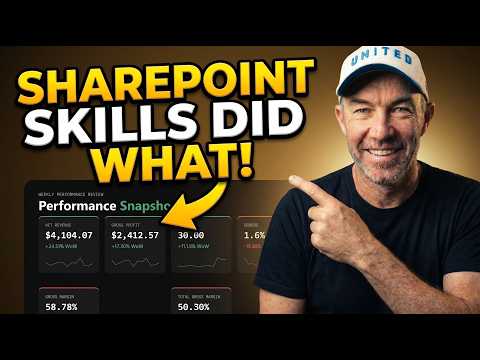
SharePoint: Sales Reports in Seconds
A Microsoft MVP 𝗁𝖾𝗅𝗉𝗂𝗇𝗀 develop careers, scale and 𝗀𝗋𝗈𝗐 businesses 𝖻𝗒 𝖾𝗆𝗉𝗈𝗐𝖾𝗋𝗂𝗇𝗀 everyone 𝗍𝗈 𝖺𝖼𝗁𝗂𝖾𝗏𝖾 𝗆𝗈𝗋𝖾 𝗐𝗂𝗍𝗁 𝖬𝗂𝖼𝗋𝗈𝗌𝗈𝖿𝗍 𝟥𝟨𝟧
Automate branded sales reports from Excel in SharePoint with SkillMD and Microsoft cloud for weekly insights
Key insights
- The video demonstrates SharePoint Skills that generate weekly sales reports in seconds by reading Excel data from SharePoint and saving a branded HTML report back to the document library.
Run the skill anytime and the report looks the same each week, without manual formatting. - Skills are stored in the Agent Assets document library and a SkillMD markdown file defines repeatable analysis steps for the whole team.
This makes it easy to define the analysis once and run it reliably every week. - You can chain skills together, for example a weekly narrative review combined with a design system skill, so reports remain on-brand and consistent across runs.
Chaining also separates analysis logic from visual styling for reuse. - Report output includes a performance snapshot, category and regional breakdowns, an interactive top-10 products dropdown, flagged areas of concern, and clear recommended actions.
The HTML report saves in your library for easy sharing and review. - The solution integrates with Power BI, PowerApps, and native web parts like Quick Chart, and supports automation add-ons to create PDFs and schedule email distribution.
These integrations let teams visualize and act on live SharePoint data without coding. - Key benefits are fast one-click reporting, no-code setup for nontechnical users, consistent weekly output that reduces errors, and improved team collaboration and decision-making.
Teams save time and avoid one-off exports or manual rebuilds.
Quick overview of the video
The YouTube video by Daniel Anderson [MVP] demonstrates how SharePoint Skills can produce a weekly sales report in seconds. It shows a walkthrough where an Excel file stored in SharePoint is read, analyzed, and turned into a consistent, branded HTML report that is saved back to the document library each time the skill runs. The presenter highlights where skills are stored, how a markdown-based skill is authored, and how two skills can be chained so design and narrative stay aligned. Overall, the video frames the approach as a way to remove one-off exports and manual formatting from routine reporting.
How the skill works in practice
The core technical pieces shown include an Agent Assets document library and a SkillMD markdown file that defines the analysis steps. First, the skill reads sales data from an Excel file in SharePoint, then it runs the specified analysis and writes a branded HTML report back to the same library so the team sees the same layout every week. Because the video uses a markdown-based skill, analysts can define the process once and allow team members to run the same analysis without changing the code. This approach balances repeatability with simplicity, making it easy for non-technical users to produce consistent outputs.
What the report contains and why it matters
The sample report in the video includes a performance snapshot, category and regional breakdowns, an interactive top-10 products dropdown, areas of concern, and recommended actions. Additionally, the walkthrough shows how a separate design system skill can be chained to the analysis skill so that each output is on brand and consistent in structure. As a result, teams get both narrative context and visual summaries in one file, which helps stakeholders quickly spot trends and act. This combination of narrative and data visualization aims to reduce interpretation errors and save meeting time.
Tradeoffs and technical challenges
While automation speeds reporting, the video also implies several tradeoffs that teams must weigh before wide adoption. For example, relying on an Excel file in SharePoint is convenient, but it requires strict data hygiene and predictable column structures; otherwise, the skill can fail or produce misleading summaries. Likewise, the markdown approach favors standardization and ease of reuse, yet it reduces flexibility for bespoke analyses that require ad hoc logic or complex joins across multiple data sources.
Performance and governance present further challenges that the video touches on indirectly. Large datasets can slow processing or exceed platform limits, and permission settings on document libraries must be managed so the skill can read and write files without exposing sensitive data. Therefore, teams must balance automation with periodic manual review and solid governance so reports remain accurate and compliant. In practice, this often means pairing the automated skill with monitoring processes and fallback checks.
Adoption, governance and next steps
Adopting the approach shown requires clear governance, user training, and version control for SkillMD files and design assets. The video suggests that defining the analysis once reduces errors and saves time, but organizations still need roles to maintain the markdown templates, handle updates, and review output quality over time. Moreover, teams must decide when to use lightweight embedded visuals versus more advanced tools like Power BI, which may offer deeper interactivity but also add licensing or development overhead.
Practical next steps include piloting the skill with a single sales team, validating the Excel inputs and column formats, and documenting who owns each template and report. In addition, it helps to schedule periodic audits of the reports and to log exceptions so analysts can refine the skill logic. Ultimately, the method Daniel Anderson [MVP] demonstrates promises faster, more consistent reporting, provided teams accept tradeoffs around flexibility, governance, and data quality before scaling the solution.
.jpeg?w=700&output=webp)
Keywords
SharePoint sales reports, Generate sales reports in SharePoint, SharePoint reporting automation, SharePoint dashboards for sales, Fast sales reporting SharePoint, Power BI SharePoint sales reports, SharePoint list sales reports, SharePoint skills sales reporting