- All of Microsoft
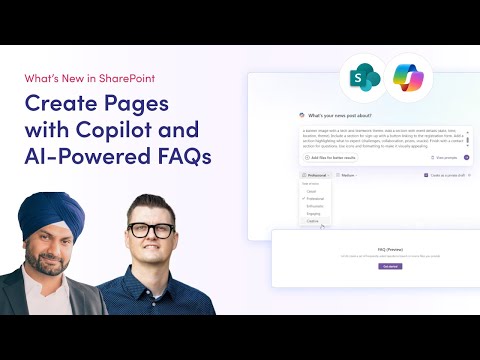
SharePoint AI Live Demo: New Features
SharePoint AI demo with Copilot and agents boosts staff experience and hub sites in Microsoft three sixty five
Key insights
- Microsoft Copilot
Integrates directly into SharePoint to act as an AI assistant that summarizes pages, rewrites content, and helps generate ideas.
It provides context-aware suggestions while you create and review content. - AI-enhanced search
Uses natural language and predictive algorithms to surface relevant files and pages quickly.
Search results personalize based on user role and recent activity to speed discovery. - Smart content management
Automates tagging, classification, and metadata autofill to reduce manual work and improve organization.
These features make content easier to find and maintain at scale. - Collaboration & workflows
Offers real-time co-authoring with presence indicators, AI summaries of edits, and automated conflict resolution.
AI-driven approval flows and simplified workflows help teams make decisions faster. - SharePoint Agents & content creation
Lets teams turn sites into subject-matter agents and add AI-powered web parts like FAQs and page authoring tools.
These capabilities accelerate intranet content production and employee support. - Integration, governance & translation
Strengthens integration with Teams and Copilot apps, adds digital signature support, and tightens governance controls.
Built-in AI translation helps global teams collaborate across languages.
Overview of the 2toLead YouTube Demo
The YouTube video from 2toLead offers a live demonstration of the new AI features Microsoft rolled into SharePoint in 2025. In the clip, presenters walk through how Copilot and AI-powered site agents can change everyday work on intranet pages and document hubs. Moreover, the video frames these features as practical tools for reducing friction in hybrid and remote teams, which is a prominent pain point for many organizations.
While the video focuses on visible features, it also signals a broader shift toward AI-first content management. Consequently, teams that adopt these capabilities may expect workflow acceleration and improved content discoverability. However, the demo also raises questions about governance and implementation that organizations must address before full rollout.
Key Features Demonstrated
First, the demo highlights the integration of Microsoft Copilot into page creation and content editing. The tool helps summarize longer documents, rewrite text for clarity, and suggest ideas based on context, which can save editors time and improve consistency. Additionally, presenters show AI-assisted web parts such as an FAQ generator that quickly produces intranet-ready content with minimal manual effort.
Next, the video demonstrates enhanced search and metadata capabilities driven by natural language processing. As a result, users can ask questions in plain language and receive context-aware results and predictive file suggestions tailored to roles and recent activity. However, these gains depend on accurate content tagging and well-designed taxonomies, which require initial setup and ongoing maintenance.
Practical Use Cases and Tradeoffs
The demo maps clearly to common use cases like onboarding, knowledge sharing, and team collaboration. For example, HR teams could use AI-generated FAQs to answer routine employee questions, while project teams could rely on AI summaries to keep everyone informed without reading multiple documents. Thus, time-to-information shortens and staff can focus on higher-value work.
Nevertheless, tradeoffs exist between automation and control. While automatic tagging and content generation accelerate publication, they may introduce inaccuracies or produce generic language that needs editing. Therefore, organizations must balance speed with quality by setting review processes and training AI on internal style and terminology to reduce rework.
Governance, Integration, and Security Challenges
The video briefly addresses governance improvements such as tighter content controls and digital signature support, but it also highlights complex integration points across Microsoft 365 services. For example, connecting SharePoint agents to subject-matter sites and to Teams or other Copilot apps can enhance continuity, yet it also expands the surface area for policy enforcement and audit requirements. Consequently, IT leaders will need clear policies and oversight to manage permissions and data flows effectively.
Moreover, implementing AI features at scale brings security and compliance considerations, especially in regulated industries. Although automated classification can improve consistency, it can also mislabel sensitive information if models are not tuned or if exceptions are not handled. Thus, organizations must invest in model governance, regular audits, and exception handling to ensure compliance and minimize risk.
Adoption Considerations and Best Practices
Adopting these AI features requires both technical and cultural readiness. Technically, administrators should begin with pilot groups to validate relevance and accuracy, and then expand based on feedback and measurable impact. Culturally, teams should be prepared to change content ownership models and to include editors who can review AI outputs, because human oversight remains critical to maintain accuracy and tone.
Furthermore, training and clear documentation will accelerate adoption while reducing errors. For instance, providing examples of good AI prompts and showing typical correction workflows can help users get practical value sooner. At the same time, leaders should monitor metrics like search success rates and edit frequency to understand where the technology adds value and where it needs adjustment.
Conclusion and Next Steps
In summary, the 2toLead YouTube demo paints a compelling picture of a smarter SharePoint that uses AI to streamline search, content creation, and collaboration. The features promise clear productivity gains, especially in content-heavy or distributed teams. Nevertheless, the demo also underscores the need for careful governance, quality controls, and phased adoption to manage tradeoffs between speed and accuracy.
Ultimately, organizations that plan pilots, define governance, and commit to ongoing tuning are most likely to realize the benefits shown in the video. Meanwhile, IT and business leaders should treat these AI enhancements as strategic investments that require cross-functional planning and continuous evaluation. As a final note, the demo from 2toLead provides useful practical cues for organizations preparing to bring AI into everyday work with SharePoint.

Keywords
Live SharePoint AI demo, SharePoint AI features, Microsoft SharePoint Copilot demo, SharePoint generative AI walkthrough, SharePoint AI tutorial, SharePoint AI search integration, AI document management SharePoint, SharePoint automation with AI