- All of Microsoft
Copilot: Automate Tasks, Not Teams
Technical Specialist, Business Applications at Microsoft.
Microsoft expert: Use Copilot, Power Platform and Copilot Studio to automate low risk accounts payable with Purview
Key insights
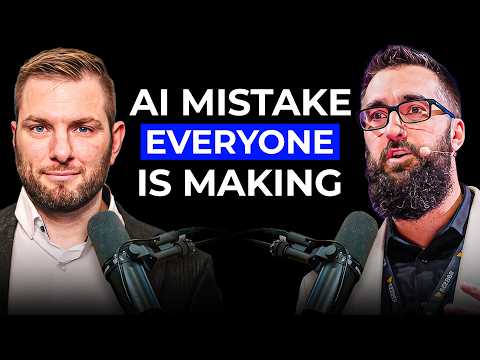
- Episode overview: This YouTube episode of The AI Frontier Playbook features Eric Murray, Director of Innovation at Kezber, explaining how to automate sales and back-office work using Copilot, Power Platform, and Copilot Studio.
He focuses on practical, low-risk steps teams can deploy without overwhelming staff. - Start small and practical: Avoid automating an entire department at once; pick repetitive, low-risk processes owned by a reliable champion who knows every exception.
This approach delivers value fast and lowers the chance of project failure. - Design: split deterministic work from AI reasoning — use plain automation for rule-based steps and AI only where judgment or unstructured data matters.
Eric walks through an accounts payable example, slicing invoice flows into small chunks that move data from mailbox to ERP reliably. - Human oversight and trust: Build a Human-in-the-loop model so AI drafts or suggests and people approve exceptions, which increases user trust and reduces workarounds.
Design clear escalation paths and transparent feedback loops so humans stay in control. - Security and compliance: Treat security and data residency as core work — include access controls, governance, and regional privacy rules (e.g., Quebec Law 25) before scaling.
Policy, auditing, and early governance choices prevent costly rewrites later. - Measure and sustain value: Track ROI, user adoption, and model costs after launch; monitor models to avoid “solution rot” and optimize spending (Eric cites dramatic savings from a single model swap).
Diagnose issues as tool gaps or adoption problems and iterate in weeks, not months.
In a recent YouTube episode of The AI Frontier Playbook, reporter and host Samuel Boulanger sat down with Eric Murray, Director of Innovation at Kezber, to discuss a pragmatic path for business automation using Microsoft tools. The video argues that companies should avoid automating entire departments at once and instead focus on small, low-risk workflows that return value quickly. Moreover, the conversation combines real client experience with platform-level guidance, drawing on tools such as Copilot, Power Platform, and Copilot Studio. Consequently, the episode serves as both a cautionary tale and an implementation playbook for leaders and builders.
Targeted Automation Beats Big-Bang Projects
Eric Murray emphasizes that attempts to automate whole departments often fail because projects become too complex and lose stakeholder trust. Therefore, he recommends starting with repetitive, well-understood tasks owned by a process champion who knows the exceptions and edge cases. In practice, this approach reduces implementation risk and shortens the time to demonstrable results, which helps secure further investment. As a result, teams are more likely to adopt new tools when they see concrete benefits fast.
At the same time, the video explains how to identify good first candidates: tasks that are high-volume, low-risk, and stable in scope. For example, certain parts of accounts payable can be split into deterministic steps and AI-assisted steps to maximize reliability. This mix allows organizations to use standard automation with Power Platform where rules suffice, while reserving AI reasoning for messy or judgment-based steps. Thus, the design balances predictability with flexibility.
Accounts Payable: A Practical Walkthrough
Murray walks viewers through a full accounts payable flow from invoice arrival to ERP posting, showing where plain automation makes sense and where AI adds value. Initially, deterministic tasks like file routing and simple field extraction are best handled by workflow automation. Meanwhile, AI is useful for reading unstructured invoices, resolving ambiguous vendor names, or deciding whether an item needs human review.
Importantly, the episode highlights how slicing the process into small deliverables can deliver value in weeks rather than months. For instance, automating invoice capture first and then adding an AI-driven review step reduces manual work while keeping control points in place. Moreover, a real-world detail from the conversation shows that swapping models reduced costs dramatically for one AP solution, underscoring how model selection and monitoring influence economics. Consequently, cost management becomes part of the operational playbook.
Governance, Security, and Local Law
The discussion stresses that launching licenses for tools like Copilot is only the starting point; the heavy work is building secure production systems. Murray points to governance tools such as Microsoft Purview and Agent 365 for access control, auditing, and policy enforcement. In addition, regional rules like Quebec’s Law 25 raise data residency and privacy requirements that teams must address early in design.
Furthermore, the video explains that security and auditability are not optional add-ons but core features that enable trust and scale. Human review and clear escalation paths help users trust AI outputs instead of working around them, which otherwise undermines adoption. Therefore, investing in governance and training pays off by reducing friction and protecting sensitive data over time.
Human-in-the-Loop and Trust Design
Another central theme is the human-in-the-loop model, where AI drafts or proposes actions and people verify or decide on those outcomes. Murray argues this model preserves accountability while letting AI handle repetitive elements, which improves both speed and quality. Moreover, designing clear exception handling and visible audit trails helps workers see why the system acted and when to step in.
Trust is also built by letting teams control escalation thresholds and by exposing confidence signals so humans can judge when AI needs help. In turn, this prevents users from bypassing the system and restores a collaborative dynamic between staff and automation. Thus, a thoughtful human oversight design reduces both errors and resistance.
Tradeoffs, Challenges, and Moving to Production
The episode does not hide tradeoffs: adopting AI-driven automation involves balancing speed, cost, and risk while guarding against model drift and solution rot. For example, using AI for difficult judgment calls increases flexibility but also raises validation and monitoring needs. Conversely, relying solely on deterministic automation lowers risk but may break when inputs change, requiring frequent maintenance.
Finally, Murray outlines common reasons projects stall—unclear ownership, missing governance, and lack of measurable ROI—and suggests concrete fixes to keep momentum. By starting small, measuring impact, and iterating with clear security guardrails, teams can move prototypes into robust production. As this YouTube episode makes clear, that measured approach helps organizations harness AI Agents and automation without overwhelming people or systems.

Keywords
stop automating entire department, AI automation alternatives, strategic AI implementation, human AI collaboration tips, prioritize automation projects, AI for department leaders, change management AI adoption, AI efficiency best practices