- All of Microsoft
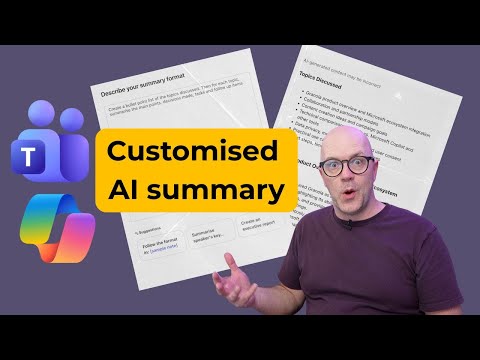
Copilot: Custom AI Notes for Teams
Modern Work Mentor, Change Consultant, Content Creator, Community Conduit.
Copilot Custom AI turns Teams transcripts into tailored meeting summaries and notes with saved prompts in Microsoft cloud
Key insights
- Custom AI Notes in Microsoft Teams turns meeting audio and transcripts into tailored summaries that highlight recaps, action items, decisions, and speaker points.
It uses Copilot to format outputs to user needs, so teams get clear notes without manual editing. - During and after meetings, Copilot captures key moments and can run real-time prompts like “recap the meeting so far” so late joiners see the context quickly.
The feature works with transcripts when enabled and can produce summaries even when a full recording isn’t available. - Users can build and save custom templates (for example, Speaker Summary or Executive Summary) by entering simple prompts, then reuse them for consistent meeting notes.
Saved prompts speed up follow-ups and keep summaries aligned with team formats. - Core benefits include stronger personalization of recaps and measurable productivity gains: teams spend less time rewatching meetings and more time acting on clear tasks and decisions.
Automated note-taking reduces the need for a dedicated note-taker and improves asynchronous work across distributed teams. - The tool integrates with Microsoft 365 apps, letting Copilot ground summaries in files and calendars while keeping data security inside your tenant.
That integration helps generate accurate follow-ups tied to Word, Excel, Outlook, and OneNote content. - Availability and requirements: Copilot’s Custom AI Notes is in preview in some clients and requires a Microsoft 365 Copilot license to access full features.
Microsoft has expanded related capabilities like the Facilitator agent and Teams Mode, and the feature is rolling out across platforms and supported clouds.
Overview
A recent YouTube video from Darrell Webster Modern Work Mentor examines Copilot's Custom AI Notes in Teams, demonstrating how Microsoft’s AI can generate tailored meeting summaries. The video walks viewers through using saved prompts and templates to shape notes into formats like executive or speaker summaries, and it highlights real-time and post-meeting uses. Consequently, the feature aims to reduce manual editing and speed up follow-ups for distributed teams and busy leaders.
The presentation positions the feature as part of a larger evolution in Microsoft’s workplace AI, connecting with tools such as the Facilitator agent and broader Microsoft 365 Copilot capabilities. Moreover, the video references recent announcements that extend Copilot into group chats and meeting facilitation, showing a coordinated push toward automated collaboration. Overall, the clip balances demonstration with practical tips for adapting templates to team workflows.
How the Feature Works
According to the video, users can activate Copilot during or after a meeting to capture recaps, action items, decisions, and the transcript when available. Then they can choose built-in formats or create and save custom prompt-based templates that shape the summary’s tone and level of detail. In addition, the system supports mid-meeting prompts such as “recap the meeting so far,” which helps late joiners catch up quickly.
The host also shows integration points where notes can be grounded in other apps like Excel, OneNote, and Word, enabling seamless follow-through on tasks and reports. This grounding improves accuracy by keeping content within the user’s Microsoft 365 tenant, while integrations let teams export or refine AI outputs. Thus, the feature aims to fit into existing workflows rather than create extra work.
Practical Benefits and Use Cases
Darrell highlights that automated, customizable notes save time and lower the bar for equitable information access across teams. For example, distributed or asynchronous teams no longer need to replay long recordings to find decisions or assignments, since the AI surfaces these items directly. Consequently, teams can reduce context switching and speed up action on deliverables.
Moreover, the ability to save and reuse templates helps standardize reporting and reduces bias in what gets recorded or emphasized in recaps. The video explains that managers can create executive briefs while project leads pick speaker-focused summaries, which increases relevance for different audiences. In short, the customization increases the chance that summaries match how people actually work.
Tradeoffs and Challenges
However, Darrell also points out tradeoffs that organizations must consider, beginning with accuracy versus convenience. While AI-generated notes are fast, they depend on the completeness and clarity of the transcript; noisy audio, overlapping speech, or limited context can reduce fidelity. Therefore, teams must weigh whether convenience outweighs the occasional need to verify or correct content manually.
Security and compliance present another challenge, particularly for regulated industries that limit AI processing or external storage. Although the feature keeps data within Microsoft 365 tenants and integrates across apps, administrators still need to configure settings and retention controls properly. Consequently, adopting Custom AI Notes requires work from IT and compliance teams to manage risk while unlocking productivity gains.
Finally, there is a human factor: not all teams will accept AI summaries as authoritative without oversight. The video stresses that summaries should be treated as starting points, and that assigning a human reviewer or confirming action items remains a useful practice. Thus, organizations must balance automation with human judgment to avoid missed commitments.
Deployment, Licensing, and Access
The host clarifies that Microsoft 365 Copilot licensing is required, distinct from free Copilot experiences, and that availability can vary by platform and cloud region. For example, the feature appears in preview on Mac and is rolling out across different Microsoft clouds, while some elements are generally available following major announcements. Consequently, teams should check licensing and rollout plans before relying on the capability in production.
Darrell also notes that certain features work even when full recordings are not available by using call controls and suggested prompts on Teams Phone devices. In addition, Copilot ties into agents and Work IQ, which can learn patterns and propose helpful agents or actions over time. Therefore, deployments will likely evolve as organizations refine templates and governance.
Takeaways for Teams
In conclusion, the video from Darrell Webster Modern Work Mentor presents Copilot's Custom AI Notes as a practical way to accelerate meeting follow-up while allowing teams to keep summaries aligned with their needs. Moreover, the ability to save custom templates makes the feature adaptable for diverse roles and reporting styles, which can increase adoption. However, teams must manage accuracy, compliance, and human oversight to fully realize benefits.
As organizations test the feature, they should pilot it in low-risk meetings, collect feedback on summary quality, and set clear ownership for reviewing AI outputs. Ultimately, when accompanied by good governance and simple templates, the tool can reduce meeting friction and free time for higher-value work. Therefore, organizations that balance automation with careful controls will likely gain the most from this capability.

Keywords
Copilot Custom AI Notes, Microsoft Teams meeting summaries, Copilot for Teams meeting notes, AI-generated meeting summaries, custom AI notes in Teams, automate meeting notes Teams, Copilot meeting summary features, Teams Copilot privacy controls