- All of Microsoft
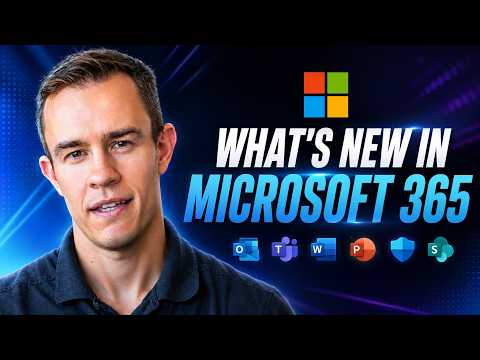
Microsoft 365: Whats New in July
Microsoft three sixty five update roundup: Teams, apps, Entra, Intune, Copilot and Admin insights for MSP security AI
Key insights
- Channel unification
Version 2606 (released July 7, 2026) merges the Semi-Annual and Monthly Enterprise update channels into one enterprise channel. This change simplifies update management, gives enterprise devices faster access to features and fixes, and reduces testing and support complexity. - Copilot
July focuses on expanding Copilot across notebooks, meetings, documents, and Power BI reasoning. New reference features, vision capabilities, and collaboration tools (Copilot Co‑work) improve drafting, summarizing, and research workflows, while licensing evolves to match broader enterprise use. - Teams meeting recap
Teams gains an enhanced meeting recap experience plus device and workflow improvements that make it easier to get summaries, action items, and follow-up tasks from meetings. These updates aim to speed post‑meeting work and boost collaboration. - OneDrive & SharePoint
Updates focus on finding and organizing files faster and improving content creation and tenant-level behaviors. Admins and creators get clearer controls and smoother ways to manage and surface content across sites and libraries. - Microsoft 365 Apps
Office apps (Outlook, Excel, PowerPoint, Planner and others) include productivity improvements and quality fixes in the unified enterprise channel. The July release roll‑out streamlines feature delivery and reduces channel fragmentation for IT teams. - Licensing & admin
Microsoft announced partner and SKU changes, including new business SKUs with Copilot and FY27 pricing updates, alongside updates to Entra, Intune, and admin tools. These changes affect licensing plans, tenant security checks, and centralized management workflows.
Nick Ross [MVP] (T-Minus365) released a concise YouTube video that distills the July 2026 updates across the Microsoft 365 ecosystem, and this article summarizes his main points for editorial review. In the video, he filters the many monthly announcements into items most relevant for managed service providers and IT administrators. Consequently, his roundup emphasizes practical impacts rather than exhaustive detail, which helps teams decide where to focus their testing and rollout efforts. Overall, the presentation balances breadth and clarity while highlighting the items that will matter day-to-day.
Overview of the July update
Ross opens by framing July as a month of both product improvements and servicing changes across Microsoft 365. He points out that the release cycle mixed feature work for apps like Teams, OneDrive, and SharePoint with important administrative and licensing shifts. Therefore, administrators should treat this month as both an operational update and a planning update that may affect update cadences and license choices. In short, the video sets expectations that some changes demand immediate attention while others warrant staged adoption.
Moreover, Ross stresses that the most technical shift concerns the update model for Office apps, and he flags Version 2606 as the turning point introduced in early July. He explains that this change reduces channel fragmentation but raises testing and compatibility questions for enterprises. As a result, IT teams need to revisit their deployment plans and update rings to avoid surprises. The video thus blends actionable guidance with broader context about what administrators will face.
Channel unification: what it means
One of the video’s central points is the unification of the Semi-Annual Enterprise Channel and the Monthly Enterprise Channel for Microsoft 365 Apps starting with Version 2606. Ross explains that enterprises previously on a slower cadence now receive feature and security updates on the same stream as monthly enterprise devices. Consequently, the administrative landscape becomes simpler because IT teams manage fewer channels and less complexity when planning compatibility testing. However, this advantage comes with tradeoffs in testing windows and change management.
Specifically, Ross notes that faster updates reduce backlog but increase the pressure on pre-deployment validation and remediation processes. IT teams must choose between quicker access to improvements and the risk that a new release will intersect with custom macros, add-ins, or group policies. Therefore, organizations should improve automated testing or extend pilot rings to balance speed and stability. The video provides perspective rather than prescriptive steps, leaving room for each organization to adapt the guidance.
Copilot and AI: expansion and limits
Ross highlights that July’s updates put a strong focus on Copilot, especially growth in features like Notebooks, reference capabilities, and agent-style co-work functionality. He explains that these enhancements aim to integrate AI across meetings, documents, and analytics so users can draft, summarize, and reason over content more effectively. Yet, he also points out that licensing and tenant configuration changes mean admins must plan careful rollouts and review data governance settings. Thus, Copilot brings productivity gains but also governance and cost considerations that teams cannot ignore.
Furthermore, Ross touches on the technical tradeoffs of broader AI adoption, noting that performance, model choice, and integration complexity vary across tenants. He recommends that MSPs validate Copilot behavior against sensitive data scenarios and monitor usage to control costs. In addition, administrators should align Copilot rollout with compliance reviews so that benefits do not come at the expense of policy breaches. His practical tone underscores that AI features need responsible deployment strategies.
Collaboration and admin updates
The video reviews a range of incremental improvements in Teams, OneDrive, SharePoint, and apps such as Outlook and Excel aimed at better meetings, file discovery, and content creation. Ross emphasizes the new meeting recap experiences in Teams and refinements for device workflows that should help everyday users. At the same time, he mentions tenant-level admin changes and partner-facing licensing updates that could affect commercial agreements and pricing. Therefore, organizations should assess how these functional updates interact with their existing governance and support models.
Finally, Ross closes by advising MSPs to prioritize what affects security and business continuity first, then address productivity features. He suggests pilots and communication plans to minimize disruption while taking advantage of meaningful improvements. Overall, the video offers a balanced viewpoint: it highlights clear wins from the July updates, but it also warns about the operational work required to capture those benefits safely and predictably.

Keywords
Microsoft 365 July updates, Whats new in Microsoft 365 July, Microsoft 365 new features July 2026, Microsoft Teams July updates, OneDrive July updates Microsoft 365, Microsoft 365 security updates July, Office apps July updates Microsoft 365, Microsoft 365 admin center updates July