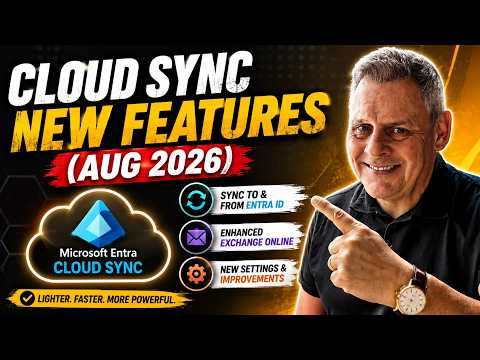
Andy Malone [MVP] published a new YouTube video that reviews the August 2026 updates to Microsoft Entra Cloud Sync. In it, he walks viewers through installation, configuration, and the latest synchronization improvements while explaining where Cloud Sync fits in modern hybrid identity strategies. For administrators and identity engineers, the video highlights practical steps and demonstrates scenarios where Cloud Sync may replace traditional on-premises sync tools. Overall, the presentation aims to clarify how recent features change deployment choices.
What the update delivers
First, the update brings notable functional gains such as Source of Authority (SOA) conversion, group provisioning back to Active Directory, and improved support for Exchange hybrid configurations. In addition, Microsoft appears to be accelerating a phased transition from Entra Connect Sync to Cloud Sync, with tenant notifications and version requirements appearing in recent guidance. Consequently, organizations should expect new migration milestones and compatibility checks that affect planning. Andy highlights these items and shows where administrators can find the relevant settings during setup.
Furthermore, the update tightens synchronization behavior through a new hard-match restriction and version enforcement in the product lifecycle. As a result, some AD-to-cloud matching scenarios will now behave differently, which could affect long-standing identity linkages. Therefore, IT teams must audit their tenants and test edge cases before rolling updates into production. During the video, Andy demonstrates common troubleshooting steps to surface these issues early.
How Cloud Sync works and what changed
Microsoft Entra Cloud Sync is a cloud-native, agent-based service that syncs users, groups, and contacts between on-premises Active Directory and Microsoft Entra ID. It reduces on-premises infrastructure by running lightweight agents that communicate with the cloud control plane, which simplifies administration compared with server-based sync tools. The update expands capabilities by adding editable cloud objects for specific users and enabling group writeback to Active Directory, which helps maintain consistent directory data across environments. Andy walks through configuration pages that show how these flows are mapped and where administrators can toggle options.
However, the service remains distinct from Connect Sync in some ways: device synchronization support is still limited and documented scale ceilings such as object and group size limits persist. Therefore, while many organizations can benefit from the lighter architecture, large enterprises must validate scale and feature coverage against their operational needs. Also, Exchange hybrid support brings new complexity that requires careful planning to avoid mailflow or object ownership surprises. The video includes a short demo of an Exchange-related setting and cautions about potential pitfalls.
Tradeoffs and operational challenges
Adopting Cloud Sync involves clear tradeoffs: it simplifies infrastructure but may require changes in how administrators manage authoritative sources and object ownership. For example, converting a synced user to cloud-managed improves flexibility but demands rigorous control to prevent role or access drift. Moreover, the hard-match restriction and migration windows introduce timing constraints that teams must coordinate across identity, exchange, and application owners. Andy emphasizes these considerations and recommends a staged approach to minimize service disruption.
In addition, troubleshooting hybrid scenarios becomes different because troubleshooting hops into the cloud control plane instead of a local server. As a result, teams need new runbooks and monitoring insights to track agent health and synchronization status. They must also reconcile attribute flows and custom mappings that previously depended on server-side extensions. The video offers examples of checks and logs to review during the rollout, which helps reduce surprises during cutover.
Practical recommendations and next steps
Andy suggests that teams begin by inventorying their current sync scope, special attributes, and any Exchange hybrid dependencies before attempting migration. Next, administrators should run pilot tenants with the new agent version and validate both user provisioning and writeback paths, especially around group provisioning to AD. Additionally, testing SOA conversions in a controlled environment will help reveal role and license impacts before broad adoption. The video includes a step-by-step install and configuration walkthrough to make that pilot easier to execute.
Finally, because Microsoft is nudging customers toward Cloud Sync, organizations should track announced deadlines and version requirements to stay compliant and supported. At the same time, they should weigh the benefits of reduced infrastructure against limitations such as scale ceilings and selective feature gaps. In conclusion, Andy’s video provides a practical, hands-on guide that clarifies the new capabilities and outlines a cautious path forward for those evaluating Cloud Sync as part of their hybrid identity modernization.