- All of Microsoft
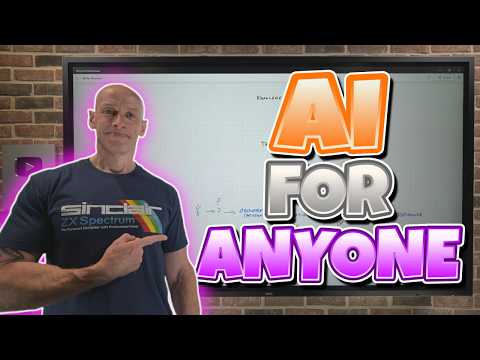
AI for Anyone: 30-Min Beginner Guide
Principal Cloud Solutions Architect
Microsoft expert guides beginners through generative AI with Copilot and Azure, prompting, RAG, tooling and safety.
Key insights
- Generative AI and Microsoft Copilot: This YouTube guide gives a 30-minute, non-technical overview of generative AI and how Copilot integrates across Microsoft 365.
It targets beginners and shows practical, everyday uses that boost productivity. - Neural networks: The video explains how models learn from data using layers, weights, and training steps.
It shows why scale and parameters matter for model quality and behavior. - Prompting: Learn simple prompt structure: role, task, context, constraints, tone, and output format.
Try refining prompts, switching model modes (fast vs. deep), and regenerating results to improve outputs. - Tokens and inputs: The guide covers how text breaks into tokens, limits on input length, and why concise context helps accuracy.
It also explains uploading files for analysis and connecting cloud data for richer answers. - Hallucinations and Security: The presenter warns about incorrect or made-up outputs and stresses data privacy, governance, and verification.
Use grounding methods like retrieval-augmented generation and enterprise controls to reduce risk. - Copilot Agents and next steps: The video highlights agents, memory/state, and RAG for adding knowledge to AI workflows.
Recommended actions: try Copilot features, practice prompt engineering, and follow short learning paths to build safe, useful AI habits.
Overview of the Video and Author
John Savill's [MVP] presents a concise YouTube tutorial titled AI for Anyone - The 30-Minute Beginner’s Guide, aimed at introducing generative AI concepts to non-technical users. The video breaks the topic into short chapters that range from basic brain analogies to practical features like tokens, prompting, memory, and retrieval-augmented generation. Consequently, viewers get a rapid tour of how AI tools, especially Microsoft Copilot, fit into everyday productivity tasks. Overall, the presentation balances conceptual grounding with hands-on demonstrations to keep beginners engaged.
Moreover, Savill frames the content as practical and grounded in current Microsoft tooling, highlighting how these services appear inside apps such as Word, Excel, and Teams. The video lists clear chapter markers for quick navigation, which helps learners focus on areas like model behavior, hallucinations, and prompt engineering. Therefore, the guide works well as a quick reference for managers, educators, and individual users who want an entry point without heavy technical depth. The result is a pragmatic introduction rather than an in-depth research lecture.
Core Concepts Explained
The tutorial opens with an analogy to human brains and then transitions into the mechanics of neural networks, parameters, and training, making complex ideas more accessible. Savill explains how tokens and model parameters influence outputs and why the same prompt can yield different results depending on model settings. In addition, he covers practical topics such as how generative models are used, how orchestration layers and assistants coordinate tasks, and how memory and session state affect continuity. These explanations help non-experts understand both how the technology works and why behavior can vary.
Furthermore, the video introduces the concept of tokens and shows how token limits and model selection influence cost, speed, and output quality. The presenter clarifies that prompts should include role, task, context, constraints, tone, and desired output to improve responses. He also demonstrates the difference between quick responses and deeper, slower reasoning modes so viewers can choose tradeoffs between latency and thoroughness. Consequently, the explanation ties technical constraints directly to user experience and decision-making.
Practical Uses Demonstrated
Savill demonstrates hands-on features such as generating email drafts, drafting presentations, auto-summarizing meeting notes, and producing Excel formulas, thereby showing clear productivity gains. He also highlights integration points where Copilot can access files and organizational data, which improves relevance while keeping governance in mind. As a result, the guide emphasizes real-world tasks that non-technical users can perform immediately, rather than abstract capabilities. This approach reduces the barrier to adoption for everyday workplace scenarios.
In addition, the video covers advanced but approachable workflows like uploading documents for analysis and enabling agents that combine web and internal data for research tasks. Savill outlines how retrieval-augmented generation (RAG) can add external knowledge while reducing the risk of incorrect outputs. He demonstrates practical examples of chaining actions with orchestrators and agents, which can automate multi-step tasks and save time. Thus, the segment shows both breadth and actionable steps for viewers to try.
Tradeoffs and Key Challenges
The video does not shy away from discussing tradeoffs, such as balancing convenience with cost, speed with depth, and openness with data privacy. For example, enabling broader web access improves research breadth but raises risks of data leakage and introduces the potential for unreliable sources. Moreover, Savill addresses hallucinations, explaining that models can confidently produce incorrect facts and that grounding outputs in enterprise data helps mitigate this risk. Therefore, governance, model selection, and prompt design become central to safe deployment.
Additionally, the tutorial discusses memory and state management as a double-edged sword: keeping session state enables continuity, but persistent memory can create privacy and compliance concerns. The presenter explains that careful configuration, auditing, and user education are necessary to balance convenience with control. He also emphasizes the tradeoff between prompt complexity and predictability, suggesting iterative refinement rather than over-engineering the first prompt. Consequently, organizations must weigh user experience against operational and legal requirements when rolling out AI assistants.
Getting Started and Next Steps
Savill wraps up with practical advice on prompt engineering and ways to interact with AI today, recommending short experiments and gradual adoption. He steers beginners toward structured prompts, simple templates, and small pilot projects that demonstrate value while exposing governance needs. Moreover, the video points learners to longer learning paths for Azure and related tools, so interested users can deepen their skills at their own pace. This staged approach helps teams adopt AI responsibly without overwhelming stakeholders.
Finally, the guide is useful for decision makers who need to understand both opportunities and limitations, since it pairs demonstrations with governance considerations. Savill’s approachable style and chaptered format make the content easy to revisit for specific topics like tokens, RAG, or hallucinations. Therefore, this 30-minute tutorial serves as a practical starting point for anyone exploring how generative AI and Copilot can augment daily work, while also highlighting the challenges that require deliberate planning. For newsroom readers, the video offers clear, actionable insights that help evaluate quick wins and longer-term strategies when introducing AI into workflows.

Keywords
AI for beginners, beginner AI guide, half-hour AI tutorial, introduction to AI, AI basics for anyone, quick AI guide, learn AI fast, AI starter tips