- All of Microsoft
Microsoft Entra and a stolen app credential attack
Product Manager @ Microsoft 👉 Sign up to Entra.News my weekly newsletter on all things Microsoft Entra | Creator of cmd.ms & idPowerToys.com
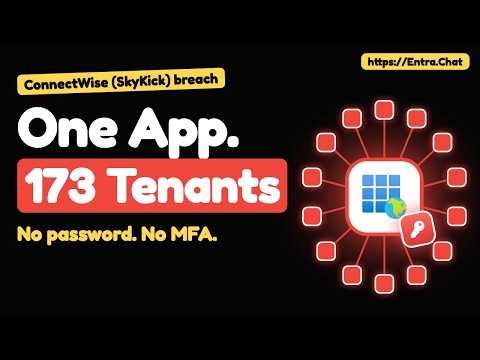
Merill Fernando explains how one stolen app secret let an attacker sign in to 173-plus Microsoft 365 tenants without phishing or MFA.
Key insights
- The video says an attacker signed in to more than 170 Microsoft 365 tenants.
- No phishing, password, or MFA prompt was needed in the reported access.
- The app named ConnectWise Cloud Backup was used as a multitenant identity.
- Merill lists tenant checks: app ID, sign-in logs, audit logs, and log export.
- The incident was live at publishing; facts are stated as of 18 October 2026.
Merill Fernando recently published a 7-minute video about an incident in which an attacker signed in to more than 170 Microsoft 365 tenants without phishing, a password, or an MFA prompt. The video says the access used ConnectWise Cloud Backup, formerly SkyKick Backup, a multitenant app that the affected tenants had already consented to. The main takeaway is simple: a trusted app identity can become a cross-tenant entry point if its credential is stolen.
Fernando says the video explains how this works in Microsoft Entra and ends with what to check in your tenant today, plus how vendors and customers can fix the pattern. He also states that this was a live incident at the time of publishing and that the facts were current as of 18 October 2026. The video includes clips from earlier Entra.Chat episodes, but those clips are there for education rather than as statements about the ConnectWise incident.
What's new
The new part here is not a new product feature. It is a real-world example of how an app credential tied to a multitenant Microsoft Entra application can be abused across many Microsoft 365 tenants. The source material says the attacker signed in as ConnectWise Cloud Backup, which had been consented to by the affected tenants.
The video chapters show the arc of the explanation: one app, 173 tenants; how it was found; what a multitenant app is; what a backup app can do; one key used in every tenant; the sweep; the backdoor; and the locks that stop it. Fernando also points readers to specific checks in Enterprise apps, sign-in logs, and audit logs.
Why it matters
This matters most to Microsoft Entra admins, Microsoft 365 administrators, and anyone responsible for third-party apps. The incident shows that the risk is not limited to user accounts. A single stolen app secret or similar credential can be enough to impersonate a trusted service and request access in many tenants where that service was already approved.
For daily operations, the practical impact is that admins need to review service principal activity, not just user sign-ins. The video specifically calls out Sign-in logs - Service principal sign-ins, the audit log for new secrets or certificates, and app-to-directory-role changes. It also says Entra ID Free keeps only 7 days of logs, so exporting data quickly matters if you are investigating.
The rollout or licensing story is not about a preview feature. The material instead focuses on containment and detection using existing Entra controls. One of the controls referenced in the source material is the ability to disable sign-in for an enterprise app rather than deleting it, which helps preserve evidence while blocking use.
How it works
Fernando's explanation centers on how a multitenant app behaves once a tenant has consented to it. After consent, the app can authenticate as itself, not as a human user. If an attacker gets the application's credential, they can try to use that identity to request access across tenants where the app is trusted.
The source notes describe the likely pattern as an application credential or API secret being compromised and then used to obtain access tokens through Microsoft Graph or a similar app-auth flow. That is why MFA for users does not stop the abuse in the same way it would stop a password-based user login.
Fernando's video tells viewers to take these concrete actions:
- Find the app in Enterprise apps by its app ID, not by name: 506e08f9-6e9a-4da4-942b-a099a03644ae.
- Disable it rather than delete it by setting Enabled for users to sign-in? to No.
- Do the same for the ConnectWise Cloud Management apps for Exchange Online, MS Teams, and SharePoint Online until ConnectWise confirms they are safe.
- Check Sign-in logs - Service principal sign-ins for the app ID and the IP address 144.172.64(.)128.
- Review the audit log for new secrets or certificates on any app or service principal since 13 October, and any app that added itself to a directory role.
- Export Entra ID Free logs now if you need to preserve more than the default 7 days.
The supporting Microsoft documentation in the source set is relevant here because it covers app instance property locks, workload identity conditional access, app management policies, and disabling user sign-in for an enterprise app. Those controls map to the same problem the video is highlighting: reduce what a trusted app can change, who can use it, and how quickly you can shut it off.
Limitations and open questions
The source material is clear that this was a live incident, but it does not give a final incident report. It does not list every affected tenant, every permission used, or a complete data-impact summary. The research notes also say the public information confirms unauthorized access to tenants, but not a full tenant-by-tenant account of what was read or exfiltrated.
The video description mentions that the clips from Entra.Chat predate the incident and are only there to teach the topic. That means they help explain multitenant app behavior, but they are not direct evidence about the ConnectWise case itself.
The material also does not say that the Microsoft documentation items are incident-specific guidance from Microsoft for this event. They are relevant background controls, but the source set does not claim a single official remediation path beyond the checks Fernando lists in the video description.
Sources
- Merill Fernando video on the incident
- Microsoft documentation for app instance property locks
- Microsoft documentation for Conditional Access on workload identities
- Microsoft documentation for app management policies
- Microsoft documentation for disabling sign-in for an enterprise app
Frequently asked questions
Was this a user account compromise or an app compromise?
The source material says the attacker signed in as a multitenant app, ConnectWise Cloud Backup. It was not a password-based user login, and no MFA prompt was involved in the described access.
What should an admin check first?
Fernando says to find the app by app ID in Enterprise apps, disable it rather than delete it, and review service principal sign-ins, especially for the app ID and the IP address listed in the video.
Does MFA stop this kind of attack?
Not by itself. The material says the attacker did not need a password or MFA prompt because the access was through an application identity rather than a normal user sign-in.
Is the incident fully resolved in the source material?
No. The video says it is a live incident at publishing, and the material does not provide a final impact summary or a complete list of affected data.