- All of Microsoft
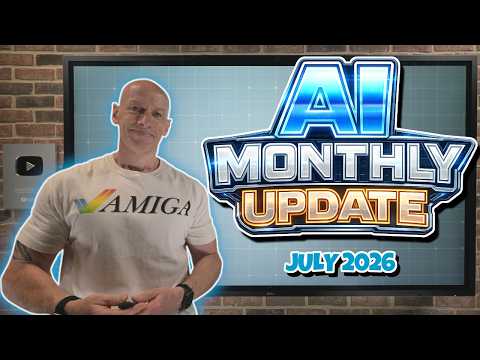
Microsoft AI: July 2026 Highlights
Principal Cloud Solutions Architect
July Microsoft AI brief: Azure AI, GitHub Copilot, productivity Copilot, Copilot in VS Code, APIM Gateway
Key insights
- Summary: This is a concise recap of a July 2026 Microsoft AI update video, covering Windows AI, Microsoft 365 Copilot, and partner/licensing changes.
- Windows AI updates: Microsoft released component updates on July 28, 2026, including updates for AMD Vitis, Nvidia TensorRT-RTX, and Qualcomm QNN; a Windows 11 preview (KB5101681) added user-facing AI touches like File Explorer hover actions such as Ask Copilot.
- Microsoft 365 Copilot features: New capabilities let users add agents for Word, Excel, and PowerPoint into Copilot Chat, introduce workflow and Power BI context in Excel, provide branded skills for PowerPoint, and offer meeting recaps in Teams to speed post-meeting work.
- Admin and licensing changes: Microsoft added new admin controls and reports in the Microsoft admin center, made Microsoft 365 Business with Copilot generally available, and requires baseline licensing for Agent 365 to ensure security and compliance before deploying agents.
- Developer and tooling updates: Updates include Copilot vision, browser tools for VS Code, API management improvements like the APIM AI Gateway, and integrations with model providers in developer workflows to support agent and notebook scenarios.
- Impact and recommended actions: Expect deeper integration of AI across Windows and Office apps, stronger emphasis on governance, and measurable ROI for agent use cases; IT teams should plan pilots, review admin controls, and align licensing before wide rollout.
Overview of John Savill's July 2026 AI Briefing
In a recent YouTube video, John Savill's [MVP] channel reviewed Microsoft’s July 2026 AI activity, presenting a compact tour of updates across Windows, Microsoft 365 Copilot, models and partner licensing. The video is organized with clear chapters and timestamps, which makes it easy to follow the many announcements and product notes. Overall, the presentation frames July as a month of incremental but broad integration of AI throughout Microsoft’s stack rather than a single blockbuster launch.
Savill’s briefing emphasizes practical impact for IT teams and users, and highlights both platform-level component updates and new productivity features. Consequently, readers can quickly see which changes affect end users, admins, and commercial buyers. The tone remains descriptive and aimed at helping professionals plan next steps.
Windows AI Component Updates
One of the most concrete items covered in the video is the July 28, 2026 release of Windows AI components, where Microsoft updated several hardware-specific runtime libraries. In particular, Savill calls out updates for AMD Vitis, Nvidia TensorRT-RTX, and Qualcomm QNN, while noting that some other runtimes did not change in that entry. He also reviews a Windows 11 preview build that adds visible features like a calendar-style pause for Windows Update and File Explorer hover actions labeled Ask Copilot.
These changes indicate that Microsoft is embedding AI into core operating system workflows rather than keeping it confined to separate apps. As a result, organizations should expect AI to start showing up in everyday tasks like search, extraction and semantic analysis across Windows. However, deploying these updates requires attention to driver compatibility and hardware support, which can complicate rollouts in mixed environments.
Microsoft 365 Copilot and Workplace Features
Savill’s review covers a wide set of Microsoft 365 Copilot improvements introduced during July, with a strong focus on in-app integration and admin controls. Notably, users can now add Word, Excel, and PowerPoint agents directly into Copilot Chat, and Copilot gained new skills such as improved Power BI context in Excel and workflows in Word. Additionally, Teams received a meetings recaps app and other collaboration features, and Copilot Notebooks and connectors expanded their support.
These enhancements improve productivity by keeping AI assistance inside people’s existing apps, which lowers friction and speeds adoption. Yet, this ease of use comes with tradeoffs: organizations must balance convenience against governance, since more intelligent agents mean more surface area for data leaks and misconfiguration. Therefore, IT teams should pair feature rollouts with updated admin policies and monitoring to preserve compliance.
Models, Tools and Partner Announcements
Beyond Microsoft-branded components, Savill outlines several model and partner developments mentioned in the video, including references to OpenAI GPT-5.6, new transcription tools like GPT-transcribe, and image and voice models such as MAI-Image-2.5 Pro and MAI-Voice-2 Flash. The briefing also mentions other model vendors and releases like Claude Opus 5, Grok 4.5, and Gemini 3.6, which appear in contexts such as GitHub Copilot and other integrations. These references underscore the multi-vendor reality of modern enterprise AI, where organizations pick tools that match specific workloads.
On the commercial side, Savill highlights partner and licensing changes that matter for procurement. For example, Microsoft 365 Business with Copilot became generally available, and new prerequisites for agent-focused SKUs require customers to have specific security, identity and compliance foundations. Consequently, procurement teams must re-evaluate licensing baselines and ensure core governance is in place before enabling advanced agent capabilities.
Tradeoffs and Operational Challenges
The video also flags several tradeoffs that IT leaders must consider when adopting these updates, particularly around performance, cost and governance. Integrating AI into OS and productivity apps promises real productivity gains, but it can increase complexity because organizations must manage runtime compatibility across diverse hardware and model providers. Moreover, balancing latency and accuracy often means choosing between local acceleration and cloud-hosted models, which affects cost and data residency.
Another significant challenge Savill highlights is demonstrating return on investment for agent-driven automation, since not every use case yields immediate savings. Teams need pragmatic pilot projects to measure value and refine policies for sensitive trace handling and data minimization. In short, the path to effective deployment is iterative: organizations should prioritize governance, skills training and observability alongside feature adoption.
Conclusion: Practical Next Steps
John Savill’s July briefing functions as a concise status report that helps IT professionals triage what to watch and what to plan. For immediate action, teams should review Windows AI component compatibility, evaluate Copilot feature opt-ins, and confirm that licensing requirements are satisfied before enabling advanced agent capabilities.
Looking forward, the updates Savill covers suggest a steady march toward deeper AI integration across Microsoft products, so organizations will benefit from staged testing and tighter governance. Ultimately, the choices leaders make now about model usage, hardware investments and compliance frameworks will determine whether these AI features deliver measurable value or add unmanaged risk.

Keywords
Microsoft AI update July 2026, Microsoft Copilot update July 2026, Azure AI new features July 2026, Microsoft 365 AI July 2026, Windows AI July 2026, Microsoft generative AI July 2026, Microsoft AI roadmap 2026, Microsoft AI news July 2026