- All of Microsoft
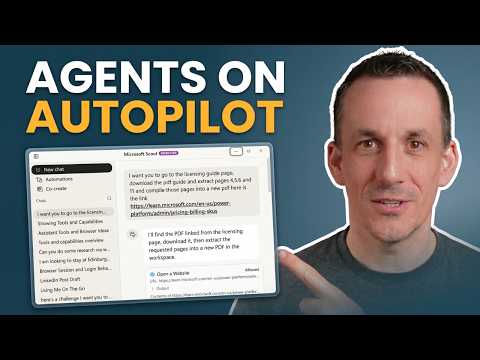
Copilot: Delegate, Dont Just Prompt
Power Platform Cloud Solutions Architect @ Microsoft | Microsoft BizApps MVP 2023 | Power Platform | SharePoint | Teams
Microsoft expert on agentic AI using Scout Autopilot, Cowork and Copilot Studio to convert SOPs into Skills workflows
Key insights
- Agentic AI: Systems that perceive, plan, and act, not just reply to prompts.
They take goals, break them into steps, and execute tasks with limited human supervision. - Delegate: Microsoft’s shift asks users to assign goals instead of writing detailed prompts.
Agents propose stepwise plans and wait for human checkpoints before sensitive actions. - Cowork and Scout: Demo tools that show how agents run tasks, create reusable components, and automate browser workflows.
Watch live examples to learn how agents handle document creation and multi-step web tasks. - Skills: Convert static standard operating procedures into dynamic workflows agents can run.
Skills let agents navigate interfaces, call services, and chain actions reliably. - Agentic-Agile: Treat agents like software contributors by starting with issues, specs, and tests instead of one-off prompts.
Integrate agents into normal engineering processes such as PRs, CI, and governance reviews. - Scalability: Agentic AI reduces manual steps, improves consistency, and lets organizations build specialized agents for different tasks.
Microsoft emphasizes governance and auditability so agents work safely at enterprise scale.
Video at a glance: Damien Bird walks through agentic AI
In a recent YouTube walkthrough titled Don't Just Prompt—Delegate: The New Era of Agentic AI, Damien Bird demos how AI agents can move beyond conversational prompts to execute real work. He highlights live demonstrations of Cowork and Scout, showing how standard operating procedures become executable workflows with Skills. The video covers steps from getting started to running tasks and building skills, and it includes a look at the updated Copilot Studio UI and an example of publishing a social post on autopilot. For editorial clarity, this report summarizes the demonstrations, explains tradeoffs, and discusses operational challenges for Teams considering agentic automation.
What the demonstrations show
Bird begins with a practical orientation to Cowork, guiding viewers through initial setup and a sample task run that automates document creation and browser actions. He then demonstrates how to package those actions into a reusable Skill, useful when the same multi-step process must run repeatedly. Later segments show the new Copilot Studio interface and switch to Scout on Autopilot, where the agent plans and executes a social media post workflow. Through these sections, the video emphasizes a hands-on approach so viewers can see how agents perceive web pages, click through forms, and handle multi-step logic.
Turning SOPs into dynamic workflows
The central theme is the transformation of static SOP documents into dynamic, executable workflows that an agent can follow and adapt. Bird demonstrates that you start by mapping a process, identifying decision points, and then encoding steps as Skills that agents can call when needed. This shift offers clear benefits because agents can respond to real-time states instead of expecting perfect, preformatted inputs. However, converting SOPs demands careful design so the agent can handle variations and exceptions reliably.
Benefits and tradeoffs of delegation
Delegating routine digital tasks to agents promises time savings, consistent execution, and greater scalability for organizations that adopt them at scale. For example, automating repetitive reporting or basic web interactions reduces human error and frees staff for higher-value work. On the other hand, pushing decisions to agents introduces tradeoffs: organizations must balance automation speed with the need for human approvals, especially for actions that affect money, privacy, or legal standing. Therefore, teams must decide where to insert checkpoints and how much autonomy to grant an agent without undermining oversight.
Developer and operational challenges
Bird echoes an important recommendation: build agents like software features rather than ad-hoc prompt experiments. That means using issue tracking, tests, pull requests, and continuous integration to manage agent behavior and updates. While this approach improves reliability, it raises operational complexity because agents require monitoring, observability, and regular maintenance when underlying web interfaces change. Teams must also plan for error handling, logging, and rollback strategies so that agents can surface problems for human review instead of failing silently.
Security, governance, and compliance considerations
Another practical concern is governance. As agents act across apps and services, organizations need controls to limit what an agent can access and do, and to log those actions for auditing. Bird’s demos show checkpoints and approvals; nevertheless, firms must invest in role-based controls, data protection policies, and a clear approval flow to reduce risk. Moreover, compliance regimes may demand human sign-off for certain actions, which means automation must integrate approval gates without defeating the efficiency gains.
Reliability and maintenance in real environments
Agents that interact with websites face a fragile dependency: changes to a web UI can break workflows. Bird demonstrates browser automation handling typical flows, yet he also implies the need for robust selectors, fallbacks, and test harnesses to catch regressions. Consequently, teams should plan routine maintenance cycles and regression tests to keep Skills healthy, recognizing that automation introduces a new maintenance budget similar to traditional software. In short, reliability requires ongoing investment.
Practical advice for teams starting out
For organizations ready to try agentic automation, Bird’s walkthrough suggests starting with small, well-defined processes that deliver clear value and limited risk. Begin by converting one SOP into a Skill, add approval checkpoints, and instrument the workflow for metrics and logs so you can measure success and detect failures. Then iterate: refine the Skill, expand its scope cautiously, and incorporate Developer practices like code review and staging environments to reduce surprises in production. This staged approach balances quick wins with long-term sustainability.
What to watch for next
As Microsoft 365 and other vendors publish more agentic capabilities, expect more emphasis on platforms that let agents collaborate across services and teams. Bird’s video demonstrates current tooling, but it also shows that the ecosystem is evolving and that practical governance and engineering patterns will determine adoption speed. Therefore, organizations should observe early adopters, learn from failure modes, and prepare internal processes so agents become trustworthy and useful teammates rather than brittle automation experiments.
Conclusion
Damien Bird’s video provides a clear, technical walkthrough of moving from prompts to delegation using tools like Cowork and Scout, and it highlights both the promise and the practical work required. While the benefits are real—time saved, consistent execution, and scalable automation—the tradeoffs include governance demands, maintenance needs, and the need to treat agents as first-class software. With careful planning and a staged rollout, teams can capture value while managing the risks inherent in delegating work to agentic AI.

Keywords
agentic AI, AI delegation, autonomous AI agents, AI task automation, next-gen AI assistants, prompt engineering alternatives, AI agents for business productivity, delegate to AI