- All of Microsoft
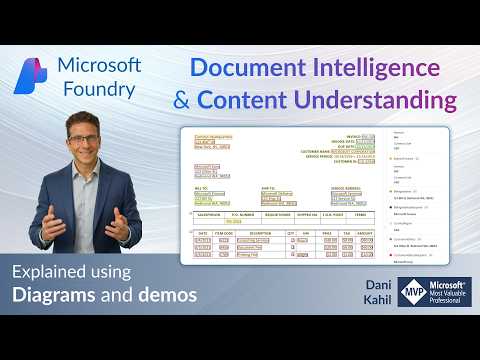
Azure Foundry Tools: Document AI 101
Master Azure Document Intelligence and Content Understanding with Microsoft AI and Power Platform demos and automation
Key insights
- Document Intelligence in Foundry Tools is Microsoft’s cloud service for extracting text, tables, key-value pairs, and document layout from PDFs, scans, and images.
It returns structured JSON your app can use to automate workflows and remove manual data entry. - Primary benefits include automated document processing, faster throughput, and consistent results.
Use cases: invoices, receipts, transcripts, IDs, contracts, and feeding search or analytics systems. - How it works: send a file via the REST API or client SDKs, the service runs OCR and models, then returns extracted text, tables, fields, layout elements, and confidence scores.
You can also test and build models visually in Document Intelligence Studio. - Model options: use prebuilt models for common documents (invoices, receipts, IDs) and custom models for organization-specific layouts.
Key model types: Read for text and Layout for tables and structure. - Recent change: Document Intelligence is presented inside Azure Content Understanding as part of the Foundry Tools experience.
This brings tighter integration, visual tooling, and positioning within a broader content-understanding strategy. - Getting started: choose an SDK (Python, C#, Java, JavaScript) or use the Studio, prepare sample documents, and test extraction quality.
Cost depends on volume and model type—measure pages processed and model calls to estimate pricing and validate ROI.
Video summary and context
Dani Kahil’s recent YouTube video provides a clear introduction to Microsoft’s cloud tools for document processing, presented as a beginner-friendly walkthrough. In the video, Kahil explains what Document Intelligence and Content Understanding are, then demonstrates real use cases and practical steps to get started. Consequently, viewers get both conceptual background and hands-on examples that illustrate how the services operate in real projects.
Moreover, the presentation is organized with timestamps that guide viewers from basic definitions to specific demos, including student application processing and academic transcript extraction. The author’s structure helps newcomers follow along and test features using their own files. As a result, the video serves as an accessible entry point for teams evaluating automated document extraction on Azure.
How the tools work in practice
At a high level, Kahil describes a straightforward process: you upload a document, the service applies OCR and models, and then it returns structured JSON your app can use. This workflow is delivered through several interfaces, such as the REST API and client libraries for common languages, which makes integration possible across many platforms. Therefore, teams can automate data capture without manual entry and feed the output into search, workflows, or analytics systems.
In addition, the video highlights the role of the visual environment, the Document Intelligence Studio, where users can test pretrained models and build custom templates. Kahil demonstrates how prebuilt models handle common document types while custom models let organizations tune extraction for their unique layouts. Thus, the platform balances ease of use for standard forms with flexibility for specialized needs.
New positioning: Foundry Tools and Content Understanding
Kahil notes a recent repositioning: Microsoft now presents Document Intelligence inside the broader Content Understanding experience under Foundry Tools. Consequently, the service is no longer just a standalone offering but part of a larger suite aimed at comprehensive content and knowledge processing. This shift reflects Microsoft’s strategy to group complementary capabilities so that teams can build richer pipelines for understanding unstructured content.
However, bundling also brings tradeoffs. On one hand, integration can simplify workflows and improve consistency across content types, which is helpful for organizations that process many formats. On the other hand, it can increase complexity for smaller teams that only need a single capability and prefer a lighter, more modular option. Therefore, decision-makers must weigh the benefits of a unified platform against the overhead of a broader toolset.
Demos, features, and practical takeaways
The video walks through two demos: processing student application documents and extracting fields from academic transcripts. Kahil shows how the system captures key fields, interprets tables and layout, and provides confidence scores that help downstream validation. As a result, viewers can see how the service handles messy, real-world inputs and where human review remains necessary.
Furthermore, Kahil highlights core features such as text extraction, table parsing, key-value pair identification, and layout understanding. He also explains how prebuilt models speed deployment for common document types, while custom models support organization-specific fields. Consequently, teams can choose a path that prioritizes speed or accuracy depending on their requirements.
Tradeoffs, challenges, and cost considerations
Importantly, the video does not shy away from the challenges that accompany automation. For example, achieving high accuracy on unusual layouts often requires labeled training examples, and OCR performance can suffer on low-quality scans or nonstandard fonts. Thus, teams must invest time in data preparation and validation to avoid costly errors in downstream systems.
Kahil also covers practical steps to estimate costs and prepare to deploy, noting that pricing depends on model use, document volume, and whether you rely on prebuilt or custom solutions. Consequently, organizations must balance cost, performance, and development effort when choosing their approach. Lastly, the tradeoff between rapid prototyping with prebuilt models and the higher upfront effort of custom models is central to deciding how to implement document automation at scale.
What readers should take away
Overall, the video by Dani Kahil offers a concise, practical guide for teams exploring Microsoft’s document processing capabilities within Foundry Tools. It mixes conceptual clarity with hands-on demos, helping viewers understand both what the technology can do and where human oversight remains important. Therefore, it is a useful starting point for organizations planning to digitize documents and build automated information pipelines.
In conclusion, the choice between quick wins with prebuilt models and deeper investment in custom models depends on each organization’s data quality, volume, and compliance needs. For editorial teams and technical leaders alike, Kahil’s walkthrough makes the tradeoffs transparent and gives a realistic picture of the time and effort required to adopt document intelligence on Azure. Consequently, readers can better evaluate whether this approach fits their project goals and resource constraints.

Keywords
azure foundry tools, azure document intelligence, content understanding AI, azure document processing, document extraction Azure, azure foundry tutorial, document understanding for beginners, Azure AI document processing