- All of Microsoft
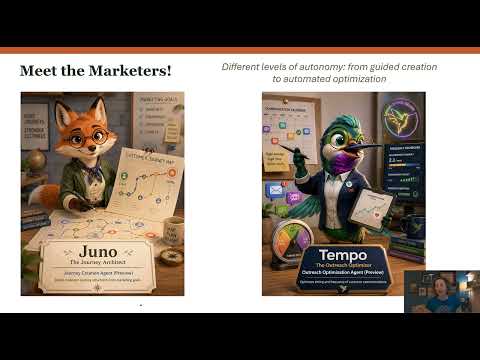
Dynamics 365 Customer Insights AI Agents
Microsoft MVP | User Adoption, Dynamics 365 + Power Platform Expert at Reenhanced
Microsoft expert on Dynamics Three Six Five Customer Insights Journeys AI agents for creation and outreach optimization
Key insights
- Customer Insights – Journeys: Microsoft’s marketing automation tool now includes AI agents and Copilot to help marketers build multi-channel, personalized campaigns faster using conversational prompts.
- Key features: The update adds an AI Hub to manage agents, the Journey Creation Agent for natural-language journey building, environment-level controls for admins, and usage that consumes Copilot credits; the agent is in Public Preview and rolled out to NAM and OCE regions with the June 2026 update.
- How it works: Admins enable agents in the Power Platform Admin Center, confirm admin prerequisites (Copilot Studio capacity, data movement, prompt setup), then add and manage the Journey Creation Agent in the AI Hub; marketers describe goals in plain language and the agent generates the journey flow, timing, and branches.
- Why it matters: The agents boost productivity, reduce manual setup, speed time-to-launch, help automate routine tasks, and let smaller teams produce richer, more personalized experiences driven by data.
- Core concepts: Use natural language input to state marketing goals, rely on agent-assisted scaffolding to build flows and branching logic, govern agents via centralized administration in AI Hub, and leverage Copilot integration as the shared productivity layer.
- Practical notes: The Journey Creation Agent replaces Journey Copilot for building journeys, it consumes Copilot credits, and organizations should plan for admin setup and capacity before enabling agents in production.\n
Overview of the video and its focus
In a recent YouTube video, Heidi Neuhauser [MVP] walks viewers through Microsoft’s newest AI features for Dynamics 365 Customer Insights – Journeys, highlighting how AI agents aim to change the way marketers design campaigns. She frames the update around a new AI Hub and the debut of the Journey Creation Agent, and she situates these tools within Microsoft’s broader push to embed Copilot and agents into marketing workflows. Consequently, the video mixes demonstration and explanation to show both the promise and the practical steps required to use the new capabilities.
Moreover, Neuhauser underscores that these agents are designed to let teams build journeys through natural language prompts rather than manual configuration, which could speed up campaign development. She notes that Microsoft positions the agents as part of an agent-assisted marketing roadmap, and that the Journey Creation Agent is in Public Preview with regional availability rolling out in specific areas. Therefore, the video is less about theory and more about how an individual marketer could begin adopting these tools today.
How the agents work in practice
First, the video demonstrates the administrative steps needed to enable the agents, showing that a tenant administrator must turn on AI agents in the Power Platform Admin Center and accept prerequisites such as Copilot Studio capacity and prompt settings. Then, Neuhauser opens the AI Hub to add and enable the Journey Creation Agent, explaining that this environment-level control lets organizations govern which agents run and how they consume resources. As a result, the demo clarifies that these features are not instant plug-ins but require deliberate setup and governance.
Next, the presenter types a simple marketing goal into the agent and watches the system scaffold a journey with recommended steps, timing, and branching logic, which simplifies the traditional manual assembly of journeys. She also touches on the relationship between these agents and existing Copilot features, noting that agents consume Copilot credits and effectively replace the earlier Journey Copilot for journey creation. Thus, the video illustrates both the user experience and the backend considerations that administrators must track.
Benefits highlighted and the tradeoffs involved
Neuhauser emphasizes clear benefits: faster journey creation, lower technical complexity, and the ability for a smaller team to produce work that previously required more specialists. In addition, she points out that AI-assisted scaffolding can lead to more timely, personalized campaigns by automating routine design choices and surfacing data-driven suggestions. However, she also notes tradeoffs, because relying on automated scaffolding can reduce manual control over fine-grained behaviors and may require extra review to ensure brand and compliance standards are maintained.
Furthermore, the video discusses cost and governance tradeoffs, explaining that agents consume Copilot credits and that administrators must set processing caps and follow-up thresholds at the environment level. Therefore, organizations must balance the productivity gains against potential operational costs and governance overhead, especially when agents operate at scale. Finally, Neuhauser advises that while productivity increases are attractive, teams should monitor agent outputs to avoid unintended consequences or campaign drift over time.
Administrative and technical challenges
Neuhauser spends time outlining the prerequisites and potential technical hurdles, such as the need to move data across regions and to provision Microsoft Copilot Studio capacity before agents run smoothly. She explains that these steps can create friction for organizations with strict data residency or compliance needs, and that administrators should plan upgrades and region moves carefully. Consequently, the rollout may be slower for enterprises that must align the new features with regulatory constraints.
In addition, the video raises questions about agent reliability and accuracy, and Neuhauser advises testing generated journeys before wide deployment to guard against logic gaps or unintended audience segments. She also mentions that replacing previous tools like Journey Copilot can require retraining teams and adjusting internal processes, which adds up-front work even if long-term productivity improves. Thus, the practical adoption requires both technical and people-focused change management.
Guidance for marketers deciding whether to adopt
Finally, Neuhauser offers concrete guidance to marketers: start with pilot campaigns, measure outcomes closely, and involve administrators early to set appropriate governance policies and credit limits. She recommends using the agents to accelerate routine tasks while keeping humans in the loop for creative strategy and compliance checks, which balances speed with quality control. By following that approach, teams can realize efficiency gains without ceding oversight.
Overall, the video presents a measured view that celebrates the potential of AI agents in Customer Insights – Journeys while acknowledging real tradeoffs around cost, governance, and technical setup. Therefore, organizations should evaluate these capabilities with short pilots and clear guardrails before full-scale adoption, and they should prepare for the administrative work that underpins a smooth rollout.

Keywords
Dynamics 365 Customer Insights, Customer Insights Journeys, Journeys AI agents, Dynamics 365 AI agents, AI-driven customer journeys, Customer journey orchestration, Dynamics 365 marketing automation, Personalization with Customer Insights