- All of Microsoft
Copilot Cowork Boosts Team Productivity
Principal Power Platform Advocacy Team Lead at Microsoft ◉ YouTuber ◉ Speaker ◉ LinkedIn Learning Course Author ◉ Low Code Revolution Host
Copilot Cowork brings Anthropic AI to Microsoft Three Sixty Five with scheduled automation Word Excel and Power Platform
Key insights
- Copilot Cowork: The video describes a new Copilot mode that moves Microsoft 365 Copilot from single-response help to proactive, multi-step task execution built on Anthropic technology.
It runs plans in the background, produces real deliverables, and keeps users informed with checkpoints and approvals. - Work IQ: This intelligence layer gathers context from Outlook, Teams, Word, Excel and meetings to reason across files and messages.
Work IQ helps Copilot generate step-by-step plans and pick the right inputs for each task. - Multi-model intelligence: Microsoft routes work to the best AI model (including models from Anthropic and others) so each step uses the most suitable capability.
Enterprise protections keep data secure and ensure governance while models run tasks. - Scheduled tasks: Cowork supports “set and forget” automation that runs over minutes or hours, with visible progress and optional approvals.
Examples include auto-sending recurring team emails, scheduling prep time, and posting updates to Teams. - Custom skills: You can build tailored skills using a simple markdown file to extend the 13 built-in abilities (Word, Excel, email, calendar, research and more).
The video demos creating a custom skill, drafting from a retro doc, and automating research and blog drafts. - Microsoft Frontier Program: Access currently requires a Microsoft 365 Copilot subscription plus Frontier Program enrollment (initially U.S. regions).
Adopting Cowork promises higher productivity, clearer oversight, and deeper M365 integration for enterprise workflows.
Video Snapshot
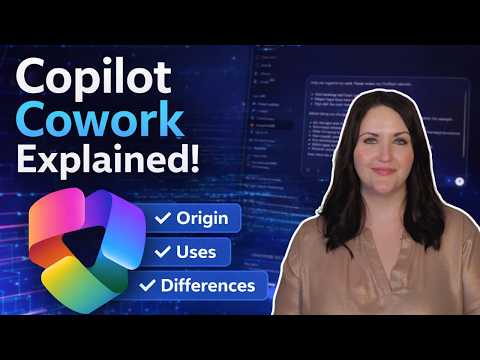
In a recent YouTube video, April Dunnam explains a major update to Microsoft’s AI offering called Copilot Cowork. She walks viewers through the origin, access methods, demos, and how it differs from the existing Microsoft 365 Copilot. In the clip, Dunnam shows real-world examples such as auto-sending weekly team emails, drafting from a retrospective document, and using scheduled tasks to automate routine work. Additionally, she highlights hands-on labs and practical tips for getting started.
Overall, the video aims to clarify how Copilot moves from single-answer responses to long-running, multi-step task automation across apps. Dunnam frames the feature as a “set it and forget it” approach that still keeps users in control. Her tone stays practical, focusing on capabilities, demos, and what organizations must do to take part. As a result, the video serves as both an introduction and a how-to primer.
What Copilot Cowork Does
Copilot Cowork changes Copilot’s role from an on-demand assistant to an executor of extended workflows. When a user describes a desired outcome, Cowork generates a step-by-step plan that runs in the background, provides progress updates, and asks for approval at key checkpoints. Consequently, tasks can span minutes to hours and produce tangible outputs like documents, schedules, and emails. Dunnam emphasizes that Cowork operates across Outlook, Teams, Word, Excel, and PowerPoint to assemble and deliver those results.
Furthermore, the system includes a set of built-in skills that tackle common workplace needs: composing emails, scheduling meetings, creating documents, and researching content. Users can also create custom skills by supplying a simple markdown file, which democratizes task automation for those who know their team’s workflows well. The video highlights how scheduled tasks let teams run repetitive workflows automatically, which can improve consistency and save time. Thus, the feature targets productivity gains while enabling repeatable processes.
How It Works Behind the Scenes
Technically, Cowork uses a multi-model setup that routes work to different AI engines depending on the task, and Dunnam notes that technology from providers like Anthropic plays a role. Work IQ serves as the context layer, gathering signals from across Microsoft 365 so the models can reason over emails, files, meetings, and chats rather than isolated snippets. As a result, the system can plan multi-step actions that feel more coordinated and context-aware than single-query responses. Dunnam explains that Microsoft chooses models automatically to balance speed, capability, and cost.
Security and governance remain central, since Cowork operates with enterprise data. The video stresses safeguards such as approval checkpoints and enterprise data protections that keep actions visible and controllable. Therefore, teams retain oversight and can intervene if the plan needs adjustments. On balance, the architecture aims to combine powerful automation with enterprise compliance requirements.
Access and Practical Setup
To try the feature, Dunnam notes that you need a Microsoft 365 Copilot subscription and access to the Microsoft Frontier Program, which at the time of filming was limited to certain regions. She also points viewers toward hands-on labs and training resources for experimenting with skills and scheduled tasks in a safe environment. For administrators, enabling Cowork involves deciding governance policies, approving model usage, and assigning permissions so the assistant can act on behalf of users. Thus, practical setup includes both licensing and administrative preparation.
Creating a custom skill is straightforward in her demos: a simple markdown file defines triggers, inputs, and desired outputs, which lowers the bar for teams to build tailored automations. Yet, Dunnam shows that careful testing matters, especially when workflows touch calendars, inboxes, or shared documents. Scheduled tasks work well for predictable routines but require thought about cadence, triggers, and error recovery. Consequently, early planning and pilot deployment can reduce surprises when scaling across teams.
Tradeoffs and Challenges
Despite its promise, Copilot Cowork introduces tradeoffs that organizations must weigh. On one hand, automation reduces repetitive work and standardizes outputs, but on the other hand, it can increase reliance on AI decisions that still need human verification. Therefore, teams must balance convenience against the need for oversight and build approval workflows that match their risk tolerance. In addition, routing tasks across multiple models can improve results but adds complexity to auditing and troubleshooting.
Cost, data governance, and adoption also pose challenges: organizations must budget for subscriptions and possibly higher token usage, while IT teams must define guardrails to protect sensitive information. Moreover, successful deployment depends on user training and clear guidance so staff understand when to delegate tasks and when to intervene. In summary, Dunnam’s video presents a compelling new capability that offers productivity gains, but it also makes clear that careful governance, testing, and change management are essential for safe and effective use.

Keywords
copilot cowork, microsoft copilot upgrade, copilot cowork features, copilot update 2026, copilot collaboration tools, copilot for teams, copilot productivity boost, copilot cowork release date