- All of Microsoft
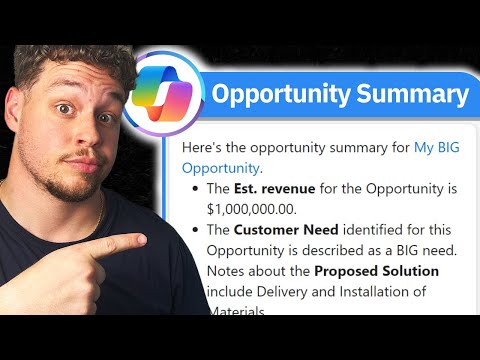
Optimize D365 Sales with Copilot: Setup Guide
Certified Power Apps Consultant & Host of CitizenDeveloper365
Master D365 Sales: Ultimate Guide to Copilot Opportunity Summaries Setup!
Key insights
- Learn how to set up Copilot Opportunity Summaries in Microsoft Dynamics 365 Sales with a detailed guide focusing on configuration and optimization.
- Improve your sales process and opportunity management by incorporating expert tips designed for efficiency and effectiveness.
- Enhance your sales workflow and results by unlocking the full potential of the Copilot Opportunity Summaries setup.
- This tutorial is ideal for both seasoned professionals and newcomers to Dynamics 365 Sales.
- Explore a broad range of Microsoft Dynamics 365 topics, including best practices, certification exams, and more on the Citizen Developer Channel.
Copilot Opportunity Summaries in Dynamics 365 Sales
The Copilot Opportunity Summaries feature in Microsoft Dynamics 365 Sales is a powerful tool designed to enhance opportunity management by providing comprehensive summaries that are easy to configure and optimize. This functionality supports sales professionals in improving their workflow, thereby increasing both efficiency and effectiveness in their sales strategies. The step-by-step guide available provides users with detailed instructions on setting up and maximizing the use of Copilot Opportunity Summaries.
With specific optimizations and settings adjustments, users can extend the capabilities of their sales management systems, leveraging tailored advice from experts. The implementation of these configurations can significantly transform how businesses handle their sales processes, ensuring better management of leads and opportunities. Whether you're an experienced user or a beginner in Dynamics 365 Sales, these insights and techniques shared through the tutorial and the Citizen Developer Channel can guide you toward a more productive sales environment.
In an informative You-Tube video, Griffin Lickfeldt of the Citizen Developer channel offers a detailed guide on setting up Copilot Opportunity Summaries in Microsoft Dynamics 365 Sales. He begins by explaining the importance of leveraging Copilot's features to boost sales efficiency and management capabilities. The tutorial is designed to benefit both newcomers and seasoned users by enhancing their workflow and increasing productivity.
In the tutorial, Griffin delves into the specifics of configuring Copilot Opportunity Summaries. He focuses on optimizing the tool to tailor it for effective opportunity management within Dynamics 355 Sales. Additionally, he provides expert advice on utilizing these summaries to refine sales processes and drive better outcomes, proving essential for those aiming to maximize their use of Microsoft Dynamics 365 Sales.
Furthermore, Griffin encourages viewers to enhance their understanding and skills by following him for more insights. However, he does not just stop at teaching about configurations and optimizations. Instead, he aims to build a learning community around Dynamics 365 and related Microsoft technologies, inviting viewers to subscribe to his channel for ongoing tutorials, best practices, and more.
More Insight on Dynamics 365 Sales
Microsoft Dynamics 365 Sales offers a robust platform for enhancing sales processes through automation and optimized data management. By using tools like Copilot Opportunity Summaries, users can gain insightful summaries that help in decision-making and strategic planning. This system not only simplifies managing sales opportunities but also ensures that businesses can track progress efficiently and accurately.
Dynamics 365 Sales integrates seamlessly with other Microsoft products, providing a comprehensive environment for all business needs. This integration allows for an uninterrupted flow of information across different departments, enhancing coordination and productivity. Users can expect to see improvements in lead conversion rates and customer relationship management as they utilize the full range of capabilities provided by Dynamics 365.
For companies looking to scale, Dynamics 365 Sales offers scalability options that grow with the business. From small startups to large enterprises, the platform can adapt to various business sizes and needs, ensuring that no matter the growth phase, the sales process remains streamlined and effective. This adaptability makes it an excellent choice for businesses seeking to expand their operations without compromising on efficiency.Overall, utilizing Dynamics 365 Sales, particularly with tools such as Copilot Opportunity Summaries, allows businesses to harness the full potential of their sales strategies. It provides a competitive edge in the fast-paced market, ensuring companies can stay ahead by making informed, data-driven decisions quickly and efficiently.

People also ask
How to setup sales Copilot?
Answer: "To implement Copilot for Sales, begin by installing the Copilot for Sales app within Microsoft Teams."What is Copilot for sales opportunity summary?
Answer: "Copilot for Sales leverages advanced AI algorithms to provide a detailed summary of each sales opportunity, highlighting crucial details such as the sales stage, budget, and expected closure date, thereby enhancing customer interactions and driving sales and customer satisfaction."How to use Copilot in Microsoft Dynamics 365?
Answer: "Navigate to All Dynamics 365 Sales apps, select a universal setting to apply across all Sales apps and then modify these settings individually per app. For instance, to activate Copilot exclusively for the Sales Hub app, set it to 'Off' for All Dynamics 365 Sales apps and then turn it 'On' just for the Sales Hub app."How to enable Copilot in Microsoft 365?
Answer: "To enable Copilot in Microsoft 365, first provision Copilot licenses through the Microsoft 365 admin center by accessing Billing > Licenses. Additionally, licenses can be allocated in bulk via the Azure admin center, or assigned individually using PowerShell commands."
Keywords
Copilot Opportunity Summaries, Setup Guide D365 Sales, Dynamics 365 Sales Setup, D365 Sales Copilot Guide, D365 Sales Opportunity Management, Dynamics 365 Sales Integration, Copilot D365 Configuration, Dynamics 365 Copilot Features