- All of Microsoft
SharePoint Agents: From Content to Chat
Software Development Redmond, Washington
SharePoint agents: turn content into chatbots with Copilot, connect sources with Power Platform and chat in Teams
Key insights
- SharePoint Agents: Turn SharePoint content into conversational AI assistants that answer questions and summarize documents directly inside SharePoint and Teams.
They let users chat with site content instead of manually searching files. - M365 Copilot license: You need the Microsoft 365 Copilot license to create and use SharePoint Agents; agents can ground answers from up to 20 configured sources.
Licensing enables access and governs which features are available to users. - Context-aware answers: Agents search sites, subpaths, and libraries in real time and keep track of user context to deliver concise, relevant responses.
They synthesize information across documents to give clear, summarized results. - Teams integration: Embed agents into Teams chats, channels, and meetings so conversations and decisions happen where people collaborate most.
The Agent Link WebPart also lets site owners add clickable agent helpers on SharePoint pages. - Admin governance: Admins manage agents centrally in the Microsoft 365 admin center, with controls to approve, block, monitor, and audit agent use.
AI-powered reports help compare site content and enforce policy without changing site settings directly. - Automation: Agents work with Power Automate and list/library features to speed workflows like approvals, bulk metadata edits, and document tasks.
These integrations reduce manual work and improve productivity across intranet scenarios.
Overview of the Demo
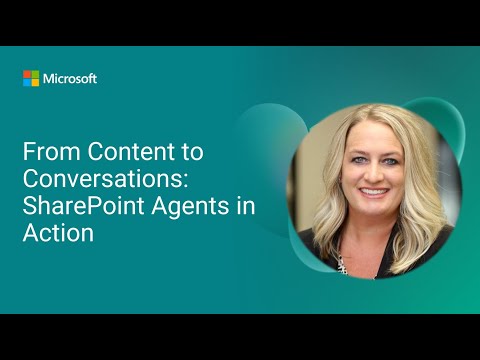
Microsoft’s YouTube video "From Content to Conversations: SharePoint Agents in Action" demonstrates how organizations can turn static M365 Copilot experiences. The presenter, Heidi Jordan from Avanade, walks through what these agents are, which M365 Copilot license is required, and how agents compare to traditional enterprise search. Moreover, the demo highlights live building steps such as grounding up to 20 sources, customizing agent behavior, and approving and sharing agents so teams can chat with them in both SharePoint and Teams.
Live Build and Core Capabilities
In the live portion, Jordan rapidly constructs an agent, showing how multiple content sources can be combined and grounded to improve answer accuracy. She demonstrates embedding agents in SharePoint pages and surfacing them inside Teams, which makes content accessible where teams already collaborate. At the same time, the demo emphasizes that agents maintain contextual awareness across sites and document libraries, allowing users to ask follow-up questions without losing the conversation thread.
Integration, Governance, and Administration
The video explains administrative controls that let IT manage agent adoption centrally from the Microsoft 365 admin center, including the ability to approve, block, or monitor agents. Consequently, the approach balances user empowerment with governance, as admins can review which agents are available and limit exposure to sensitive content. Furthermore, Microsoft added the Agent Link WebPart and admin reports, which help site owners embed agent access and help teams track usage without changing site configurations.
Tradeoffs: Accuracy, Scope, and Cost
While agents can synthesize answers across many sources, there is a clear tradeoff between breadth and precision: grounding more sources can surface richer context, but it can also increase the risk of irrelevant or conflicting information. Therefore, organizers must decide how many sources to include and how to weight them, because broader scope improves recall but may require stronger filtering and verification. Likewise, licensing for M365 Copilot and the operational cost of managing agents can be significant, so teams must weigh expected productivity gains against budget and governance overhead.
Challenges in Adoption and Practical Use
Adopting conversational agents in SharePoint raises several practical challenges, including data permissions, freshness, and hallucination risk. Although agents respect SharePoint permissions, administrators need clear policies to ensure sensitive material remains protected, and they must monitor agent outputs to reduce erroneous responses. In addition, integrating agents into existing workflows requires change management; users need training to understand when to rely on agent answers and when to consult original documents directly.
Looking Ahead: Scalability and Best Practices
Looking forward, the demo suggests that organizations should start with scoped pilots, grounding agents on trusted libraries and measuring outcomes before wider rollout. Successful deployments typically combine careful source selection with simple governance rules and staged permissioning, which reduces risk while proving value. Finally, teams should complement agents with human review loops and reporting so administrators can track accuracy, usage patterns, and opportunities to refine agent behavior over time.
Overall, the YouTube demo provides a clear, practical view of how SharePoint Agents extend SharePoint and Teams into conversational knowledge tools. However, organizations must balance integration benefits with tradeoffs in cost, governance, and information quality, and they should plan pilots that protect sensitive data while demonstrating measurable improvements in productivity.

Keywords
SharePoint agents, conversational AI for SharePoint, SharePoint virtual agents, Microsoft 365 AI agents, SharePoint knowledge management, automating SharePoint conversations, content-to-conversation workflows, enterprise conversational agents