- All of Microsoft
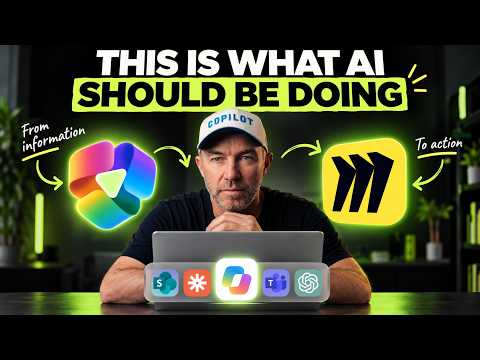
Copilot Cowork: How Work Really Happens
A Microsoft MVP 𝗁𝖾𝗅𝗉𝗂𝗇𝗀 develop careers, scale and 𝗀𝗋𝗈𝗐 businesses 𝖻𝗒 𝖾𝗆𝗉𝗈𝗐𝖾𝗋𝗂𝗇𝗀 everyone 𝗍𝗈 𝖺𝖼𝗁𝗂𝖾𝗏𝖾 𝗆𝗈𝗋𝖾 𝗐𝗂𝗍𝗁 𝖬𝗂𝖼𝗋𝗈𝗌𝗈𝖿𝗍 𝟥𝟨𝟧
Microsoft expert shows Copilot Cowork with Miro, SharePoint, Teams and Word revealing SOP drift and variance
Key insights
- Copilot Cowork compares what teams have documented with what actually happens by reading evidence from messages and meetings and then shows both versions side‑by‑side in a Miro board.
It helps reveal hidden steps and real practices that manuals miss. - It pulls data from a procedure stored in SharePoint plus Teams chats, emails, and meeting transcripts, and runs only on content the user already has access to thanks to built‑in permissions checks.
This keeps results scoped to what each person can see. - The Miro board highlights differences with colored variance stickies and marks matching steps in green; each sticky cites the exact source so teams can trace where the gap came from.
This makes it easy to prioritize which mismatches to fix. - Teams add feedback directly on the board, and Copilot Cowork reads those comments to draft an updated procedure in Word, leaving unresolved items as open action points.
This speeds consensus and creates a clear revision path. - After drafting, Cowork compares the old and new procedures in SharePoint and produces an executive change report explaining what changed and why.
This gives leaders a concise summary for approval or roll‑out. - Typical use cases include supplier onboarding, approvals, client intake, and month‑end processes; the demo run cost 371 credits and the tool respects existing access rules so it only uses visible data.
This pattern applies to any process that has drifted from documentation.
Overview
The newsroom reviewed a recent YouTube video by Daniel Anderson [MVP] that demonstrates how Copilot Cowork and a Miro plugin expose the difference between formal procedures and the reality of daily work. In the video, Anderson runs a practical lab where the agent reads a documented process in SharePoint and then compares it against evidence found in Teams chats, emails, and a meeting transcript. As a result, the tool builds a side-by-side view that highlights matches, gaps, and the source of each variance.
Consequently, the demonstration moves from analysis to action: the team’s comments on the Miro board feed back into Word, producing an updated standard operating procedure with open items left for human review. Finally, Anderson compares the original and revised documents in SharePoint and generates an executive change report that explains what changed and why. Overall, the video aims to show how automation can surface hidden process drift and help teams align paperwork with actual practice.
Demo Walkthrough
First, Anderson loads the written procedure from SharePoint and collects conversational evidence across Outlook and Teams, including a meeting transcript. Next, Copilot Cowork places the formal steps and the observed steps side-by-side on a Miro board and annotates each variance with a sticky note that cites the specific source. Then the team uses the board to discuss and clarify differences, while the agent captures those comments as inputs for revision.
Moreover, the video explains the follow-up stages where Cowork drafts a new version of the SOP in Word, leaving unresolved items as open questions for human owners. Anderson then performs a comparison between versions inside SharePoint and asks the system to produce an executive report summarizing the changes. He also reports the operation cost for the demonstration: 371 credits, which signals that practical use requires attention to resource consumption.
How Copilot Cowork Understands Work
The video highlights that many workflows include important context scattered across messages, meetings, and files, not just in formal documents. To address that, Copilot Cowork uses a broader context model often referred to as Work IQ to reason over emails, transcripts, calendars and files, and then plans actions that span multiple apps within Microsoft 365. Therefore, the agent aims to replicate how work really gets done by combining the written process with signals from day-to-day communication.
In practice, this approach helps reveal hidden steps such as informal approvals, preferred report formats, or ad-hoc checks that people rely on without documenting them. As a result, teams can see where their SOPs have drifted and where documents actually match practice, which supports better governance and clearer responsibilities. However, the effectiveness depends on the scope and quality of the underlying data sources, as Anderson demonstrates in his example of supplier onboarding.
Trade-offs and Challenges
Using an agentic tool like Copilot Cowork introduces trade-offs between speed and certainty, and between automation and human oversight. On one hand, the agent can quickly surface differences and draft revisions, which speeds change cycles; on the other hand, noisy transcripts, incomplete chats, or missing context can lead to false positives or gaps that require careful review. Therefore, teams must balance reliance on automation with deliberate human validation to avoid embedding errors in formal procedures.
Moreover, the video raises important governance and privacy considerations because the agent only uses content the user already has permission to see, yet aggregating signals increases exposure to sensitive context. Consequently, organizations must weigh the benefits of a comprehensive view against the need for strict access controls, clear policies and audit trails. Finally, cost matters: the demonstration’s 371 credits suggest that scaling such analyses will require budgeting and prioritization of the most valuable processes.
Implications for Teams and Next Steps
For teams, Anderson’s walkthrough suggests a practical pattern: analyze a written SOP, gather communication evidence, surface gaps on a visual board, iterate with stakeholders, and then formalize the result with version control and an executive summary. This cycle can improve accuracy and alignment, especially for processes prone to drift such as approvals, client intake, or month-end routines. Furthermore, by keeping humans in the loop for decisions and unresolved items, the approach preserves accountability while leveraging automation for synthesis.
Looking ahead, organizations that adopt this pattern should plan for the cultural and technical work it requires: clear governance, quality transcripts, disciplined permissions, and a roadmap for which processes merit automated comparison first. In conclusion, Daniel Anderson’s video offers a clear, applied example of how Copilot Cowork can bridge the gap between what is written and what actually happens, while also highlighting the trade-offs and governance steps teams must manage to use it well.
Keywords
how work really gets done, work vs documentation, Copilot Cowork productivity, closing the documentation gap, real workplace workflows, practical work processes, improving team productivity with Copilot, Copilot Cowork tips and best practices