- All of Microsoft
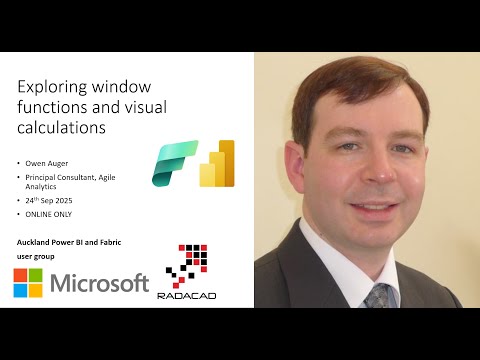
Power BI & Fabric: Window Functions
Founder | CEO @ RADACAD | Coach | Power BI Consultant | Author | Speaker | Regional Director | MVP
Power BI and Fabric DAX window functions and visual calculations simplify semantic models and make reports more flexible
Key insights
- Power BI & Fabric session overview: This video demonstrates preview features that help build cleaner and more flexible reports by using window functions and visual calculations to simplify DAX.
- Window functions explained: Functions like INDEX, OFFSET, WINDOW, RANK, and ROWNUMBER let you compute values per partition (for example, top customer per group), simplify ranking, and rank across multiple columns without complex joins.
- Visual calculations in practice: Use them to make measures react to any date axis, fill blanks with zeros, find top/bottom items, normalize values, and navigate visual hierarchies for dynamic charts.
- DAX and model benefits: These features reduce DAX complexity, cut clutter in semantic models, and often improve performance by replacing intricate workarounds with concise expressions.
- Demo PBIX and examples: The speaker provides a demo file you can adapt to learn patterns, test ranking and partition logic, and apply visual calculations to your own reports.
- Speaker and audience: Owen Auger, a Principal Consultant with finance and Power BI modeling experience, targets analytics and finance users who want practical steps to adopt these preview features through user groups and workshops.
Overview of the video
The YouTube video uploaded by Reza Rad (RADACAD) [MVP] showcases a user group session titled Power BI & Fabric user group: Exploring window functions and visual calculations. The session itself is delivered by Owen Auger, who walks through practical examples and a demo PBIX file. Consequently, the video focuses on two emerging capabilities in modern analytics: window functions and visual calculations. Together, these features aim to simplify expressions and make reports more flexible for business users.
What the video demonstrates
First, the presenter introduces the new DAX window functions such as INDEX, OFFSET, and WINDOW, followed by RANK and ROWNUMBER. He then shows how these functions perform calculations across sets of rows related to the current row, which helps with tasks like top customer selection per group. Moreover, the video compares these approaches with older techniques such as RANKX, highlighting where the new functions simplify logic and reduce model clutter. The demonstration emphasizes practical scenarios rather than theoretical details, which makes it accessible to report authors and modelers.
Second, the session explores visual calculations, a preview feature that adapts measures to the context of visuals. For example, the presenter shows how a measure can work with any date field placed on a visual axis and how to fill blanks with zeros. In addition, he uses visual calculations to identify top and bottom values, normalize measure values, and navigate hierarchies in visuals. These demonstrations are tied to a downloadable demo file so viewers can reproduce and adapt the examples.
How window functions simplify DAX
The video argues that window functions allow modelers to perform many row-wise calculations more directly than before. For instance, calculating ranks across partitions or computing running totals becomes less convoluted and more readable. Consequently, models that previously required complex filters, self-joins, or nested iterators can be simplified, improving maintainability. The presenter also notes that readability gains make it easier for teams to review and update business logic.
However, the video urges caution because these features remain in preview and can change. Therefore, modelers should test thoroughly before relying on them in production models. Additionally, in some scenarios classic approaches may still outperform newer functions in terms of query plan and performance. Thus, the session balances excitement with pragmatic advice about staged adoption.
Practical uses of visual calculations
Visual calculations are shown as a flexible way to drive context-aware measures without inflating the semantic model. For example, the presenter demonstrates using visual calculations to switch date fields dynamically and to normalize series within the visual context. This approach reduces the need for multiple precomputed measures and keeps the model leaner. As a result, report authors can create more interactive visuals while relying on fewer static calculations.
Furthermore, the video covers filling gaps in visuals and handling hierarchical navigation, which can otherwise require custom DAX and complex table logic. In practice, these capabilities can speed up development for analysts who frequently craft ad hoc visuals. Nevertheless, the presenter explains that combining visual calculations with sound dataset governance is important to avoid inconsistent results across reports. Hence, the balance between flexibility and control is a recurring theme.
Tradeoffs and implementation challenges
The video acknowledges several tradeoffs when adopting these preview features. On one hand, the new functions can greatly simplify expressions and speed development. On the other hand, preview features can change behavior, which makes long-term support uncertain. Consequently, organizations must weigh the productivity gains against potential refactoring costs if Microsoft alters the preview APIs.
Another challenge is performance tuning and testing across different data volumes and deployment scenarios. The presenter recommends validating queries and inspecting performance in representative environments before full rollout. Also, governance aspects of Fabric and dataset discovery are important because model reuse and dataset tagging influence how these techniques scale in a multi-team environment. Therefore, teams should create policies for preview feature use and rigorous testing.
Key takeaways and next steps
Overall, the video offers a hands-on view of how window functions and visual calculations can enhance the Power BI and Fabric toolset. It provides practical examples, a downloadable demo PBIX, and balanced advice about the preview nature of these capabilities. Consequently, analysts and modelers will find concrete patterns to experiment with and adapt for their reports.
Finally, the session encourages staged adoption: learn the patterns, validate them on test datasets, and then apply them where benefits outweigh risks. In short, the video is a useful resource for teams that want to modernize DAX practices while maintaining governance and performance discipline.

Keywords
Power BI window functions, Microsoft Fabric window functions, Power BI visual calculations, DAX window functions tutorial, Power BI Fabric user group, Advanced DAX visual calculations, Window functions in Power BI visuals, Fabric analytics window functions