- All of Microsoft
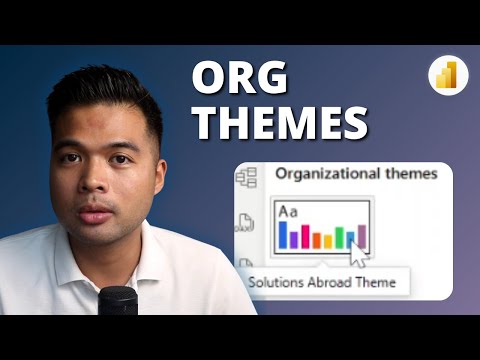
Power BI Essentials: Simplifying Organisational Themes for Beginners
Power BI
Key insights
- Organizational Themes in Power BI allow administrators to centrally manage and enforce consistent branding and styling across all reports within an organization, improving visual identity and saving time for report creators.
- The Admin Portal now supports uploading, validating, and distributing custom JSON theme files, making it easier to standardize report styles for the entire Power BI tenant.
- Consistent Branding is achieved by applying themes automatically to all reports, similar to how pre-built themes work in presentation tools like PowerPoint.
- Copilot Integration means that AI-generated reports can use the organizational theme by default, ensuring automated content also matches corporate branding. Users still have the option to override these settings if needed.
- The new system provides Accessibility Across Platforms, so both Power BI Desktop and Power BI Service users can access the same theme gallery, ensuring consistency regardless of where a report is created.
- The July 2025 update also introduced improved chart formatting options—such as adjustable borders and transparency for pie and donut charts—helping maintain a unified look across all visuals in reports.
Introduction to Organizational Themes in Power BI
In a recent YouTube video by Fernan Espejo, founder of Solutions Abroad, the focus is on a significant new feature in Microsoft Power BI: Organizational Themes. Launched in mid-2025, this update allows companies to centrally manage and enforce branding and styling across all reports within their organization. By using the Power BI Admin Portal, tenant administrators can upload, validate, and distribute custom JSON themes to ensure uniformity in report appearance.
This development marks a major step forward for organizations aiming to maintain consistent visual identity, regardless of who creates the report or where it is published. With this feature, Power BI continues to evolve as a powerful business intelligence tool, making it even more accessible and business-friendly for users at all levels.
Centralized Control and Consistent Branding
One of the primary benefits highlighted in Espejo’s walkthrough is centralized control. Administrators can now define and publish themes from a single location, preventing inconsistencies that often result from individual user preferences. This not only saves time for report developers but also ensures all reports adhere to the company’s visual guidelines, much like how pre-built PowerPoint themes standardize corporate presentations.
Moreover, the ability to manage these themes centrally eliminates the need for manual distribution or repeated setup across different teams. As a result, organizations can uphold their brand integrity across every report, fostering a more professional and unified appearance in all business communications.
Integration with Copilot and Accessibility Improvements
A notable advancement with Organizational Themes is their integration with Copilot, Microsoft’s AI-powered report generation tool. Administrators can set an organizational theme as the default for all AI-generated reports, ensuring that even automated content maintains company branding from the outset. While users retain the option to override the default theme, this feature significantly reduces the risk of off-brand visuals in quickly generated reports.
Additionally, themes are now accessible not just in Power BI Desktop but also in the Power BI Service. This cross-platform availability means that no matter where a report is created—on a desktop application or in the cloud—the same theme options are easily accessible. This seamless integration simplifies the workflow for report creators and guarantees consistency throughout the organization.
Enhancements to Visual Customization and User Experience
With the July 2025 update, Power BI also introduced enhancements to chart formatting. Users can now adjust borders and transparency for pie and donut charts, among other improvements. These updates complement Organizational Themes by providing more granular control over visual elements while maintaining overall consistency.
Such improvements highlight the balance Microsoft seeks between centralized governance and creative flexibility. While themes enforce standards, individual report creators still have tools at their disposal to fine-tune visuals, ensuring both compliance and the ability to address unique reporting needs.
Tradeoffs and Challenges of Standardization
Organizational Themes offer substantial advantages, but they also introduce tradeoffs. Centralized management can sometimes limit creativity for advanced users who wish to experiment with custom styles. Moreover, the process of designing, validating, and updating organizational themes requires dedicated administrative attention and a clear understanding of branding requirements.
There are also challenges in balancing the need for strict brand adherence with the flexibility required for specialized reports. Organizations must decide how much freedom to allow individual users while maintaining a unified look. This ongoing balance is crucial for fostering both innovation and brand consistency in business intelligence reporting.
Conclusion: A Step Forward in Power BI Governance
Fernan Espejo’s overview of Organizational Themes in Power BI underscores their role in advancing report design standardization and governance. By empowering administrators to centrally manage aesthetics, companies can streamline report creation, improve brand compliance, and enhance the visual appeal of their business intelligence outputs.
As Power BI continues to develop, features like Organizational Themes not only simplify workflows but also elevate the quality and professionalism of organizational reporting. Ultimately, this update represents a thoughtful approach to balancing efficiency, consistency, and creativity in the ever-evolving world of data analytics.

Keywords
Power BI organizational themes Power BI beginners guide Power BI themes tutorial Power BI customization tips Power BI data visualization Power BI dashboard design Power BI theme settings Power BI user interface