- All of Microsoft
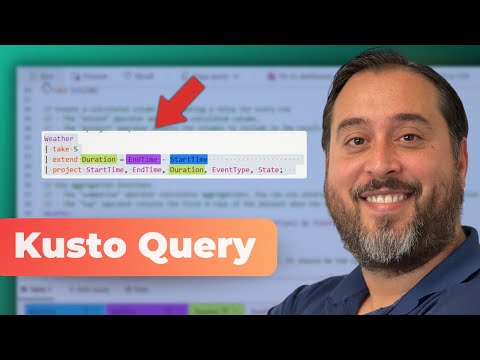
KQL: Easy Tutorial for Beginners
KQL essentials for SQL users: streaming queries, aggregations, dashboards in Microsoft Fabric and Azure Data Explorer
Key insights
-
KQL overview: Kusto Query Language (KQL) is a cloud-native, read-only query language used in Azure Data Explorer, Log Analytics, Microsoft Sentinel, and Microsoft Fabric.
The video (hosted by Manuel Quintana) introduces KQL as a fast tool for exploring large and streaming datasets. -
SQL vs KQL: KQL uses a pipeline style with the | operator and commands like project and where instead of traditional SQL SELECT/FROM order.
It focuses on read-only queries, so you can experiment without changing source data. -
Core operators: Key commands covered include project, extend, summarize, take, and count for filtering, shaping, and sampling data.
The walkthrough shows how to chain these operators to build clear, step-by-step queries. -
Transformations & aggregations: Use summarize and aggregation functions to roll up data and detect trends or anomalies.
Time helpers like ago() and techniques such as materialize enable efficient temporal analysis and reuse of intermediate results. -
Visualization & dashboards: The tutorial demonstrates turning query output into charts and sharing results within Fabric dashboards.
Visualizing streaming or event-house data helps spot patterns quickly and supports real-time intelligence workflows. -
Learning & practice: Microsoft and community resources now include an interactive workbook with expanded operators and hands-on exercises to build skills faster.
Practice in a safe, read-only environment and translate SQL habits into KQL patterns to gain fluency.
Overview of the Video
Pragmatic Works published a practical walkthrough titled KQL Made Easy for Beginners, presented by Manuel Quintana, that aims to bring newcomers up to speed with the core ideas of KQL and how it applies across Azure services. The video forms part of the Real-Time Intelligence series focused on Microsoft data platforms, and it moves step-by-step from basic concepts to hands-on examples. Consequently, viewers can follow along with a sample dataset in a Microsoft Fabric event house and see live query results and visualizations. Overall, the presentation emphasizes a gentle transition for people coming from SQL backgrounds while showing features unique to Kusto Query Language.
Where KQL Fits and Why It Matters
First, the video clarifies where KQL is commonly used, such as Azure Data Explorer, Log Analytics, Microsoft Sentinel, and Microsoft Fabric, and why it suits those environments. Because KQL is optimized for large, fast-moving telemetry and log data, it excels at event stream analysis, anomaly detection, and time-series exploration. Moreover, the language emphasizes read-only exploration, which reduces risk during experimentation and encourages analysts to try queries without changing source data. This combination of speed and safety makes KQL especially attractive for security monitoring and real-time dashboards.
Key Syntax and Practical Commands
Next, the presenter contrasts SQL and KQL syntax, making the differences both clear and practical for learners. For example, the video demonstrates how the pipeline operator (|) chains commands like project, extend, summarize, take, and count, and it explains how those operators perform filtering, transformation, and aggregation. Then, Manuel shows how to set up sample data in an event house and translates familiar SQL queries into equivalent KQL forms so viewers can see how tasks map between the languages. As a result, learners gain hands-on exposure to common patterns and learn how to visualize results within Fabric dashboards.
Learning Path and Demonstrations
The video follows a concise timeline that helps learners navigate the content: a short intro, an explanation of use cases, comparisons with SQL, setup of sample data, translation examples, aggregation techniques, visualization tips, and a wrap-up. In addition to live demos, the presentation highlights updated learning tools such as interactive workbooks that now include a wider set of operators, including string and anomaly functions, which enable deeper practice and real-world scenarios. Therefore, beginners can practice queries locally in a safe, read-only environment while experimenting with new operators like materialize or extraction functions. This stepwise approach encourages learners to test ideas and to iterate on queries when exploring streaming or event-driven datasets.
Tradeoffs When Choosing KQL vs Alternatives
However, adopting KQL involves tradeoffs that organizations and analysts should weigh carefully, starting with the difference between real-time and batch processing. While KQL excels at querying streaming telemetry and logs with low latency, systems tailored for complex transactional reporting or heavy relational joins may remain better served by traditional SQL-based warehouses. In addition, KQL is a read-only language: this design reduces risk but also means you need separate ETL steps or tools to modify or persist transformed data. Consequently, teams must balance the benefits of rapid, interactive analysis against the need for downstream data management and persistent state.
Challenges for Learners and Teams
Moreover, learners face practical challenges in becoming fluent, such as mastering the pipeline mindset, time-based functions, and schema-on-read behavior in streaming contexts. Debugging can also be different because error messages and performance characteristics depend heavily on data shape and volume, so queries may require iterative tuning and the use of operators like materialize to optimize re-use. Additionally, visualization choices and dashboard sharing introduce tradeoffs between detail and performance: richer visuals can demand more compute and may need aggregation to remain responsive. Therefore, teams should plan learning paths that include both conceptual study and repeated practice on representative datasets.
Conclusion and Next Steps
In summary, the Pragmatic Works walkthrough provides a clear, approachable path for newcomers who want to learn KQL, especially those transitioning from SQL or working with real-time data in Microsoft Fabric. The video balances foundational syntax with hands-on examples, while also pointing to evolving Microsoft learning materials that expand operator coverage and interactivity. Ultimately, viewers will find that mastering KQL requires both understanding key operators and practicing on realistic event streams, and gaining fluency pays off with faster, safer exploration of log and telemetry data. For teams, the important step is to pair these learning resources with practical projects so skills transfer quickly to production scenarios.

Keywords
KQL tutorial for beginners, Kusto Query Language basics, KQL queries beginner guide, Learn KQL step-by-step, Azure Data Explorer KQL tutorial, KQL examples for beginners, KQL for Microsoft Sentinel beginners, KQL tips and best practices