- All of Microsoft
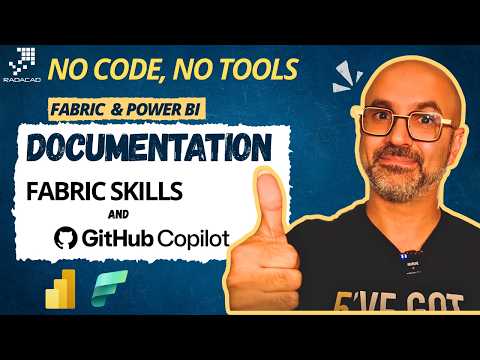
Power BI Docs, No-Code with Copilot
Founder | CEO @ RADACAD | Coach | Power BI Consultant | Author | Speaker | Regional Director | MVP
Auto document Microsoft Fabric and Power BI with GitHub Copilot and Fabric Skills in VS Code for faster AI driven docs
Key insights
- Fabric Skills + GitHub Copilot automatically generate documentation for Microsoft Fabric and Power BI objects like semantic models, Lakehouses, Warehouses, and pipelines.
They read your environment metadata and produce readable docs without manual writing. - Setup is simple: install Copilot CLI and enable the Copilot extension in VS Code, then configure Fabric Skills to point at your Fabric workspace.
Once connected, Copilot can access metadata and start drafting documentation templates. - Fabric metadata and APIs feed the process: Fabric Skills teach Copilot platform context so generated docs match model structure, tables, measures, and pipeline details.
This keeps documentation accurate and aware of your actual Fabric objects. - AI-assisted documentation saves time and improves consistency across teams by replacing repetitive manual notes with standardized outputs.
Teams keep existing Power BI practices while benefiting from faster handovers, audits, and onboarding. - Evaluate Power Query programmatically and new Copilot features (inline notebook completion, Copilot in Fabric, updated AI functions) let you automate transformations and get richer execution details.
These platform updates make documentation more actionable and easier to integrate with pipelines. - Best practice: add doc generation into your development workflow or CI pipelines, trigger updates on metadata changes, and use generated docs alongside tools like Tabular Editor when needed.
This ensures docs stay current and reduces reliance on manual utilities.
Video overview
In a recent YouTube video, Reza Rad (RADACAD) [MVP] demonstrates how to automatically generate documentation for analytics assets using Microsoft Fabric capabilities together with GitHub Copilot. He frames the workflow as a way to remove manual documentation tasks for semantic models, Lakehouses, Warehouses, and pipelines, while keeping full awareness of the Fabric environment. Consequently, the video focuses on practical setup steps and examples that show how AI can draft documentation directly from metadata and platform APIs. The presentation aims to help teams save time while maintaining accurate, structured documentation for their analytics estates.
How the solution works
The core technique pairs Fabric Skills—which encapsulate platform knowledge about Microsoft Fabric—with GitHub Copilot acting as the authoring assistant. According to the video, teams install Fabric Skills into the Copilot CLI or integrate them inside VS Code, enabling Copilot to interpret Fabric metadata when generating text and code. Then Copilot uses the available APIs and model metadata to produce readable documentation for datasets, models, and pipelines, rather than relying on manual notes or separate inspection tools. This makes documentation generation part of the development workflow and reduces repeated manual effort.
Key benefits and tradeoffs
The immediate benefit is clear: automated documentation saves hours compared with writing text manually and helps keep information consistent across assets. Moreover, because the approach reads platform metadata rather than guessing, it can capture up-to-date model schema, relationships, and pipeline steps without heavy tooling. However, this automation comes with tradeoffs, such as the need to validate AI-generated text, ensure metadata quality, and manage access controls so that sensitive data is not exposed during generation. Teams must balance speed with oversight to avoid publishing inaccurate or incomplete documentation.
Another important tradeoff involves dependence on platform and API maturity. While programmatic evaluation of Power Query and inline notebook completions expand what Fabric can surface, some features are still in preview and may change. Consequently, organizations should plan for maintenance overhead when integrating preview APIs into documentation pipelines, and choose where to apply automation versus where human review remains essential. This measured approach reduces risk while capturing most efficiency gains.
Challenges and governance concerns
The video also addresses several practical challenges, including compatibility with older documentation tools and the need for robust governance. Legacy utilities have sometimes struggled with relationships and metadata introduced by Fabric, which can complicate migration to new automated methods. Additionally, permission controls and data privacy rules must be enforced so that documentation generation respects tenant and workspace boundaries when Copilot or Skills access metadata.
Operationally, teams may find limits in API rate quotas, differences between environments, or missing metadata that require manual augmentation. Therefore, organizations should embed validation checks and change-tracking into their documentation pipeline, and implement role-based approvals for generated content. Balancing automation with checkpoints helps maintain trust in documentation and prevents propagation of errors into downstream reports and analyses.
Practical adoption tips
Reza Rad outlines a pragmatic path for teams that want to adopt this approach while managing risk. First, enable Fabric Skills and set up GitHub Copilot in a controlled environment, using Copilot CLI or VS Code for initial experiments. Then, run Copilot against a subset of metadata to produce draft documentation and validate the results with subject-matter experts before wider rollout. This staged adoption allows teams to tune prompts, refine access controls, and identify metadata gaps without disrupting production workflows.
Next, integrate the documentation step into continuous development processes so updates occur after model or pipeline changes. Include automated tests that flag missing descriptions, or inconsistent schema, and maintain a human verification step for high-impact artifacts. Finally, track cost and performance metrics for any programmatic Power Query evaluations or API calls, since automation at scale can introduce resource and billing considerations that need monitoring.
Implications and next steps
Overall, the video presents a compelling case for using AI-assisted tools to reduce friction around documentation in analytics platforms. By combining Microsoft Fabric metadata with GitHub Copilot and Fabric Skills, teams can produce more consistent and discoverable documentation, yet they must build validation, governance, and cost controls into the process. As Fabric continues to add programmatic and AI features, this pattern is likely to become more integrated into development workflows, but careful rollout remains essential.

Keywords
Power BI documentation, Fabric Skills documentation, GitHub Copilot Power BI, No-code Power BI documentation, No-code Fabric documentation, AI-assisted Power BI documentation, Copilot for Fabric documentation, Automated documentation for Power BI