- All of Microsoft
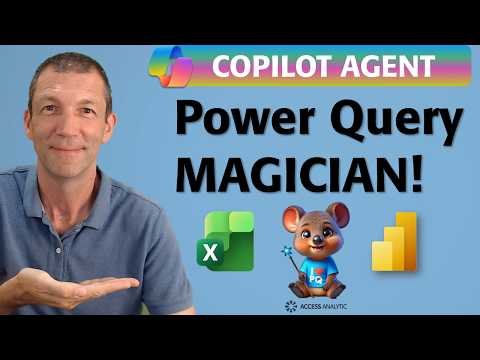
Power Query: Build a Copilot Magician
Microsoft MVP | Author | Speaker | Power BI & Excel Developer & Instructor | Power Query & XLOOKUP | Purpose: Making life easier for people & improving the quality of information for decision makers
Microsoft expert builds Copilot agents to create Power Query magicians that simplify M and speed Power BI and Excel
Key insights
-
The video shows how to build a Copilot agent that refines and documents Power Query M code; it asks for a name to insert as "Developed by X" and adds a summary block after the let statement to explain purpose and actions.
-
To create the agent you open Microsoft 365 Copilot, choose Agent Builder or start from a template, then set the agent’s name, description, instructions, knowledge, and prompts; verify you have the required Copilot license before sharing or testing.
-
The agent enforces clear M code rules: rename steps with CamelCase (keep column names unchanged), convert "Changed Type" steps by removing spaces only, label merges as Created X via merge, and prefix filters with FILTER_ to describe what is filtered.
-
The recommended output format includes a short comment for each step, a blank line for readability, and a standard comment "Developed by X"; this ensures consistent, easy-to-read code and documentation.
-
Key benefits include faster Power Query authoring, reusable expertise across teams, and more structured outputs; agents can use added knowledge sources and tools to improve accuracy and control behavior.
-
Practical next steps: build a custom agent in Microsoft 365 Copilot or Copilot Studio, define precise M code style rules and prompts, then test the agent with real M code and refine prompts for cleaner, shorter solutions.
Overview of the Video and Its Purpose
The recent YouTube video by Wyn Hopkins [MVP] demonstrates how to build a specialized assistant for Power Query using Microsoft 365 Copilot. The presenter labels this pattern the Power Query Magician and walks viewers through creating, configuring, and testing an agent that refines Power Query M code. Consequently, the video aims to show practical steps you can reuse to streamline code documentation and simplify transformations.
Along the way, Wyn highlights a few formal rules for how the agent should rename steps, add summaries, and insert a standard comment like “Developed by X”. These conventions seek to make generated M code easier to read and maintain, while preserving the original logic. Therefore, the piece serves both as a tutorial and as a set of recommended standards for teams that want consistent, documented Power Query scripts.
How the Copilot Agent Is Built and Used
First, the video shows how to open the agent creation flow in Microsoft 365 Copilot, choose a template or describe the agent in natural language, and then refine instructions under the Configure tab. Next, the creator adds branding, capability descriptions, and targeted prompts that instruct the agent to transform M code into clearer, documented steps. As a result, the agent can be invoked from chat or tested with real M scripts to validate output quality.
In practice, the agent receives a raw Power Query script and outputs a version with a summary after the let statement, step-level comments, and renamed steps following CamelCase or special rules. The video demonstrates testing the agent with sample code and then using it directly from the chat workspace to iterate quickly. Thus, the workflow blends automated editing with hands-on review, so teams can quickly improve readability without losing control.
Naming, Documentation and Formatting Rules
Wyn emphasizes a strict set of naming and formatting rules that the agent must follow, which helps enforce consistency across projects. For example, general steps should use meaningful CamelCase names, steps containing Changed Type should simply remove spaces, and merged columns must be named with the phrase Created X via merge where X is the new column name. Additionally, filter steps must be prefixed with FILTER_, and agents must not alter column names or remove spaces inside column labels.
These constraints are practical but also impose tradeoffs: they improve uniformity and searchability, yet they may conflict with pre-existing naming patterns or break references in complex query chains. Consequently, Wyn advises keeping human oversight during rollout to ensure the agent’s renames do not disrupt downstream steps or external dependencies. In short, the rules aim to simplify code while relying on careful testing to prevent unintended side effects.
Tradeoffs and Challenges to Consider
Automating Power Query cleanup with an agent speeds up routine work and helps less experienced users follow best practices, but it also brings governance and reliability concerns. For instance, automated renaming and summaries can mask subtle logic changes if the agent misunderstands context, so teams must balance automation with code reviews and version control. Moreover, using knowledge sources or browsing capabilities increases usefulness but may raise privacy, compliance, or update-risk issues depending on where the agent pulls information.
Another challenge lies in maintaining the original code integrity while suggesting more efficient approaches. Although the agent can recommend fewer-step implementations, developers may prefer the explicit intermediate steps for clarity, debugging, or performance tuning. Therefore, organizations must weigh the benefits of condensed, efficient transformations against the value of transparent, easily debuggable sequences that help new team members learn the flow.
Practical Takeaways for Teams and Analysts
Overall, Wyn Hopkins’ video presents a practical pattern for embedding Power Query expertise into a reusable assistant, and it shows how to configure, test, and share that agent inside a Microsoft 365 environment. Teams can adopt the Power Query Magician as a starting template, then adapt naming rules and prompt wording to their own governance and style guides. Consequently, this approach can raise baseline code quality while freeing subject-matter experts to focus on higher-value tasks.
Finally, the video reinforces that human judgment remains essential: always validate agent output, assess tradeoffs between automation and explicitness, and keep a rollback path in case renaming affects behavior. In this way, the agent becomes a productivity multiplier rather than a shortcut that sacrifices traceability or control. Ultimately, careful configuration and staged adoption help capture the benefits while managing the risks.

Keywords
power query copilot agents tutorial, create power query magician with copilot, copilot agents for power query automation, power query automation using copilot agents, how to build copilot agents for power query, power query data transformation copilot, copilot agent examples for power query, automate excel power query with copilot agents