- All of Microsoft
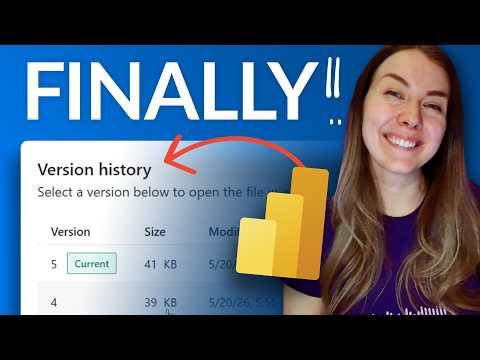
Power BI Desktop Gets Version History
Power BI Desktop adds Version History for PBIX restore, streamlining report development and Microsoft Fabric integration
Key insights
- Version History: Power BI Desktop now stores built-in version history for semantic models so you can review and restore previous model states directly from the app and web editor.
It behaves like Office version history and makes iterative report work safer. - Semantic model capture: Versions are created automatically before you publish or upload a .pbix and when you open a Direct Lake model for live editing.
Each stored version includes both model metadata and model data for easier recovery. - Storage limits: Power BI keeps up to five saved versions per semantic model and does not support restoring versions older than 14 days (Microsoft says this limit exists though it is not strictly enforced today).
My Workspace and free licenses do not get this feature. - Permissions: To view or restore versions you need Write and Build permissions on the model.
Users with free licenses cannot use version history. - Version control vs. file history: This feature is focused on semantic model snapshots, not a full file-version system for PBIX files.
For file-level versioning use OneDrive/SharePoint or an external version-control workflow. - How to access: Open the Version history pane from workspace lists, the semantic model details page, or the web editor to compare or restore a version.
Tip: check version history before publishing to avoid duplicate filenames like SalesReportFINAL_v2.
What the Video Covers
In a recent YouTube video, Guy in a Cube demonstrates the new built-in Version History support in Power BI Desktop. The presenter walks viewers through how the feature appears in the interface, how to restore older versions of report artifacts, and why the capability matters for report development. Furthermore, the video distinguishes Version History from traditional version control systems, which is an important clarification for teams used to source control workflows.
Overall, the segment aims to show practical steps rather than deep technical theory, and it highlights scenarios where the feature will reduce common headaches. For example, the presenter contrasts the new experience with the old practice of saving multiple file copies such as SalesReportFINAL.pbix and similar variants. Consequently, viewers get both a how-to and a rationale for adopting the feature in everyday work.
How Version History Works
According to the video, Version History focuses on semantic model versions rather than full file histories for .pbix files, and it integrates with the web service as well as certain Desktop editing scenarios. Specifically, a version is captured automatically before publishing or uploading a .pbix, and versions are also created when opening a Direct Lake model for live editing in Power BI Desktop. Moreover, the pane that exposes version history can be opened from workspace lists, the semantic model details page, or the web editor, which improves discoverability.
Importantly, each stored version includes both metadata and data for the semantic model, so recovered states are meaningful and not just structural snapshots. However, the system currently keeps up to five versions per semantic model, which represents a balance between convenience and storage or retention constraints. Therefore, teams should expect a small history window rather than unlimited rollback capability.
Restoring Versions and Practical Limits
The video demonstrates restoring an earlier version directly from the history pane, which simplifies recovery from accidental changes or regressions. Yet, viewers should note practical limits: versions older than 14 days are not supported according to product notes, even though enforcement of that limit may vary in practice. In addition, the feature requires appropriate rights, meaning users need Write and Build permissions to view or restore versions.
Furthermore, the capability is not available to free-license users and is not supported in My Workspace, so organizational workspaces will be the primary beneficiaries. Consequently, teams that rely on personal workspaces or unlicensed contributors will need alternative practices, such as scheduled backups or traditional source-control workflows, to ensure recoverability. Thus, while the restore flow is straightforward, its boundary conditions matter for governance and operational planning.
Benefits, Tradeoffs and Risks
The video emphasizes several clear benefits, including faster recovery from mistakes, reduced need for ad-hoc file versioning, and improved safety during iterative changes before publishing. At the same time, there are notable tradeoffs: the limited number of stored versions and the 14-day guidance impose a retention constraint, and the focus on semantic models rather than full .pbix file history means some assets may still require external version control. Therefore, organizations must weigh convenience against the potential for a false sense of security.
Moreover, while automating version captures reduces manual effort, it can create coordination challenges during collaborative editing, especially when multiple authors modify a model in quick succession. In such cases, teams might face conflicts that the simple restore UI does not resolve as a dedicated merge-capable version control system would. Consequently, combining the built-in history with disciplined branching, testing, and communication practices will produce better outcomes than relying on one approach alone.
Advice for Report Developers
For report developers and BI teams, the video suggests practical steps: enable the feature where available, confirm workspace permissions, and incorporate version checks into your publish cycle. Furthermore, developers should continue using source control for report assets when long-term history, collaboration merges, or audit trails are required, because Version History is complementary rather than a complete replacement for version control.
Finally, given current limits, teams should create a simple governance checklist to decide when to rely on the built-in history and when to export or checkpoint .pbix files externally. In summary, the feature is a useful addition that simplifies everyday recovery, but it works best when combined with clear processes and awareness of its boundaries. Consequently, adopting it thoughtfully will deliver the most value while avoiding risky assumptions.

Keywords
Power BI version history, Power BI Desktop version history, Power BI Desktop update, Power BI version control, Power BI change log, Power BI file history, Power BI Desktop rollback, Power BI versioning guide