Microsoft Fabric: create budgets and forecasts
Planning in Fabric lets finance and business teams build budgets, forecasts and scenarios using governed data in the Fabric environment.
Key insights
- Planning in Fabric supports budgets, forecasts and what-if scenarios.
- Plans can use historical actuals from a Fabric or Power BI semantic model.
- Planning results can be written back to a Fabric SQL database.
- Planning in Fabric is available worldwide as part of a Microsoft Fabric SKU.
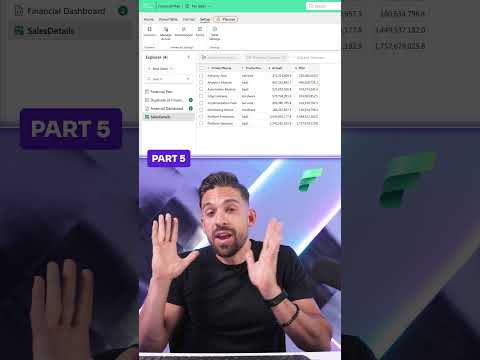
Planning in Microsoft Fabric brings budgeting, forecasting and scenario planning into the Fabric environment, connecting plans with business data used for reporting. It is relevant to finance teams and departments that contribute budget figures, particularly organizations already using Power BI and Fabric. How to Power BI demonstrates a budgeting workflow in a YouTube Short.
What it does
Planning in Fabric is an enterprise planning capability for creating and managing budgets, forecasts and alternative scenarios. It can connect planning to Power BI semantic models, OneLake and Fabric SQL, so teams can work with governed business data rather than rely only on separate spreadsheet files.
The described suite includes Planning, PowerTable for data management and applications, and Intelligence for reporting and insights. Planning can use historical actuals as a starting point, support changes across dimensions such as department or region, and write approved results back to a Fabric SQL database. That writeback can make plan data available for reporting and variance analysis.
Who it is for and what you need
Finance and controlling teams are the primary audience, along with business departments that supply figures for a budget or forecast. The capability is particularly relevant to organizations seeking to connect financial plans to data and reporting already held in the Fabric ecosystem.
Planning in Fabric is described as available worldwide as part of a Microsoft Fabric SKU. Before adopting it, organizations should check their Fabric capacity and licensing requirements against their agreement, and prepare the financial dimensions, hierarchies and actuals the planning process will use.
How it works
- Connect planning to an existing Fabric or Power BI semantic model.
- Use historical actuals as the basis for a budget or forecast.
- Enter or adjust values across dimensions such as department, product, region or account, and review totals across hierarchies.
- Change assumptions to compare alternative scenarios, then validate and approve the plan.
- Write approved planning results back to Fabric SQL for reporting and further analysis.
This workflow can reduce the need to export actuals, circulate separate templates and consolidate returned spreadsheets manually. It also gives teams a way to compare a plan with business performance using the data environment they already use for analytics.
Limitations and alternatives
Planning still depends on clear financial dimensions, reliable actuals and agreed ownership of budget versions and approvals. Teams should test how writeback, reporting and scenario workflows fit their process, and validate any automated forecasts against their own historical data before relying on them.
Spreadsheet-based budgeting remains an alternative, but it can require manual collection and consolidation. Planning in Fabric is intended to keep planning closer to governed data; organizations should assess their capacity and security needs before moving an existing process.
Sources
Frequently asked questions
What can Planning in Microsoft Fabric do?
It supports budget creation, forecasting and scenario planning. Approved planning results can be written back to a Fabric SQL database.
Can Planning in Fabric use Power BI data?
Yes. The workflow can connect planning to a Power BI semantic model and use historical actuals as the basis for a budget or forecast.
Is Planning in Fabric available worldwide?
It is described as available worldwide as part of a Microsoft Fabric SKU. Organizations should check capacity and licensing requirements against their agreement.