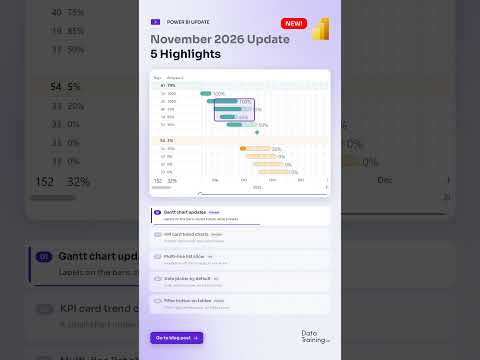
Power BI November 2026 update: key changes
Power BI’s November update adds report-authoring improvements and previews new app-building and semantic-model capabilities.
Key insights
- Reusable visual style presets are generally available for applying consistent formatting across reports.
- Power BI Desktop for Apps is a preview experience for building Fabric apps from an existing semantic model.
- Microsoft plans to retire standalone Power BI Copilot experiences by the end of January 2027.
- Semantic views and Direct Lake M parameters are preview capabilities.
- Workspace apps can be embedded in SharePoint Online.
Power BI’s November 2026 update combines report-authoring improvements with preview capabilities for apps and governed analytics, while setting a direction for changes to Copilot. The changes matter to report authors, semantic model owners, and administrators planning Power BI and Fabric deployments. How to Power BI highlights several of these changes in a YouTube Short.
What’s new
Report authors can use reusable visual style presets, which are generally available, to apply consistent formatting across reports. Other reported usability changes include trend charts in the card visual, a Filter action button for tables and matrices, a date-picker default for date slicers, and additions to Gantt charts and list slicers.
Power BI Desktop for Apps is a preview experience for creating interactive Fabric apps from an existing semantic model. Its described tools include AI-assisted authoring, direct text editing, a Design pane, and local preview. Semantic views are also in preview, with the aim of making governed metrics and business logic discoverable alongside data in OneLake.
The update also extends analytics and distribution options. M parameters for Direct Lake on OneLake models are in preview, and DAX-based calculated columns can be used in Direct Lake models without changing storage mode. Workspace apps can be embedded in SharePoint Online, and OneDrive and SharePoint integration is highlighted as generally available.
Who it is for and what you need
Report authors can make use of the visual and filtering changes, while administrators and analytics teams will want to assess the Copilot transition and preview features. Power BI Desktop for Apps starts from an existing semantic model; the semantic view and Direct Lake M parameter capabilities are identified as previews.
Microsoft plans to retire standalone Power BI Copilot experiences on the web, in Teams, and in the Power BI mobile app by the end of January 2027. Copilot inside eligible Power BI reports is expected to continue. App-scoped Copilot in workspace apps is also scheduled for removal in January 2027, while existing app content, audiences, and permissions are not expected to change.
How it works
For the report-design changes, authors can use the reusable style presets to apply a consistent look and use the added controls and visuals where they fit their reports. The update also enables embedding a workspace app in SharePoint Online, rather than limiting the experience to an individual report page.
- For app creation, start with an existing semantic model in the Power BI Desktop for Apps preview.
- Use the described authoring tools, including the Design pane and direct text editing, then preview the app locally.
- For Direct Lake modeling, evaluate the preview M parameters and DAX calculated columns with a representative model.
Administrators should review tenant settings and user eligibility ahead of the planned Copilot changes. A reported tenant-default change is scheduled for December 8, 2026; existing administrator choices are expected to be preserved.
Limitations and alternatives
Power BI Desktop for Apps, semantic views, and Direct Lake M parameters are preview capabilities, so teams should evaluate them in a controlled environment before relying on them for production workloads. The preview status makes governance, permissions, deployment, and interoperability practical areas to validate.
Standalone and app-scoped Copilot entry points have a planned retirement, but Copilot inside eligible Power BI reports is expected to remain supported. Review the planned transition and test the Microsoft Copilot experiences intended to replace those entry points. Browse more Power BI coverage.
Sources
Frequently asked questions
When will standalone Power BI Copilot experiences be retired?
Microsoft plans to retire standalone Power BI Copilot experiences on the web, in Teams, and in the mobile app by the end of January 2027. Copilot inside eligible Power BI reports is expected to continue.
Is Power BI Desktop for Apps generally available?
No. Power BI Desktop for Apps is described as a preview experience for creating interactive Fabric apps from an existing semantic model.
Can Power BI workspace apps be embedded in SharePoint Online?
Yes. Workspace apps can be embedded in SharePoint Online, providing access to an app experience rather than only an individual report page.