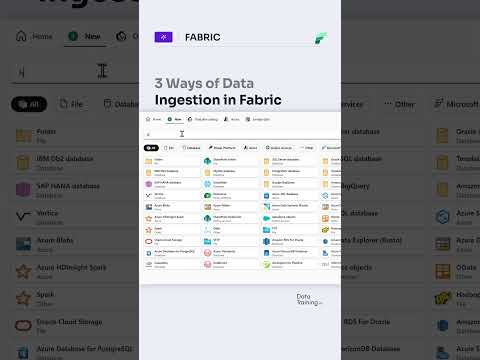
Microsoft Fabric: choose a low-code data ingestion method
Fabric users can upload a file, transform data with Dataflow Gen2, or automate recurring movement with Copy Job.
Key insights
- File upload suits one-time or ad hoc loads from local files.
- Dataflow Gen2 uses a visual Power Query experience to prepare and load data.
- Copy Job focuses on repeatable data movement, including batch and incremental scenarios.
- Choose based on whether you need a quick manual load, transformations, or recurring transfers.
Microsoft Fabric offers three low-code ways to ingest data: file upload, Dataflow Gen2, and Copy Job. Analysts, data engineers, and other Fabric users can choose based on whether they need a quick manual load, visual data preparation, or repeatable data movement. How to Power BI demonstrates these ingestion options in a YouTube Short.
What it does
Data ingestion brings files or data from other systems into Fabric destinations such as a Lakehouse or Warehouse. The right approach depends on what happens before and after data lands. A local file that needs a quick one-time load calls for a different workflow from a recurring transfer that needs monitoring or incremental updates.
File upload is the straightforward option for local files and ad hoc work. It can help with initial testing or a small dataset, but a manual upload is not the natural fit for automated, recurring ingestion. Dataflow Gen2 adds a visual preparation step: users can work with data in Power Query and apply transformations before loading it. Copy Job is centered on moving data between a source and destination, with batch and incremental movement among its use cases.
Who it is for and what you need
These options suit different starting points. File upload is approachable when the data is already on your device. Dataflow Gen2 is useful when analysts or data engineers need to shape data through a visual interface rather than writing transformation code. Copy Job is a fit when the main task is repeatable transfer with minimal transformation.
Think about the destination and how often the data must be refreshed before choosing. A one-off prototype may not need the same setup as an ongoing ingestion process. For more on the platform, see our Microsoft Fabric coverage.
How it works
- For a local file, open the relevant Fabric ingestion experience, select the upload or import option, and choose the file. Review the detected data and select a destination.
- For Dataflow Gen2, create a dataflow, connect to a source or upload a file, and preview it in Power Query. Apply needed transformations, configure the destination, then save and run the dataflow.
- For Copy Job, create a job, select and configure the source, choose the data and destination, and set the copy mode. Run it manually or use a schedule when recurring execution is needed.
Limitations and alternatives
File upload is mainly a manual approach, so it is less suited to recurring ingestion, large-scale movement, or automated monitoring. Dataflow Gen2 is the stronger choice when cleaning or reshaping data is part of the task. Copy Job emphasizes movement rather than extensive transformation, so use a visual data-preparation workflow when substantial shaping is required.
Before building a process, check whether it is one-time or recurring, whether transformations are needed, and what destination the data should reach. Those decisions help distinguish a quick upload from a reusable dataflow or a scheduled copy process.
Sources
Frequently asked questions
When should I use Dataflow Gen2 in Fabric?
Use Dataflow Gen2 when data needs visual preparation or transformation before it is loaded. It provides a Power Query-based workflow.
Is Fabric file upload suitable for recurring ingestion?
File upload is mainly for manual, one-time, or ad hoc loads. For recurring movement, consider Dataflow Gen2 or Copy Job.
What is Copy Job used for in Microsoft Fabric?
Copy Job focuses on moving data from a source to a destination. It is suited to repeatable transfers, including batch and incremental scenarios.